20
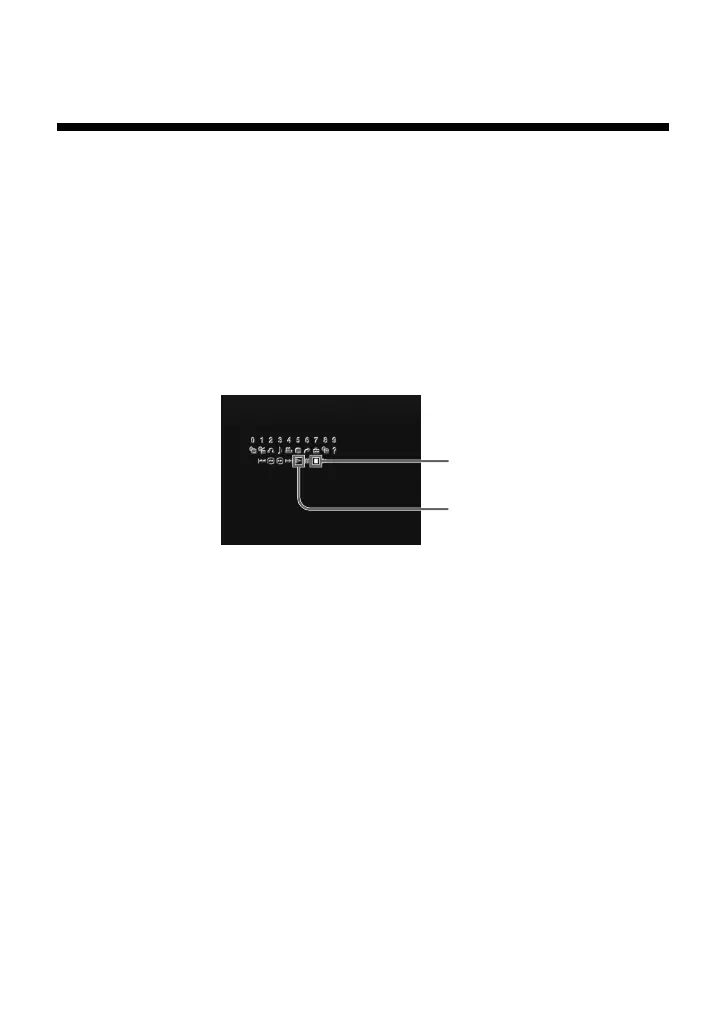
1 During playback, use the directional buttons to move to the
x icon of the Control Panel and press the ✕ button to stop
playback.
2 Select the N icon and press the ✕ button.
Playback begins from the point in step 1 where it was stopped.
Notes
• To play the disc from the beginning, press the x button one more time after
stopping playback, then press the H button.
• Resume Play may not be available on some DVD discs.
• Depending on where you stopped the disc, the console may resume play from a
slightly different point.
• The recording of the point where playback was stopped is cleared when:
– you open the disc tray;
– you shift to standby mode by pressing and holding down the 1/RESET button;
– you turn the power off using the MAIN POWER switch on the console rear;
– you start playback after selecting a title or chapter.
x
N
Viewing a DVD video (continued)
z
Playback from the last stopping point
(Resume Play)
1 During playback, press the x or a button to stop play.
The message, “Press [Play] to resume viewing. To start from the
beginning, press [Stop] and then [Play].” will appear onscreen.
2 Press the H button on the DVD Remote Control.
Playback begins from the point in step 1 where it was stopped.
Using the Control Panel



 To Next Page