26
Please refer to this section if you
experience difficulty in using the
Network Adaptor.
If you experience any of the following difficulties, use
this troubleshooting guide to help remedy the problem
before requesting repair. Refer also to the
troubleshooting section of the PlayStation
®2 console
instruction manual.
Should any problem persist, please contact the
appropriate PlayStation
® customer service helpline
which can be found within every PlayStation
® and
PlayStation®2 format software manual.
Trouble with items other than the Network Adaptor
The instructions provided here are for the Network Adaptor
only. If you experience difficulty with peripheral items or
software sold separately, refer to the appropriate instruction
manual or contact the appropriate PlayStation® customer service
helpline which can be found within every PlayStation® and
PlayStation®2 format software manual.
A connection to the network cannot be
established.
t The mains power plug for the PlayStation®2 console is not
fully inserted into the mains power socket.
Check that the mains power plug is fully inserted into the
mains power socket.
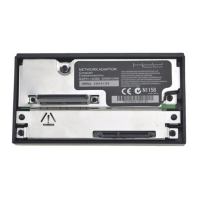
t The Network Adaptor is not properly installed in the
console.
Check that the Network Adaptor is properly installed in the
console.
Troubleshooting


 To Next Page