19" LCD Color Monitor SDM-E96D
26
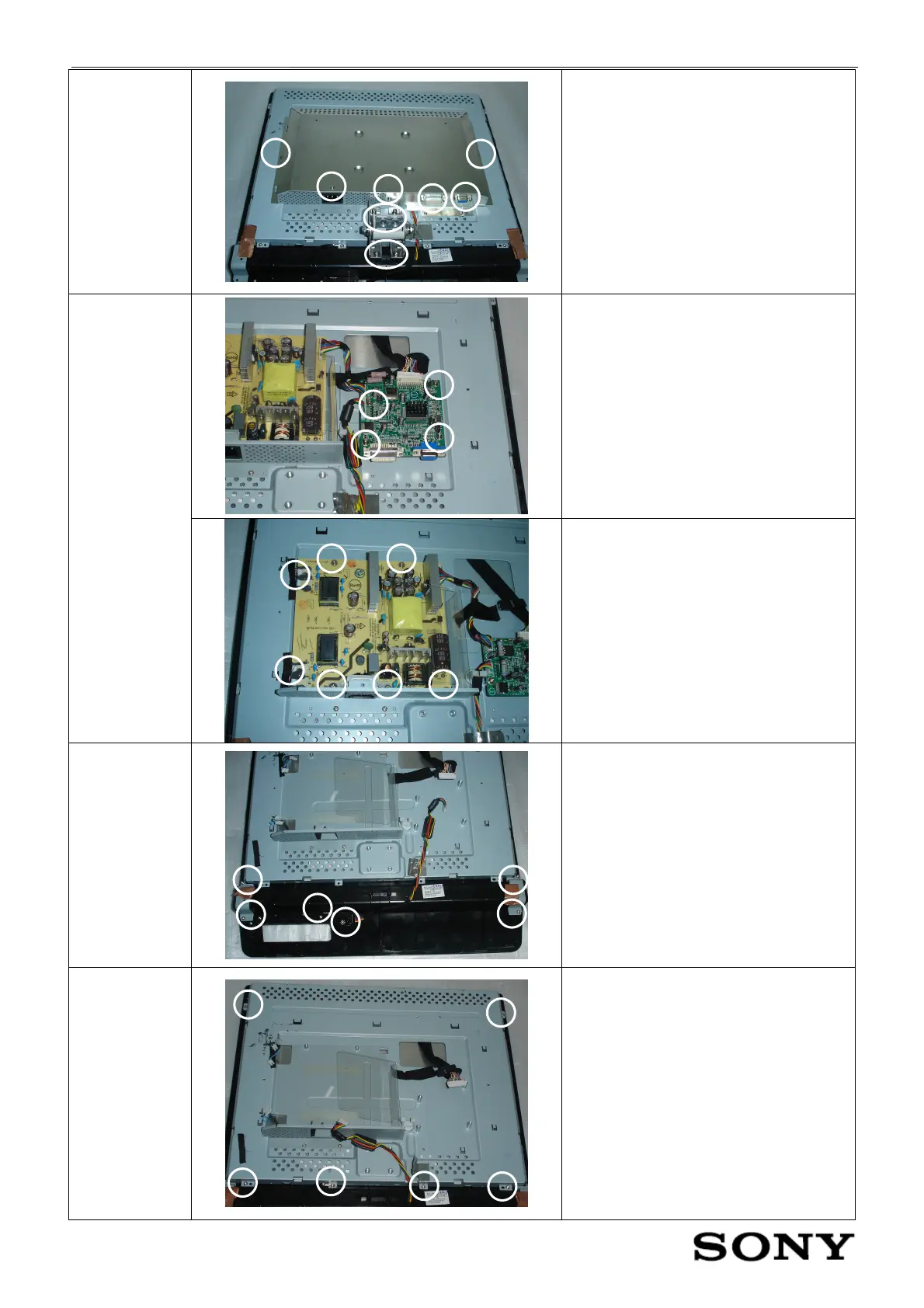
Remove the
shield
Remove the fifteen screws, then remove
the shield
Remove the four screws on the main
board and disconnect the three
interfaces.
Take apart the
main board
and power
board
Remove the five screws on the power
board and disconnect the four
interfaces.
Take apart the
key board
Remove the eight screws
Remove the
bezel
Remove the six screws


 To Next Page