EasyManua.ls Logo

Sony SEQ-555ES - Page 18

Sony SEQ-555ES
46 pages
Print Icon
To Next Page IconTo Next Page
To Previous Page IconTo Previous Page
Loading...
B
Q
Insulator
washer
SS,
P|
Neo
SECTION
4
ADJUSTMENTS
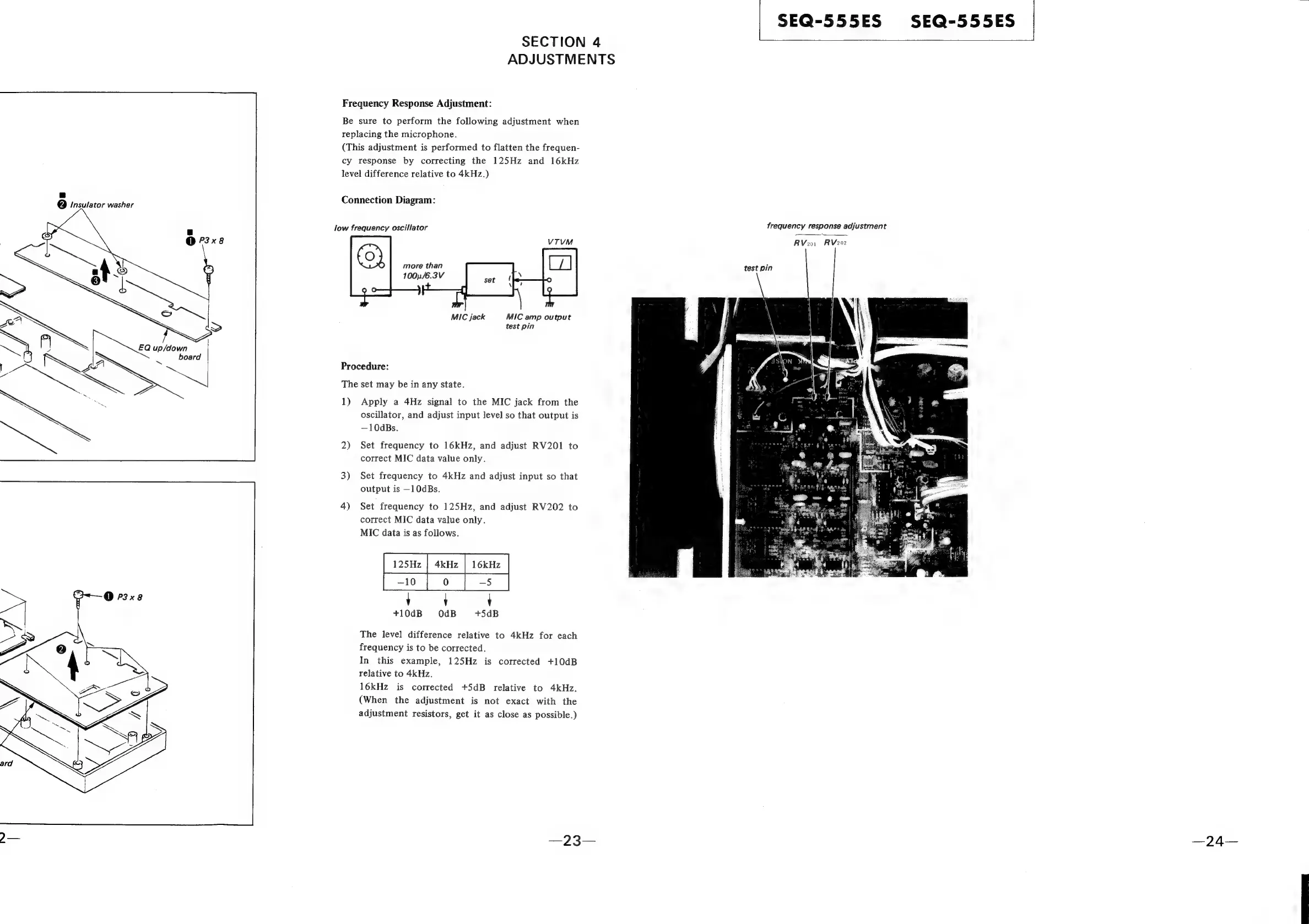
Frequency
Response
Adjustment:
Be
sure
to
perform
the
following
adjustment
when
replacing
the
microphone.
(This
adjustment
is
performed
to
flatten
the
frequen-
cy
response
by
correcting
the
125Hz
and
16kHz
level
difference
relative
to
4kHz.)
Connection
Diagram:
low
frequency
oscillator
more
than
1001
/6.3V
MIC
jack
MIC
amp
output
test
pin
Procedure:
The
set
may
be
in
any
state.
1)
Apply
a
4Hz
signal
to
the
MIC
jack
from
the
oscillator,
and
adjust
input
level
so
that
output
is
—10dBs.
2)
Set
frequency
to
16kHz,
and
adjust
RV201
to
correct
MIC
data
value
only.
3)
Set
frequency
to
4kHz
and
adjust
input
so
that
output
is
—10dBs.
4)
Set
frequency
to
125Hz,
and
adjust
RV202
to
correct
MIC
data
value
only.
MIC
data
is
as
follows.
oe
ee
eee
'
'
+10dB
OdB
+5dB
The
level
difference
relative
to
4kHz
for
each
frequency
is
to
be
corrected.
In
this
example,
125Hz
is
corrected
+10dB
relative
to
4kHz.
16kHz
is
corrected
+5dB
relative
to
4kHz.
(When
the
adjustment
is
not
exact
with
the
adjustment
resistors,
get
it
as
close
as
possible.)
frequency
response
adjustment
test
pin
SEQ-555ES
SEQ-555ES
RV201
RV202

Related product manuals