EasyManua.ls Logo

Sony SEQ-555ES - Trouble Checks

Sony SEQ-555ES
46 pages
Print Icon
To Previous Page IconTo Previous Page
Loading...
SEQ-555ES
|
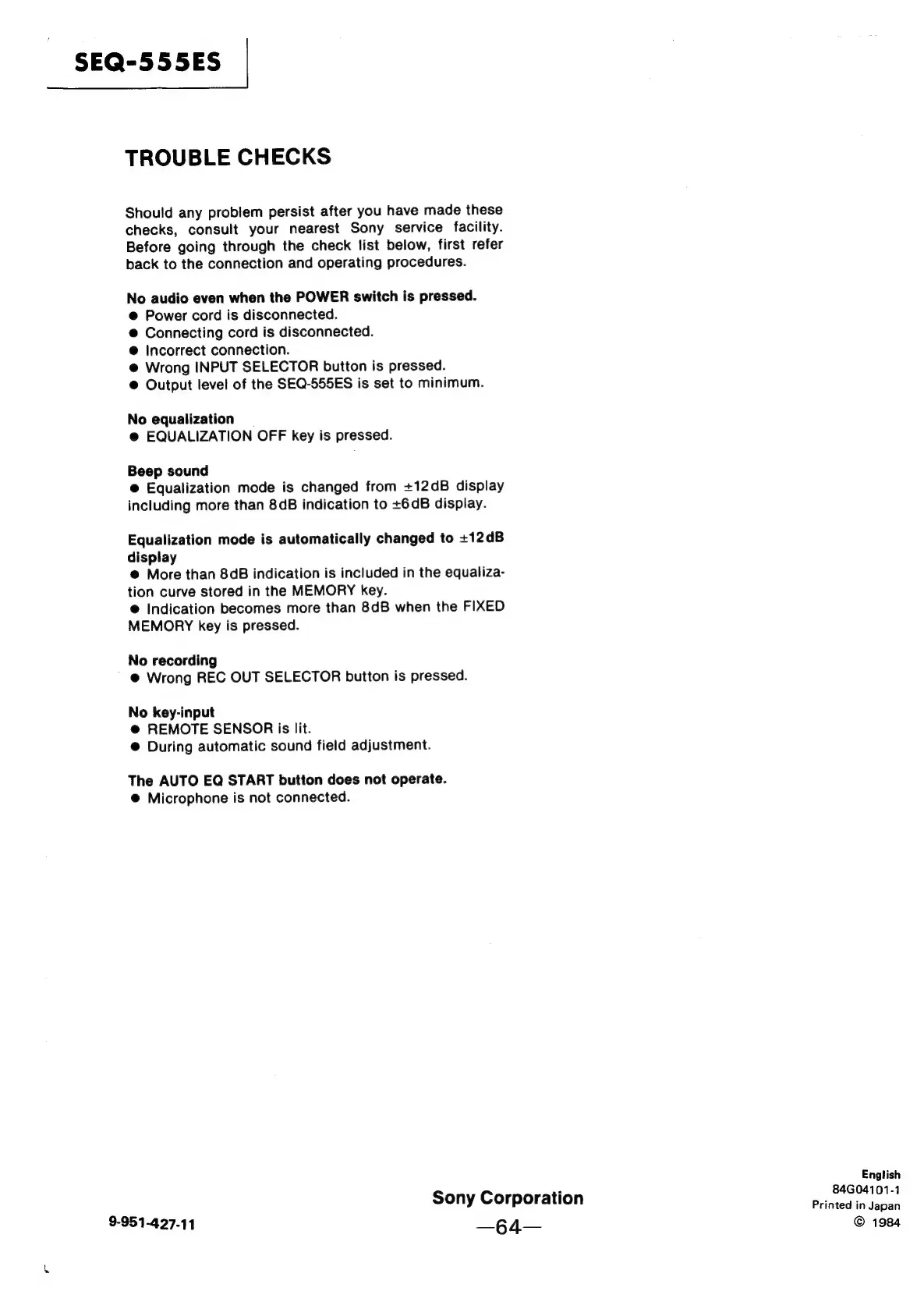
TROUBLE
CHECKS
Should
any
problem
persist
after
you
have
made
these
checks,
consult
your
nearest
Sony
service
facility.
Before
going
through
the
check
list
below,
first
refer
back
to
the
connection
and
operating
procedures.
No
audio
even
when
the
POWER
switch
is
pressed.
@
Power
cord
is
disconnected.
@
Connecting
cord
is
disconnected.
@
Incorrect
connection.
@
Wrong
INPUT
SELECTOR
button
is
pressed.
@
Output
level
of
the
SEQ-555ES
is
set
to
minimum.
No
equalization
@
EQUALIZATION
OFF
key
is
pressed.
Beep
sound
@
Equalization
mode
is
changed
from
+12dB
display
including
more
than
8dB
indication
to
+6dB
display.
Equalization
mode
is
automatically
changed
to
+12dB
display
@
More
than
8dB
indication
is
included
in
the
equaliza-
tion
curve
stored
in
the
MEMORY
key.
@
Indication
becomes
more
than
8dB
when
the
FIXED
MEMORY
key
is
pressed.
No
recording
~
@
Wrong
REC
OUT
SELECTOR
button
is
pressed.
No
key-input
@
REMOTE
SENSOR
is
lit.
@
During
automatic
sound
field
adjustment.
The
AUTO
EQ
START
button
does
not
operate.
@
Microphone
is
not
connected.
English
;
84G04101-
Sony
Corporation
Printed
in
pea
9-951-427-11
—§4—
©
1984

Related product manuals