EasyManua.ls Logo

Sony SEQ-711 - Characteristics of Each Frequency; To Have an Equalizer Curve Re-adjusted Automatically (DSC: Dynamic Sound Control)

Sony SEQ-711
11 pages
Print Icon
To Next Page IconTo Next Page
To Previous Page IconTo Previous Page
Loading...
Obtaining
a
Desired
Equalizer
Curve
+S)
Kolalare
Melua
ave(hucel
ere
Li
Settings
(PERSONAL
FILE)
Characteristics
of
Each
Frequency
63
Hz:
Boosts
or
cuts
the
bass.
160
Hz:
Governs
the
low-middie
range
and
greatly
influences
the
overall
characteristics
of
the
sound.
400
Hz:
Adjusts
the
power,
spaciousness
and
warmth
of
the
sound.
1kHz:
Provides
more
presence
for
vocals.
2.5
kHz:
Boosts
a
brighter
sound
and
reduces
stridency.
6.3
kHz:
Affects
the
treble.
Adjusts
the
brightness
of
the
sound
and
reduces
high
frequency
noise,
such
as
tape
hiss.
16
kHz:
Adjusts
the
general
atmosphere
rather
than
the
sound
itself.
Highlights
the
delicate
quality
of
instrumental
sound.
To
Flatten
an
Equalizer
Curve
Press
1/FLAT.
Use
this
function
when
you
want
to
make
an
equalizer
curve
from
the
beginning.
To
Reverse
an
Equalizer
Curve
Press
REVERSE.
Use
this
function,
for
example,
to
listen
to
a
tape
recorded
with
the
No.10
of
the
SELECT
10
function,
in
a
room.
To
return
to
the
original
curve,
press
REVERSE
again.
To
flatten
or
reverse
the
equalizer
curve
of
each
channel
independently
Press
CURSOR
MODE
LEFT
or
RIGHT,
then
press
1/FLAT
or
REVERSE
within
5
seconds.
(While
the
frequency
ranges
are
blinking).
To
Have
an
Equalizer
Curve
Re-adjusted
Automatically
(DSC:
Dynamic
Sound
Control)
Press
DSC
so
that
the
indicator
lights
up.
The
equalizer
curve
is
displayed
in
the
display
window.
When
the
input
level
of
a
sound
increases,
the
DSC
function
automatically
keeps
down
emphasized
frequency
ranges.
This
prevents
distortion
and
damage
to
speakers.
(The
equalizer
curve
set
under
0
position
does
not
move.)
To
cancel
the
DSC
function
Press
DSC
again
so
that
the
indicator
goes
off.
When
the
DSC
indicator
is
lit
The
equalizer
curve
is
displayed
in
the
display
window
and
the
DISPLAY
button
does
not
function.
10
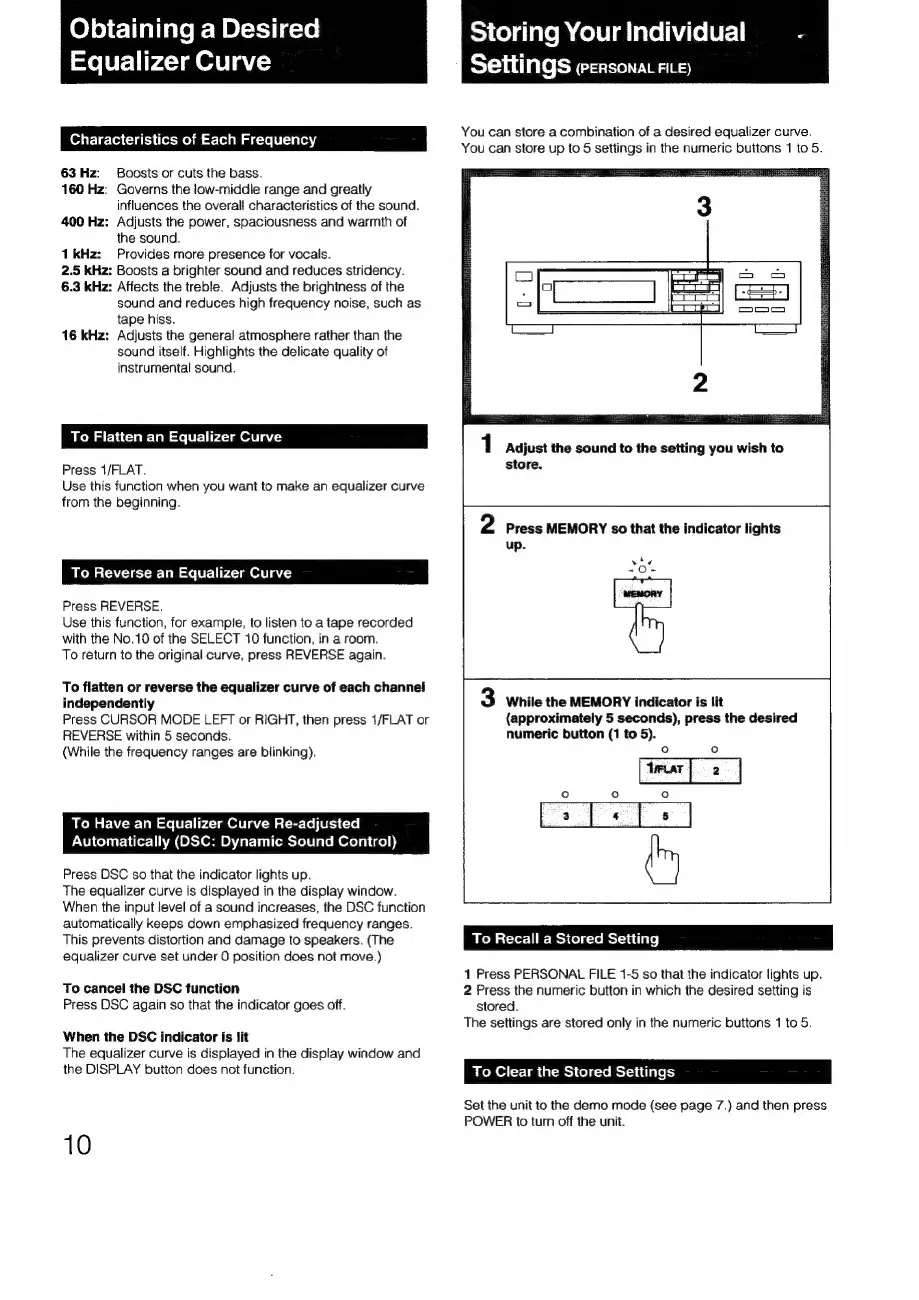
You
can
store
a
combination
of
a
desired
equalizer
curve.
You
can
store
up
to
5
settings
in
the
numeric
buttons
1
to
5.
1
Adjust
the
sound
to
the
setting
you
wish
to
store.
2
Press
MEMORY
so
that
the
indicator
lights
up.
¢
-=O-
ead
o
3
While
the
MEMORY
indicator
is
lit
(approximately
5
seconds),
press
the
desired
numeric
button
(1
to
5).
o
to}
io
ac
m
To
Recall
a
Stored
Setting
1
Press
PERSONAL
FILE
1-5
so
that
the
indicator
lights
up.
2
Press
the
numeric
button
in
which
the
desired
setting
is
stored.
The
settings
are
stored
only
in
the
numeric
buttons
1
to
5.
To
Clear
the
Stored
Settings
Set
the
unit
to
the
demo
mode
(see
page
7.)
and
then
press
POWER
to
turn
off
the
unit.

Related product manuals