EasyManua.ls Logo

Sony SEQ-711 - Equalizing the Sound with Preset Settings (SELECT 10)

Sony SEQ-711
11 pages
Print Icon
To Next Page IconTo Next Page
To Previous Page IconTo Previous Page
Loading...
Equalizing
the
Sound
with
Preset
Settings
(SELECT
10)
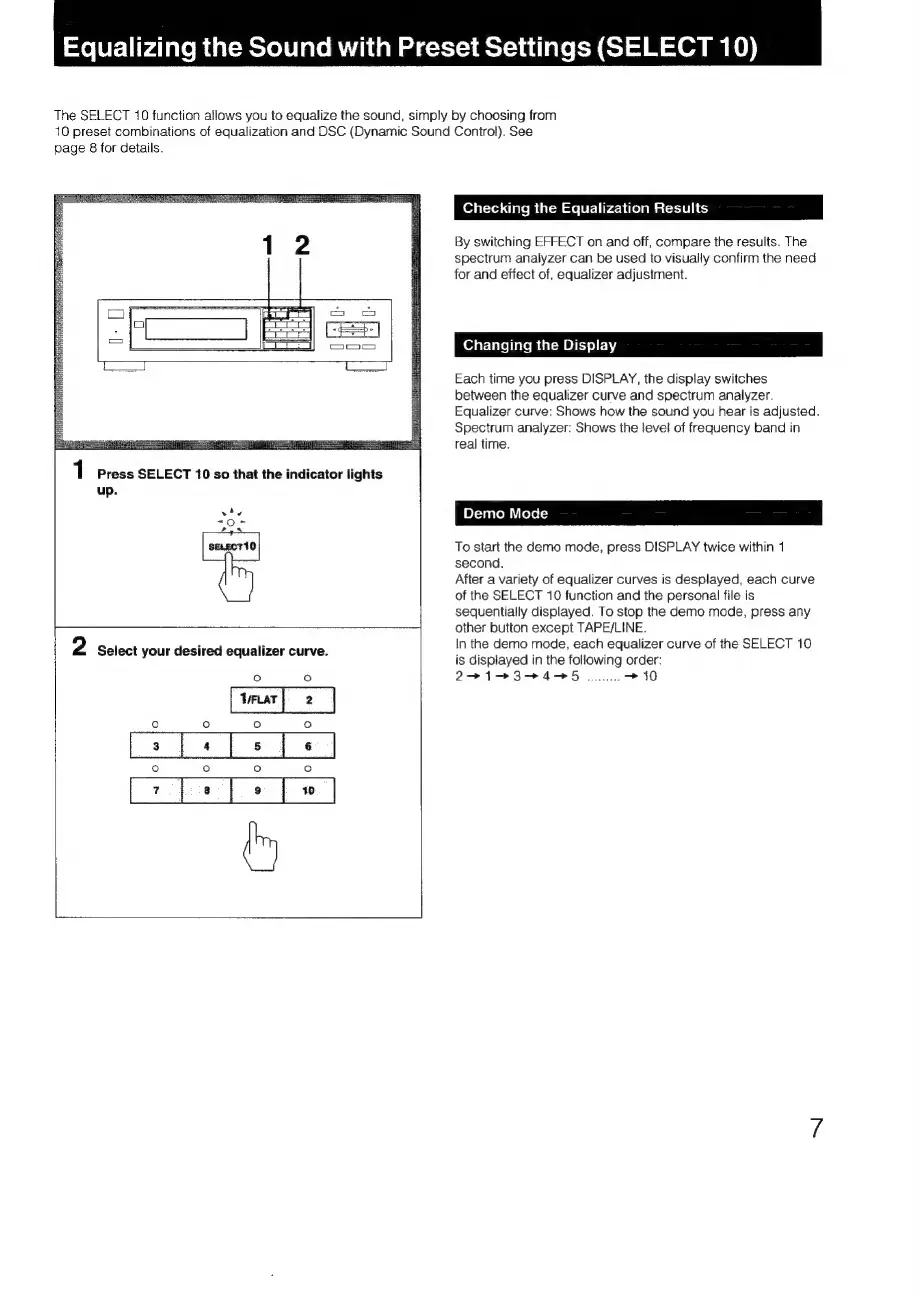
The
SELECT
10
function
allows
you
to
equalize
the
sound,
simply
by
choosing
from
10
preset
combinations
of
equalization
and
DSC
(Dynamic
Sound
Control).
See
page
8
for
details.
up.
Checking
the
Equalization
Results
By
switching
EFFECT
on
and
off,
compare
the
results.
The
spectrum
analyzer
can
be
used
to
visually
confirm
the
need
for
and
effect
of,
equalizer
adjustment.
Changing
the
Display
Each
time
you
press
DISPLAY,
the
display
switches
between
the
equalizer
curve
and
spectrum
analyzer.
Equalizer
curve:
Shows
how
the
sound
you
hear
is
adjusted.
Spectrum
analyzer:
Shows
the
level
of
frequency
band
in
real
time.
To
start
the
demo
mode,
press
DISPLAY
twice
within
1
second.
After
a
variety
of
equalizer
curves
is
desplayed,
each
curve
of
the
SELECT
10
function
and
the
personal
file
is
sequentially
displayed.
To
stop
the
demo
mode,
press
any
other
button
except
TAPE/LINE.
In
the
demo
mode,
each
equalizer
curve
of
the
SELECT
10
is
displayed
in
the
following
order:
27147374985
0.
>
10

Related product manuals