EasyManua.ls Logo

Sony SEQ-711 - Page 6

Sony SEQ-711
11 pages
Print Icon
To Next Page IconTo Next Page
To Previous Page IconTo Previous Page
Loading...
|Morer-1ilelame)
m
Orel
alice)
ts
_
NR
[>]
[=|
o
[IN
|
o
11
12)
13
14)
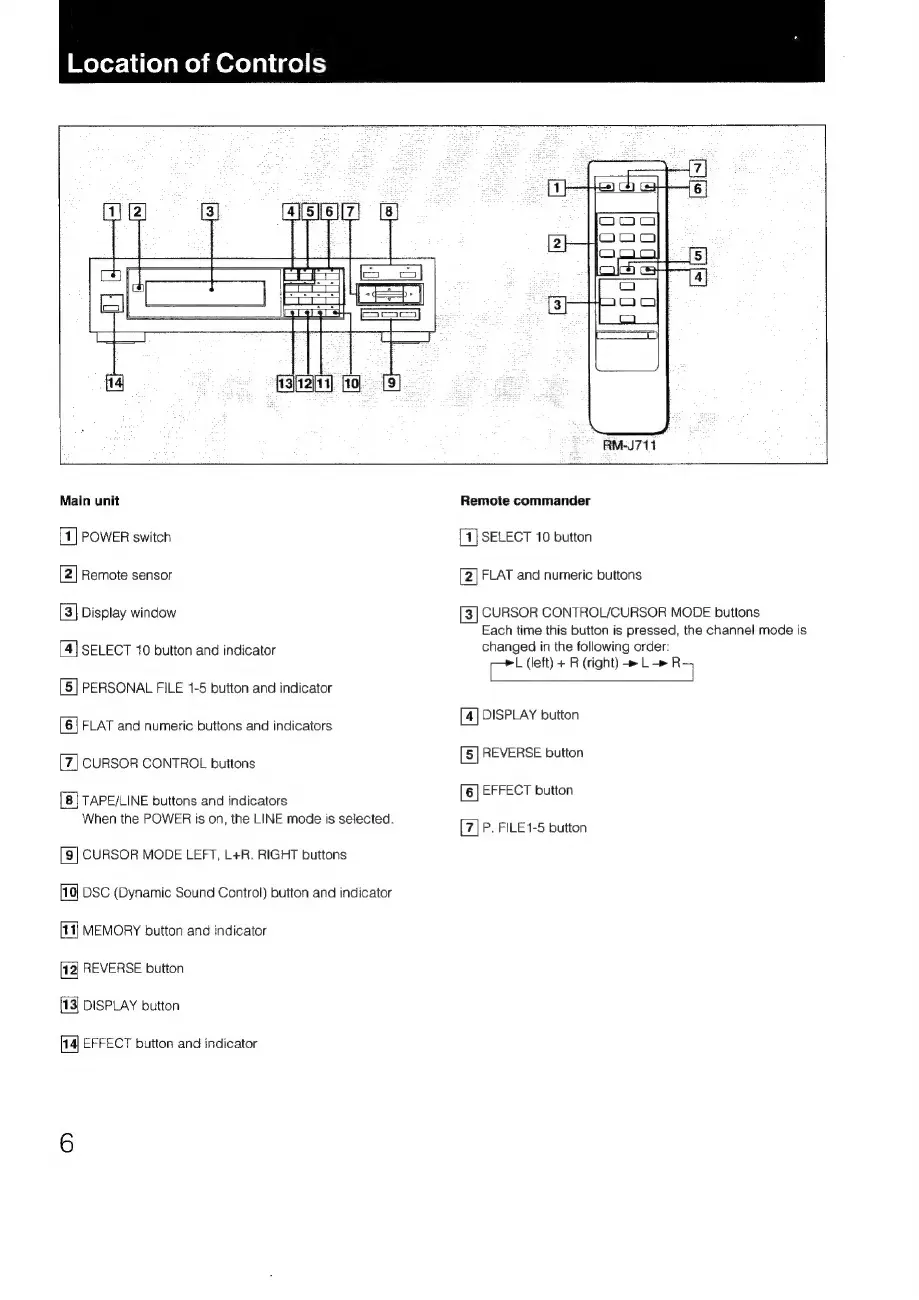
POWER
switch
Remote
sensor
Display
window
SELECT
10
button
and
indicator
PERSONAL
FILE
1-5
button
and
indicator
FLAT
and
numeric
buttons
and
indicators
CURSOR
CONTROL
buttons
TAPE/LINE
buttons
and
indicators
When
the
POWER
is
on,
the
LINE
mode
is
selected.
CURSOR
MODE
LEFT,
L+R.
RIGHT
buttons
DSC
(Dynamic
Sound
Control)
button
and
indicator
MEMORY
button
and
indicator
REVERSE
button
DISPLAY
button
EFFECT
button
and
indicator
i
2 3
a\(s][el[7
;
|
=
|
14]
el
TEE
RM-J711
Main
unit
Remote
commander
[4]
SELECT
10
button
2)
FLAT
and
numeric
buttons
[3]
CURSOR
CONTROL/CURSOR
MODE
buttons
Each
time
this
button
is
pressed,
the
channel
mode
is
changed
in
the
following
order:
ce
(left)
+
R
(right)
L_—»
R5
[4]
DISPLAY
button
[5]
REVERSE
button
[6]
EFFECT
button
[7]
P.
FILE1-5
button
“N

Related product manuals