EasyManua.ls Logo

Sony SEQ-711 - Obtaining a Desired Equalizer Curve; To Adjust Right and Left Channels Independently

Sony SEQ-711
11 pages
Print Icon
To Next Page IconTo Next Page
To Previous Page IconTo Previous Page
Loading...
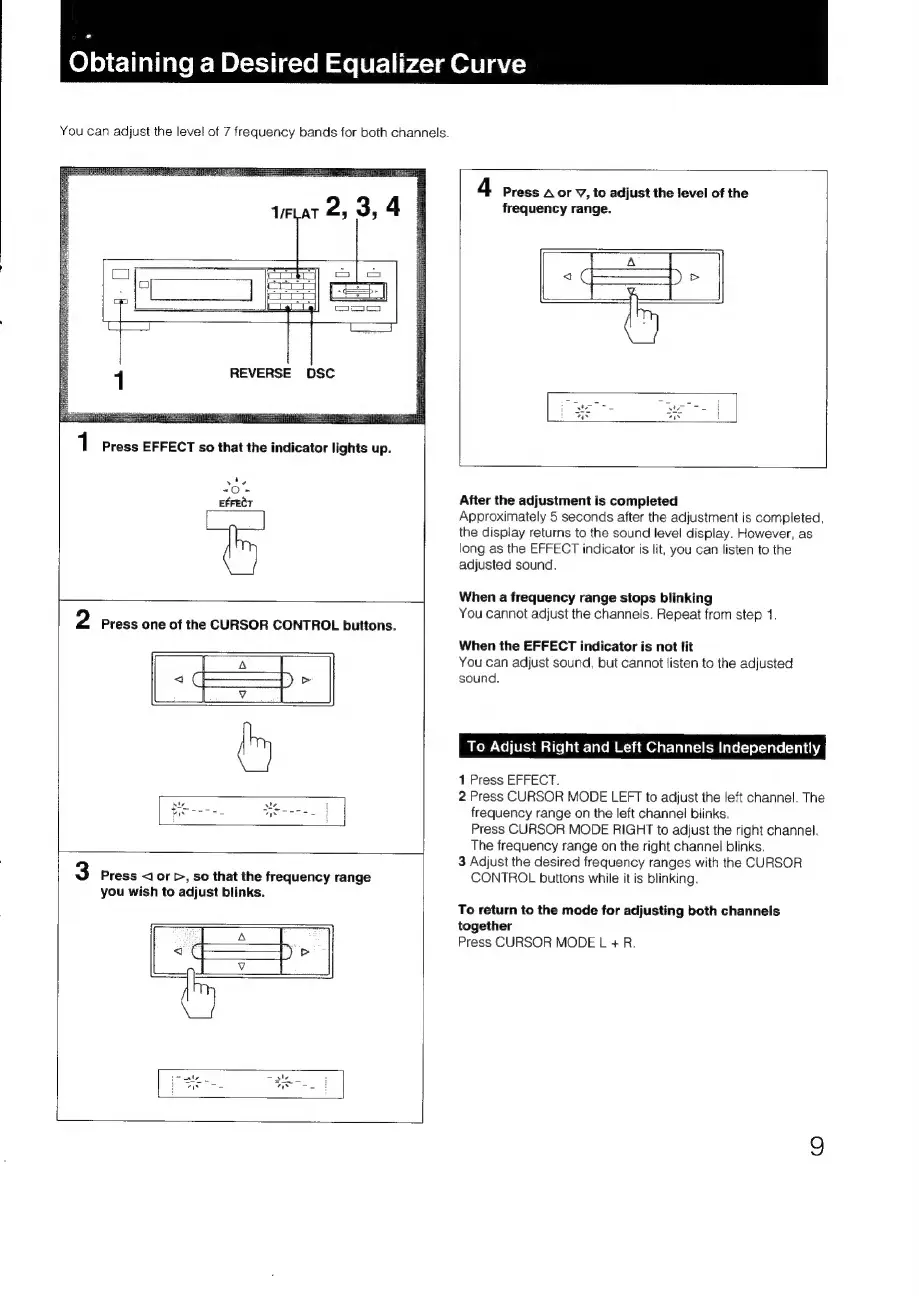
Obtaining
a
Desired
Equalizer
Curve
You
can
adjust
the
level
of
7
frequency
bands
for
both
channels.
4
Press
A
or
V,
to
adjust
the
level
of
the
1/FLAT
2,
3,
4
frequency
range.
1
REVERSE
DSC
1
Press
EFFECT
so
that
the
indicator
lights
up.
vie
oer
After
the
adjustment
is
completed
Approximately
5
seconds
after
the
adjustment
is
completed,
wa
the
display
returns
to
the
sound
level
display.
However,
as
long
as
the
EFFECT
indicator
is
lit,
you
can
listen
to
the
adjusted
sound.
When
a
frequency
range
stops
blinking
2
You
cannot
adjust
the
channels.
Repeat
from
step
1.
Press
one
of
the
CURSOR
CONTROL
buttons.
When
the
EFFECT
indicator
is
not
lit
You
can
adjust
sound,
but
cannot
listen
to
the
adjusted
sound.
(m
To
Adjust
Right
and
Left
Channels
Independently
1
Press
EFFECT.
2
Press
CURSOR
MODE
LEFT
to
adjust
the
left
channel.
The
Boone
Wenn.
|
frequency
range
on
the
left
channel
blinks.
Press
CURSOR
MODE
RIGHT
to
adjust
the
right
channel.
The
frequency
range
on
the
right
channel
blinks.
3
Adjust
the
desired
frequency
ranges
with
the
CURSOR
3
Press
<]
or
>,
so
that
the
frequency
range
CONTROL
buttons
while
it
is
blinking.
you
wish
to
adjust
blinks.
To
return
to
the
mode
for
adjusting
both
channels
together
Press
CURSOR
MODE
L
+
R.

Related product manuals