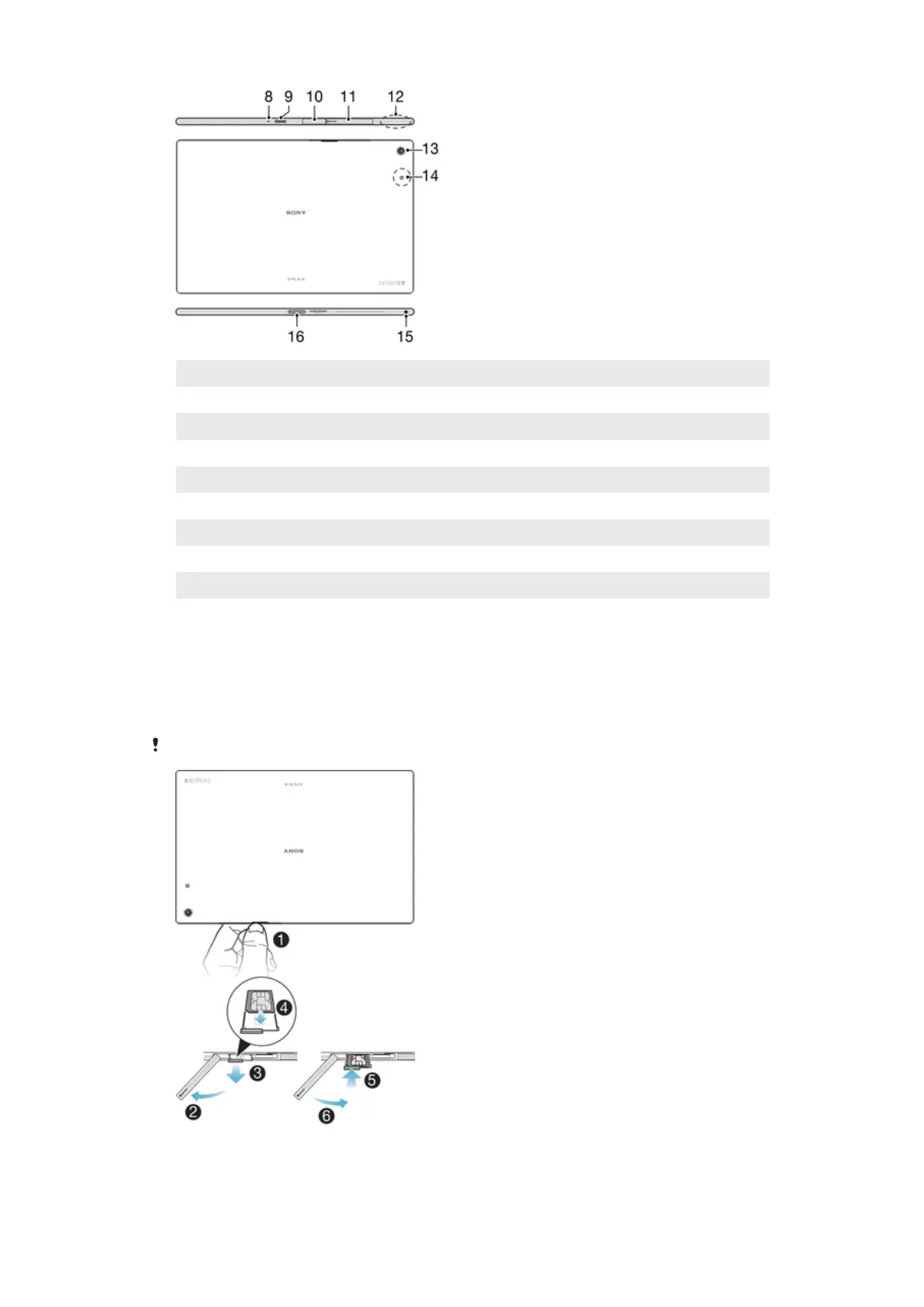
8 Microphone
9 Infrared sensor
10 Charger/USB port cover
11 Memory card/Micro SIM card slot cover
12 Wi-Fi/GPS/Bluetooth antenna area
13 Main camera
14 NFC™ detection area
15 Headset jack
16 Charging dock connector
Assembly
A protective plastic sheet is attached to the screen. You should peel off this sheet before
using the touchscreen. Otherwise, the touchscreen might not function properly.
To Insert the Micro SIM Card
If you insert a micro SIM card while the device is powered on, the device restarts automatically.
8
This is an internet version of this publication. © Print only for private use.














 To Next Page