To delete a playlist
1
Open the Music homescreen menu, then tap Playlists.
2
Touch and hold the playlist that you want to delete.
3
Tap Delete.
4
Tap Delete again to confirm.
You cannot delete smart playlists.
Sharing music
To share a song
1
From the Music homescreen, browse to the song or album that you want to share.
2
Touch and hold the song title, then tap Share.
3
Select an application from the list, then follow the on-screen instructions.
You can also share albums and playlists in the same way.
Enhancing the sound
To Improve the Sound Quality Using the Equalizer
1
Open the Music homescreen menu, and then tap Settings > Audio settings >
Sound effects
>
Equalizer
.
2
To adjust the sound manually, drag the frequency band buttons up or down. To
adjust the sound automatically, tap and select a style.
To turn on the Surround sound feature
1
Open the Music home screen menu, then tap
Settings
>
Audio settings
>
Sound
effects > Surround sound (VPT).
2
Flick left or right to select a setting, then tap
OK
to confirm.
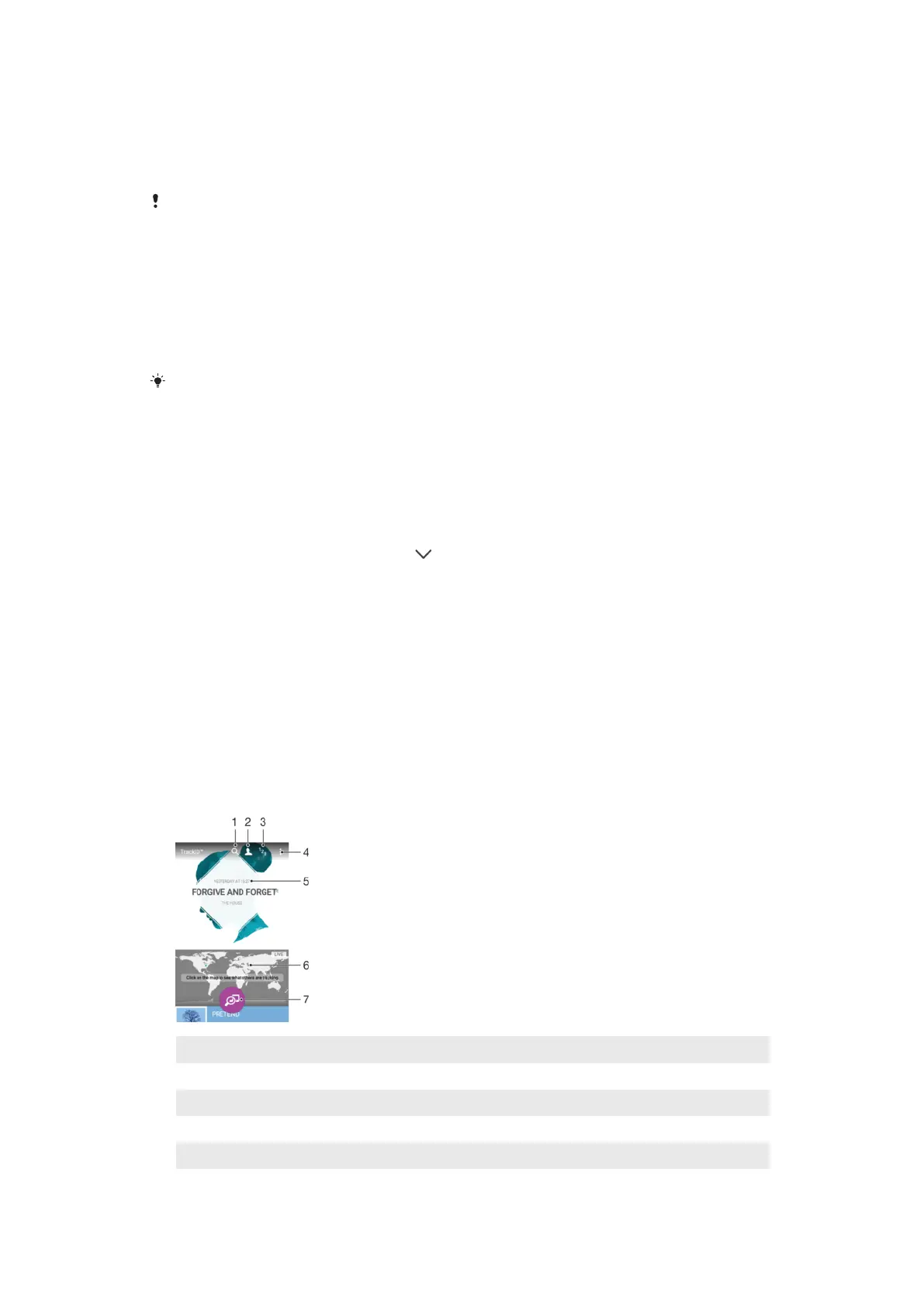
Recognizing Music with TrackID™
Use the TrackID™ music recognition service to identify a song you hear playing in your
surroundings. Just record a short sample of the song and you’ll get artist, title, and
album info within seconds. You can purchase tracks identified by TrackID™ and you can
view TrackID charts to see what TrackID users around the globe are searching for. For
best results, use TrackID™ in a quiet area.
1 Search for tracks, albums, and artists
2 Create an online TrackID™ profile
3 View current music charts
4 View TrackID™ options
5 View the history of your previous searches
6 Check out what others are tracking
91
This is an internet version of this publication. © Print only for private use.














 To Next Page