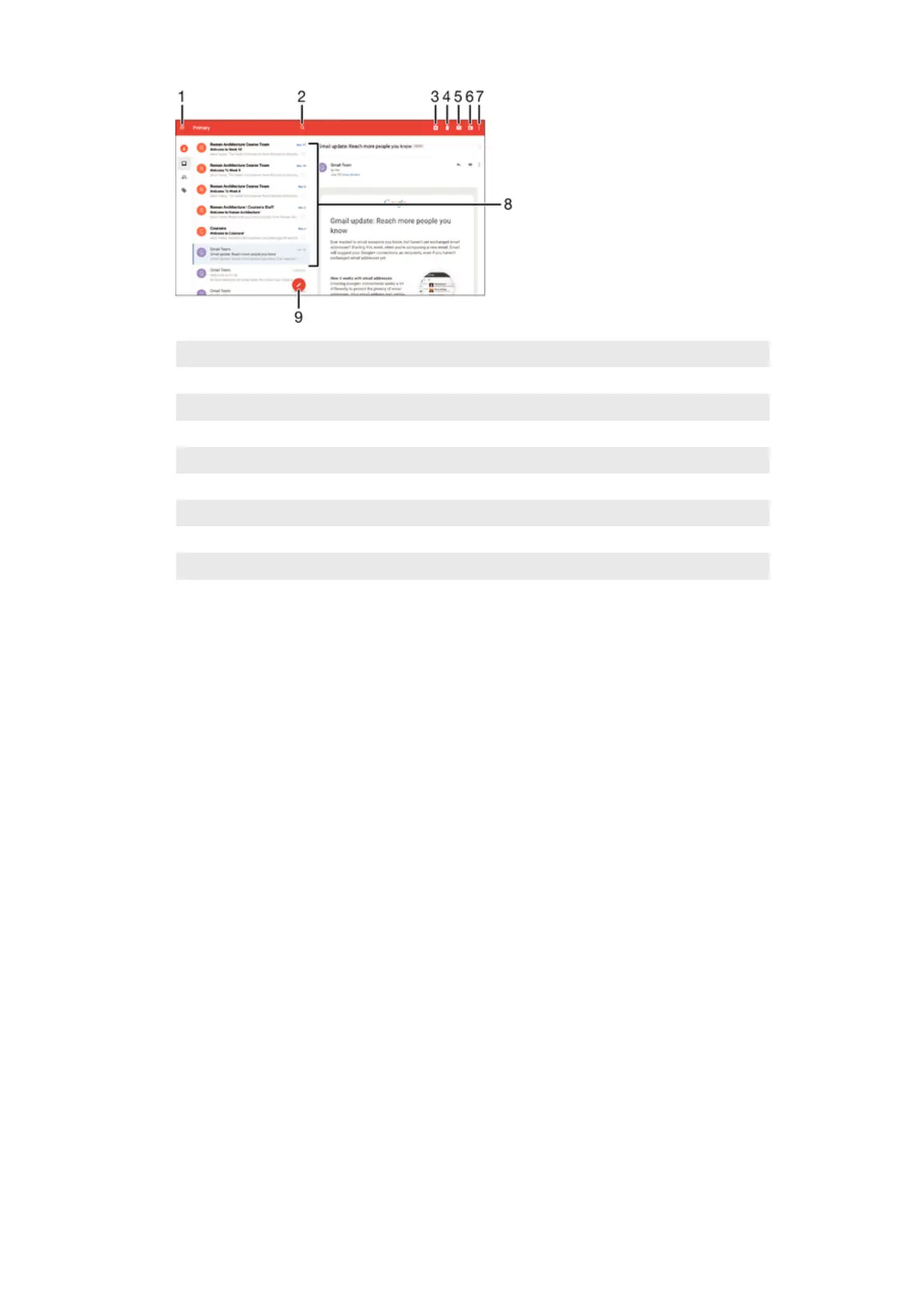
1 View a list of all Gmail accounts and folders
2 Search for email messages
3 Archive an email message
4 Delete an email message
5 Mark an email message as unread
6 Move an email message to a folder
7 Access settings and options
8 List of email messages
9 Write an email message
To Learn More About Gmail™
•
When the Gmail application is open, drag the left edge of the screen to the right,
and then find and tap
Help
.
87
This is an internet version of this publication. © Print only for private use.














 To Next Page