Basic VCR / Radio Operations
56
Before you start…
• When the unit is in timer recording standby mode, press TIMER REC
ON/OFF to clear the TIMER indicator.
• Press VHS TUNER.
– If the TV doesn’t turn on or the LINE 1 is not selected on the TV,
turn it on manually.
– If connected with only the antenna cable, set the TV to the video
channel.
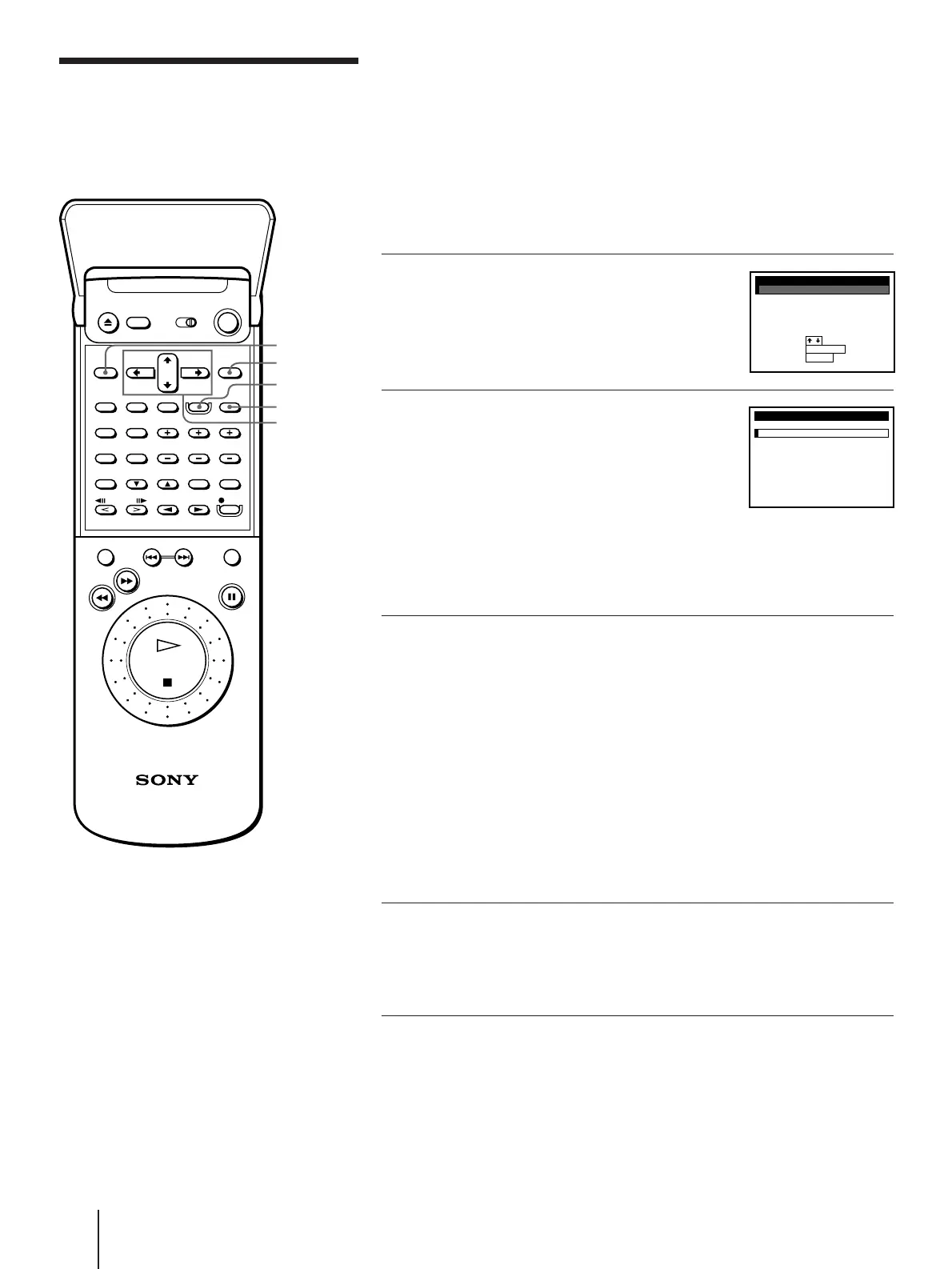
1 Lift the top cover of the remote
commander.
Press MENU. Then press CURSOR
>/. to move the cursor (I) to VHS
MENU, and press EXECUTE.
2 Press CURSOR >/. to move the
cursor (I) to TIMER SET/CHECK,
then press EXECUTE.
• If you want to change a setting, go
on to the next step.
• If you do not need to change the
settings, press EXECUTE, then press
TIMER REC ON/OFF to return to
recording standby.
3 Press CURSOR >/. to select the
setting you want to change or
cancel:
• To change the setting, press CURSOR
?// to highlight the item you
want to change, then press CURSOR
>/. to reset it.
Then, press CURSOR / repeatedly
until the cursor (I) appears at the
beginning of the line.
• To cancel the setting, press TIMER
CLEAR.
4 Press EXECUTE.
If any settings remain, press TIMER
REC ON/OFF to return to recording
standby.
Checking/changing/
cancelling timer
settings
MENU
EXECUTE
CURSOR
>/./?//
TIMER CLEAR
TIMER REC
ON/OFF
VHS MENU
ADVANCED OPTIONS
CLOCK SET
TUNER PRESET
TIMER SET / CHECK
CABLE BOX CONTROL
SET VCR Plus+ CHANNELS
QUIT
SET
:
:
SELECT
:
EXECUTE
MENU
TIMER SET / CHECK 2 /
MON
DATE START STOP CH
19
:
EP
8500
10
:
008/
12
1
:
SP
6008
:
007/16
:
EP
1L51
10
:
0388/
12
2
:
EP
2L00
12
:
00
10
7/
12
1
:
EP
72001
:
210
:
SP
1L000
:
00
11
:
––––––
:
––––/––
:
––––––
:
––––/––
TUE
0
MON
SAT
TUE
SAT
SUN
––
MON
EVERY
PM
AM
AM
AM
PM
PM
PM
AM
AM
PM
PM
AM



 To Next Page