Audio/Video Equipment Operations
64
Watching a TV program
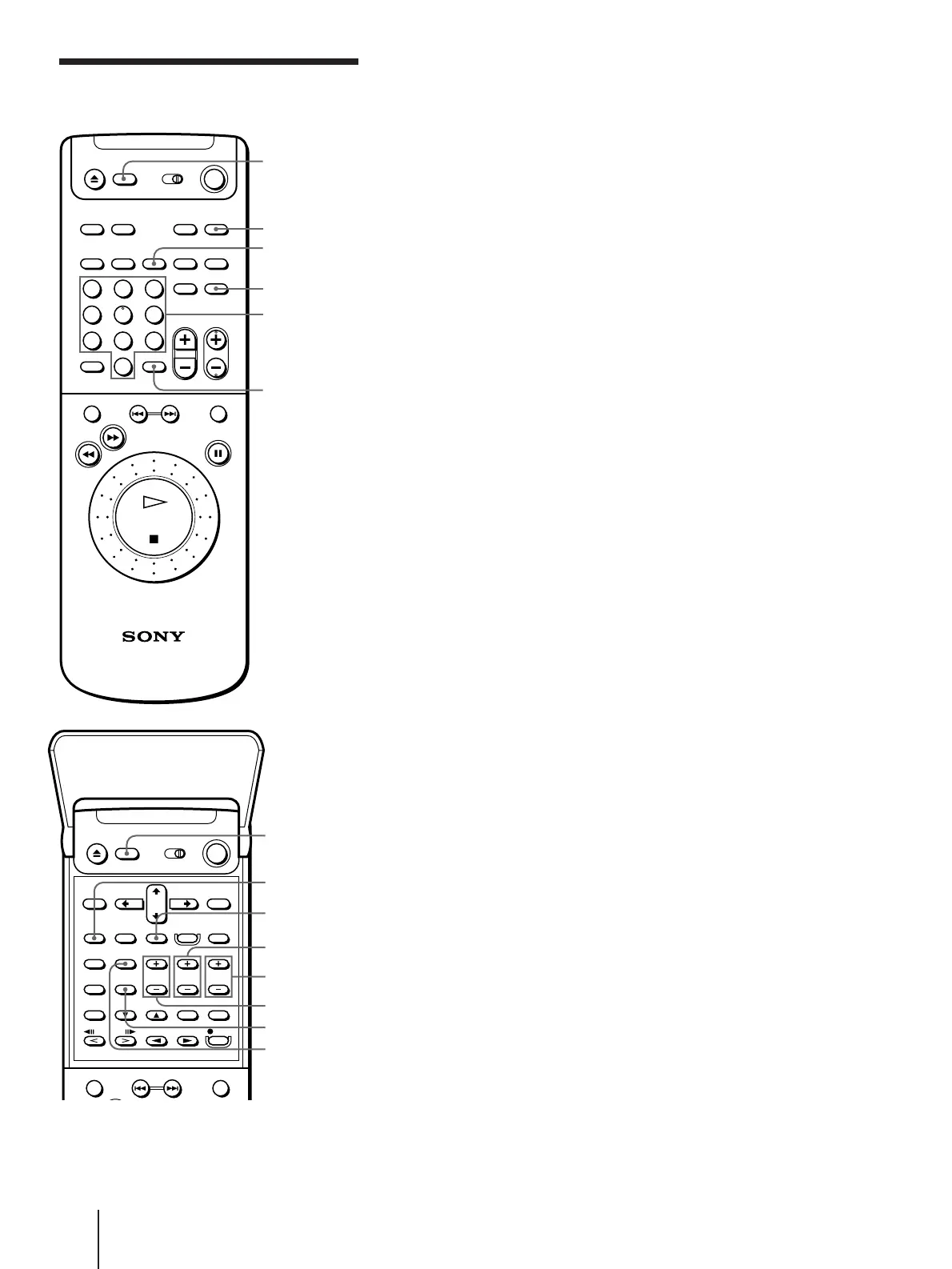
1 Press TV.
The TV and unit turn on.
2 Press the number buttons to select the channel and press ENTER.
To scan through channel, lift the top cover of the remote commander,
then press CH +/–.
Selecting a stereo or bilingual program
Press AUDIO MONITOR. Each press changes the sound between
bilingual and stereo.
Using the WIDE function
Press TV WIDE. Each press changes the WIDE mode.
Controlling the TV
Number
buttons
TV/VIDEO
123
456
789
0
>
10
ENTER
TV WIDE
TV VOL +/–
CH +/–
TV CH
TV/VIDEO buttons
TV POWER
Note
• You cannot use the on-
screen display while the
unit is in TV control mode.
VISUAL
POWER
TV
TV CONTROL
ON
AUDIO
MONITOR
TV CONTROL
ON



 To Next Page