Audio/Video Equipment Operations
58
Listening to preset radio stations
Before using this function, preset radio stations in the tuner’s memory
(see “Presetting radio stations” on page 45.)
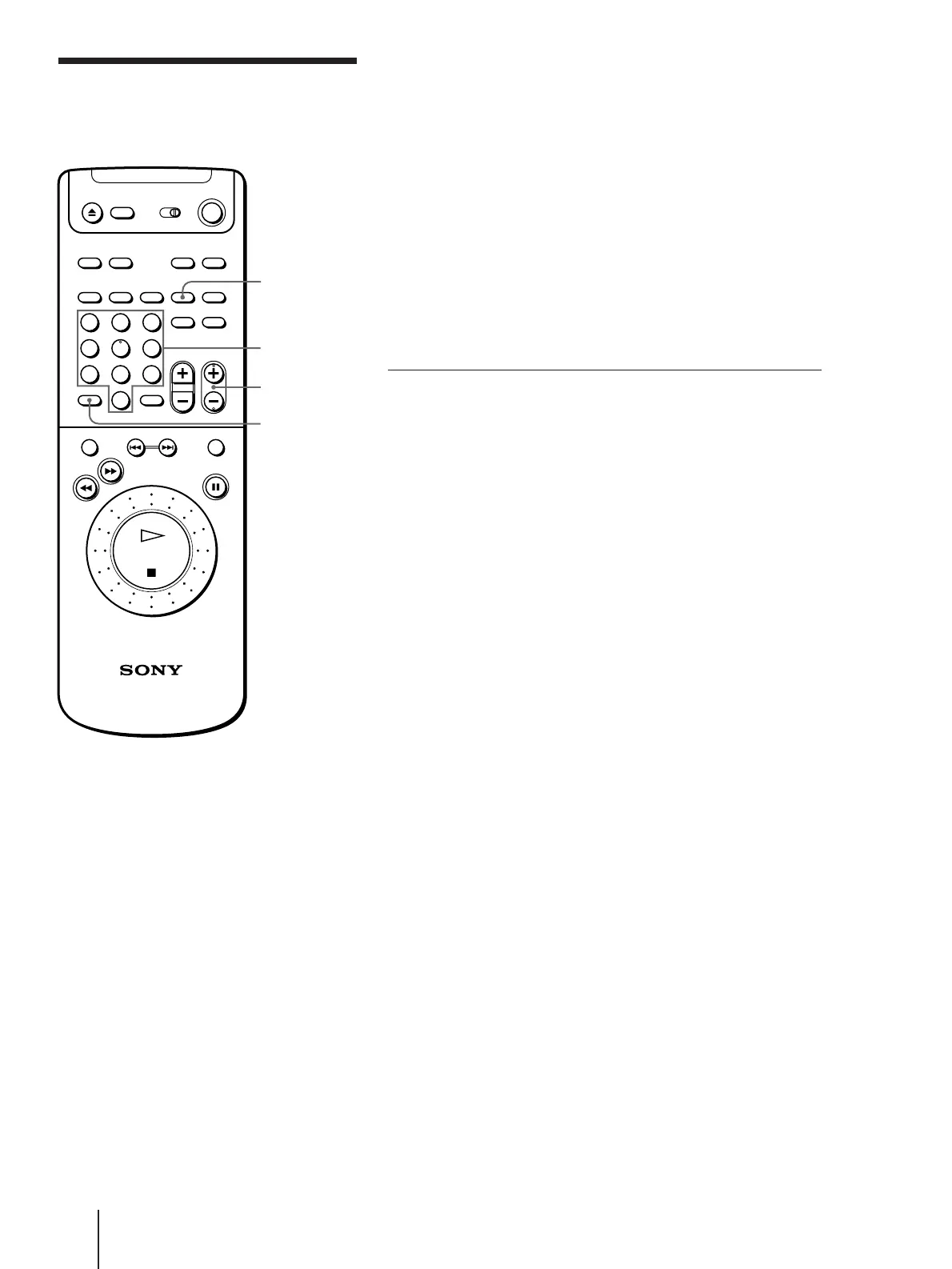
1 Press AUDIO repeatedly until “FM” or “AM” appears (or press
TUNER on the remote).
2 Press SHIFT repeatedly to select A, B, or C, then press the number.
For example, select A and press 7 to tune in the station preset as A7.
To scan the preset stations
Press CH/PRESET +/– . Each press changes the preset number as
follows:
A1 ˜ A2 ˜ ... ˜ A0 ˜ B1 ˜ B2 ˜ ... ˜ B0 ˜ C1 ˜ C2 ˜ ... ˜ C0
You can select only the preset number.
Press and hold this button to keep changing the preset numbers.
To listen to non-preset radio stations
1 Press AUDIO repeatedly until “FM” or “AM” appears (or press
TUNER on the remote.)
2 Press TUNING MODE repeatedly until “MANUAL” appears.
3 Press FM/AM to select “FM” or “AM”.
4 Turn the Shuttle ring clockwise or anticlockwise until your desired
station is tuned in.
Listening to the
radio
SHIFT
123
456
789
0
>
10
CH/PRESET +/–
Number
buttons
TUNER
n
n



 To Next Page