92
Locating a channel by Station ID (SLV-N80 only)
Locating a channel by Station ID
(SLV-N80 only)
Note
• If the TV channel has no station ID, the channel number appears on the TV screen.
You can select a TV program using the
station’s ID.
Before you start...
• Set FAVORITE CH to OFF in the
ADVANCED OPTIONS menu (page 98).
1
Turn on your TV and set it to the video channel.
2
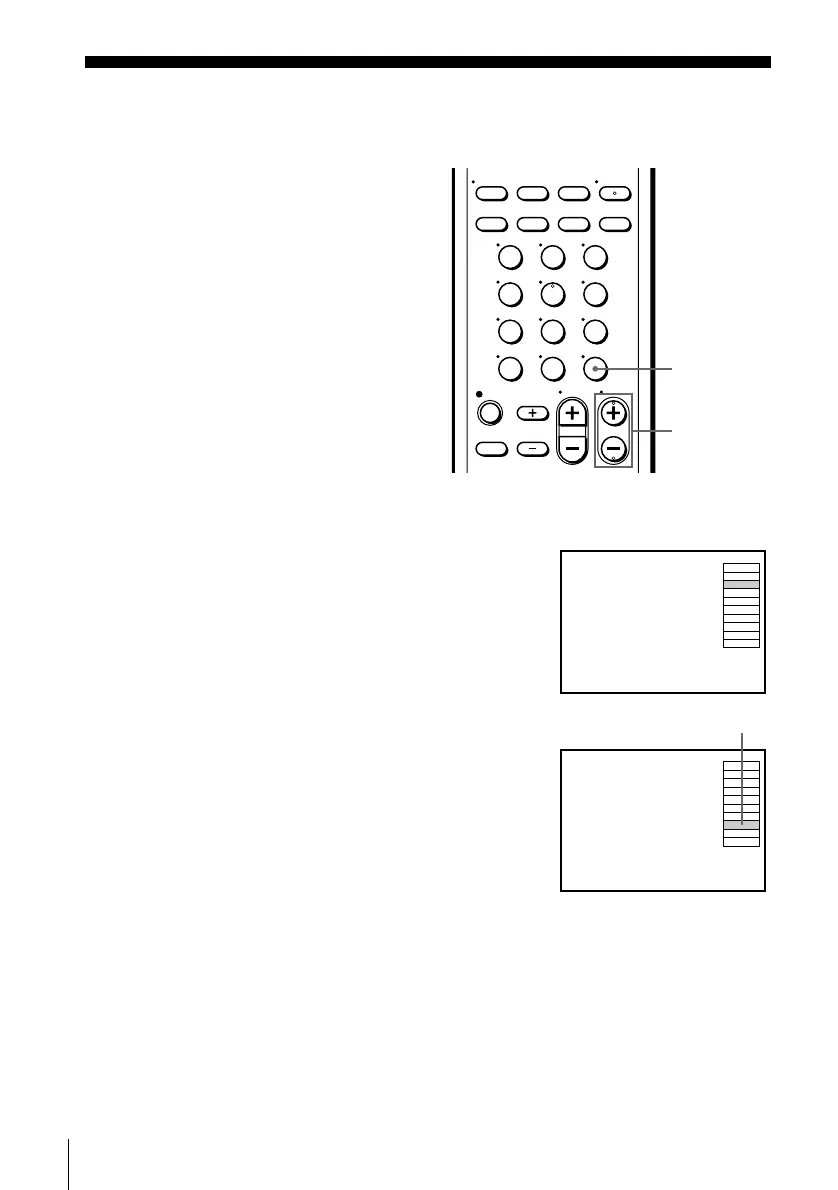
Press ENTER.
The station ID appears on the TV screen.
3
Press CH +/– to select the station ID you want.
4
Press ENTER.
123
456
789
0
ENTER
CH +/–
AAB3
CDE9
FGH01
IJK21
LMN31
OPQ51
RST91
UVW22
XYZ34
ABB54
AAB3
CDE9
FGH01
IJK21
LMN31
OPQ51
RST91
UVW22
XYZ34
ABB54
The selected station ID





 To Next Page