95
Adjusting the picture
Additional Operations
Adjusting the picture
Adjusting the tracking
Although the VCR automatically adjusts the tracking
when playing a tape (the indicator flashes in the
display window, then turns off), distortion may occur
if the recording is in poor condition. In this case,
manually adjust the tracking.
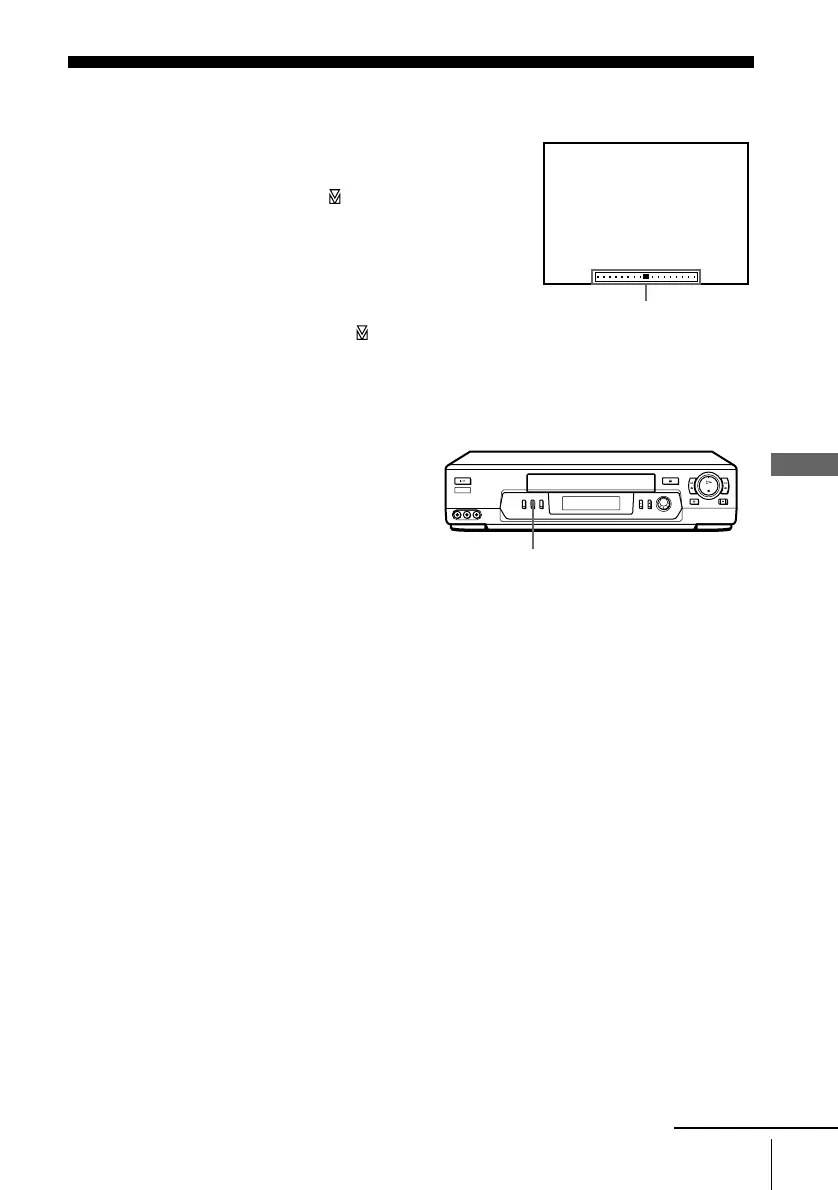
Press TRACKING +/– to display the tracking meter.
The distortion should disappear as you press one of
the two tracking buttons (the indicator lights up).
To resume automatic tracking adjustment, eject the
tape and reinsert it.
About the Reality Regenerator function
The Reality Regenerator function
automatically restores the picture
to its original quality during
playback.
To use the Reality Regenerator
function, press REALITY
REGENERATOR. The RR
indicator lights up in the display
window.
To turn it off, press REALITY
REGENERATOR. The RR
indicator turns off in the display
window.
NORMAL TRACKING
Tracking meter
REALITY REGENERATOR
continued





 To Next Page