Preparation
Assigning the IP Address to the Camera
12
4
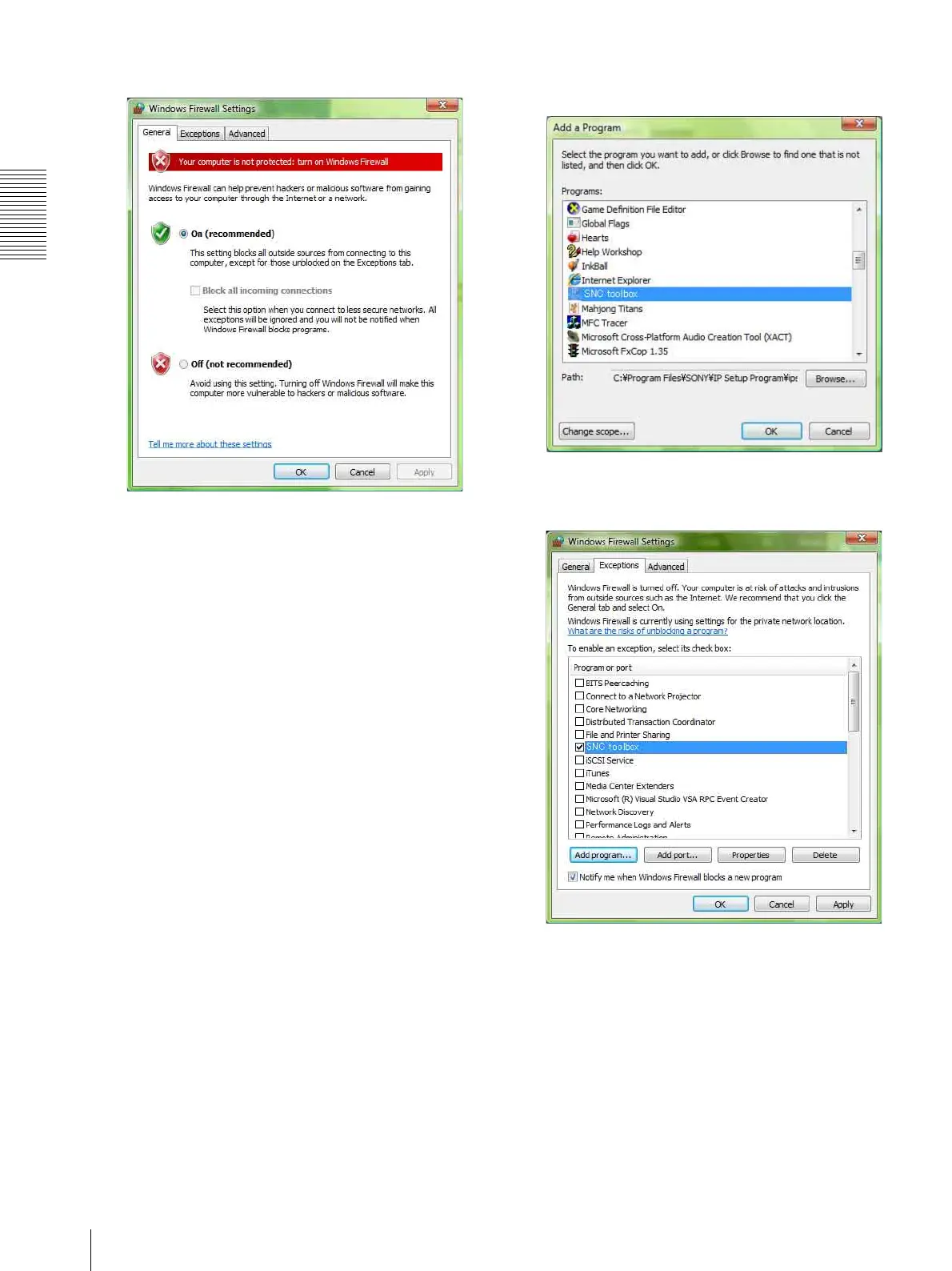
Select Off in the General tab.
The cameras will be displayed in the list.
To turn Windows Firewall on
1
Select Control Panel from the Start menu of
Windows.
2
Click Windows Firewall.
3
Select Turn Windows Firewall on or off.
If the message “User Account Control - Windows
needs your permission to continue” appears, click
Proceed.
4
Select Exceptions in the Windows Firewall dialog.
5
Click Add Program….
6
If the Add Program dialog appears, select SNC
toolbox and click OK.
SNC toolbox is added to the Program or port list.
7
Click OK.
When the above procedure is completed, the
cameras connected in the local network are
displayed in SNC toolbox.







 To Next Page