Administrating the Camera
Setting the SSL function — SSL Menu
52
How to install the CA certificate
The camera may not be connected because the browser
(Internet Explorer) does not display whether the
certificate will be accepted or not due to the type of
certificate. In this case, install the CA certificate as
follows.
1
Save in the PC the certificate of CA which has
signed the certificate to be installed in the camera.
The extension of the certificate file is normally
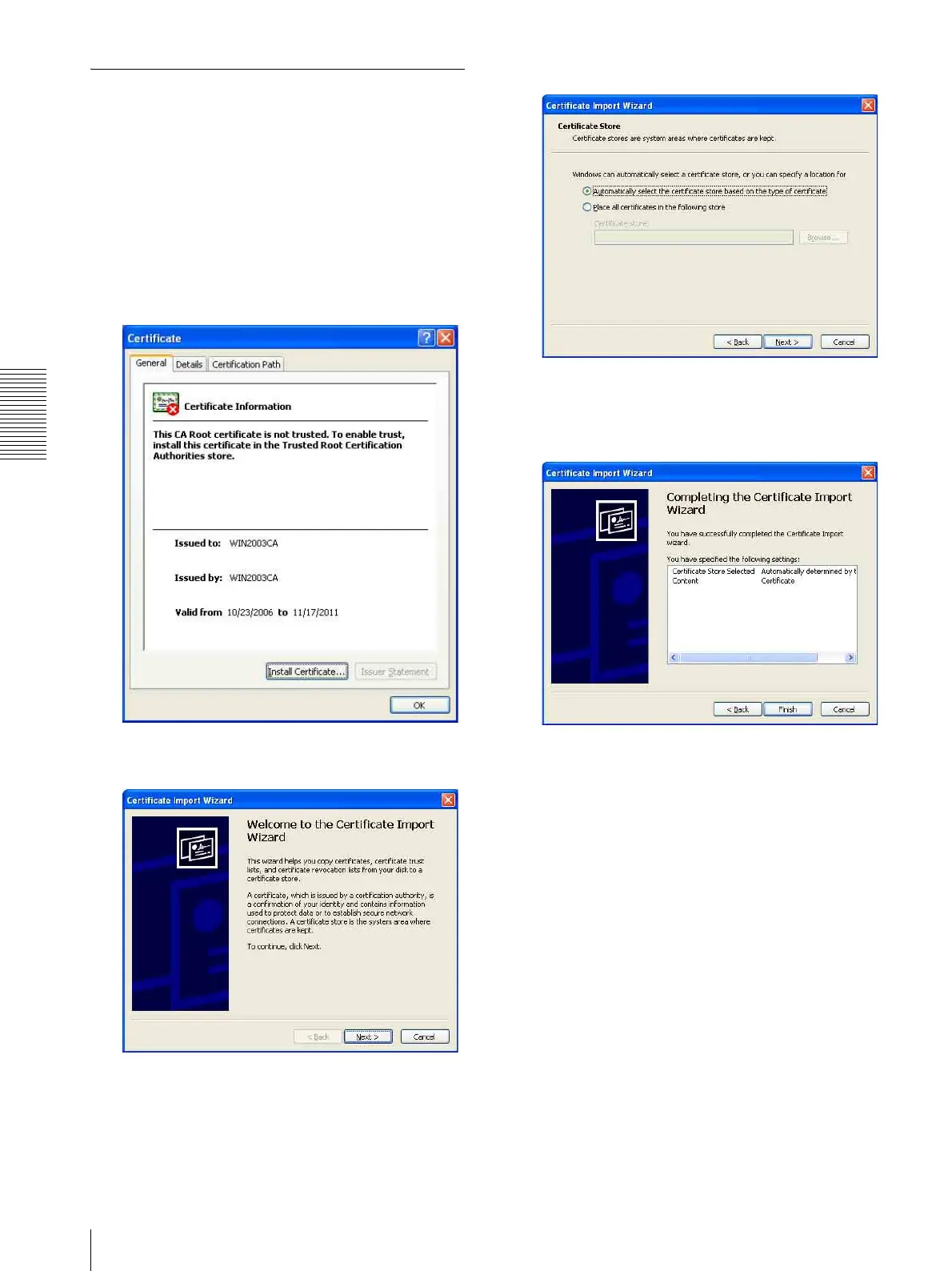
“.cer”. Double-click this file. The following
Certificate dialog appears.
2
Click Install Certificate....
The Certificate Import Wizard appears.
3
Click Next.
4
Select Automatically select the certificate store
based on the type of certificate and click Next.
Completing the Certificate Import Wizard
appears.
5
Check the contents, then click Finish.
The CA certificate will be installed.








 To Next Page