Operating the Camera
Using the System Utility
29
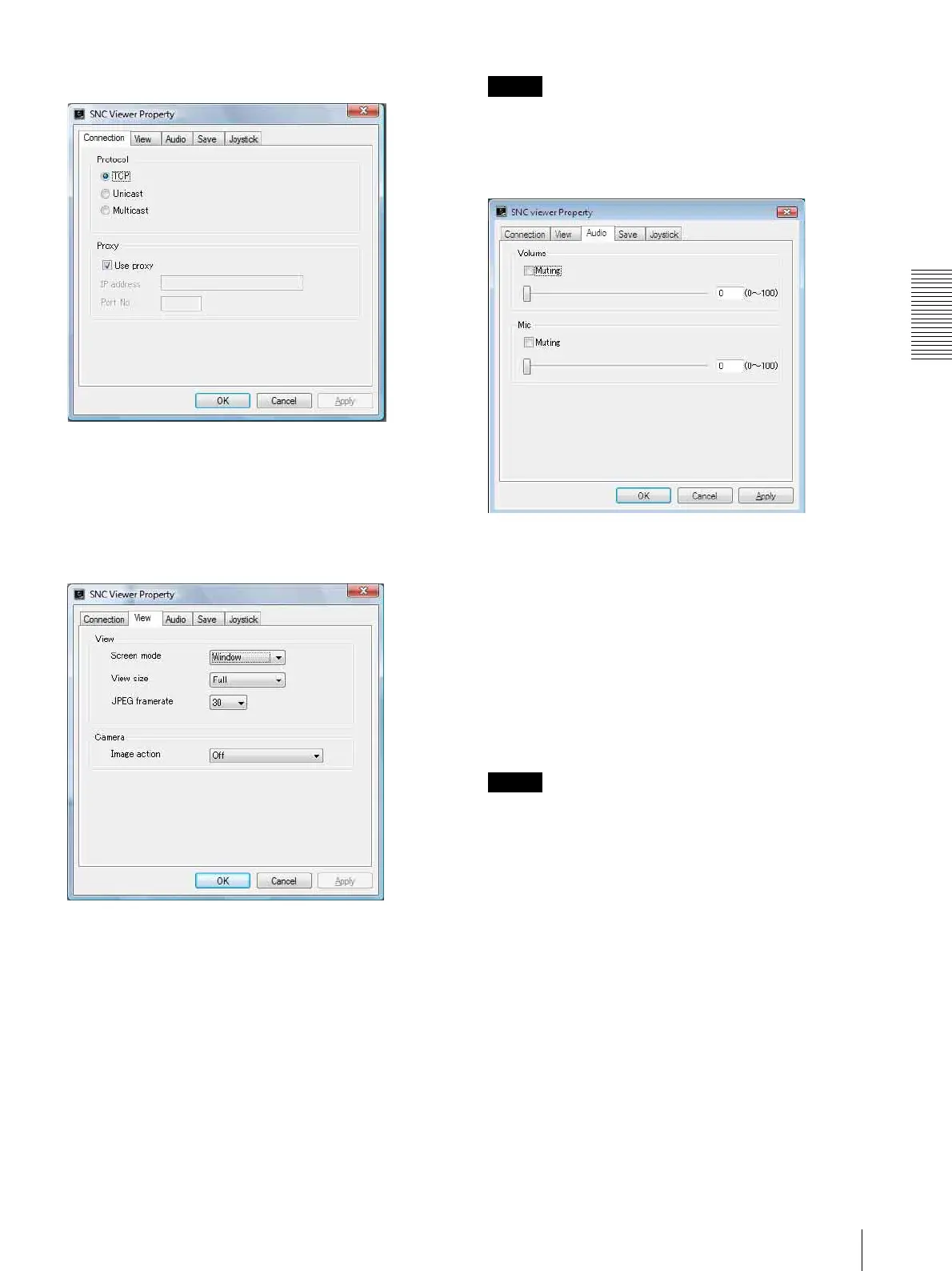
Connection tab
You can set the connection method.
Select the start-up connection from: TCP, Unicast, and
Multicast.
If TCP connection is selected, you can configure proxy
settings by selecting Use proxy.
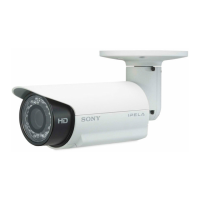
View tab
Screen mode
You can select Window or Full.
View size
You can select the view size.
JPEG framerate
You can set the frame rate for JPEG.
Image action
Select from the image operation modes Area zoom,
Vector dragging and Off.
Tip
The operation mode of SolidPTZ have been changed for
this device.
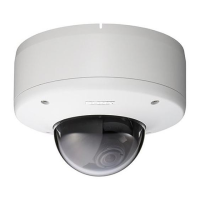
Audio tab
Volume
Muting: Select this option for Muting the sound at
start-up.
Use the slide bar to set the volume for start-up sound
output.
Mic
Muting: Select this option for Muting the microphone
sound at start-up.
Use the slide bar to set the volume for start-up
microphone input.
Note
This unit is not equipped with audio functions.


 To Next Page