1-2
SSC-M183/M183CE/M188CE/M383/M383CE/M388CE
SSC-DC193/DC193P/DC198P/DC393/DC393P/DC398P
PTP 2x5
Camera
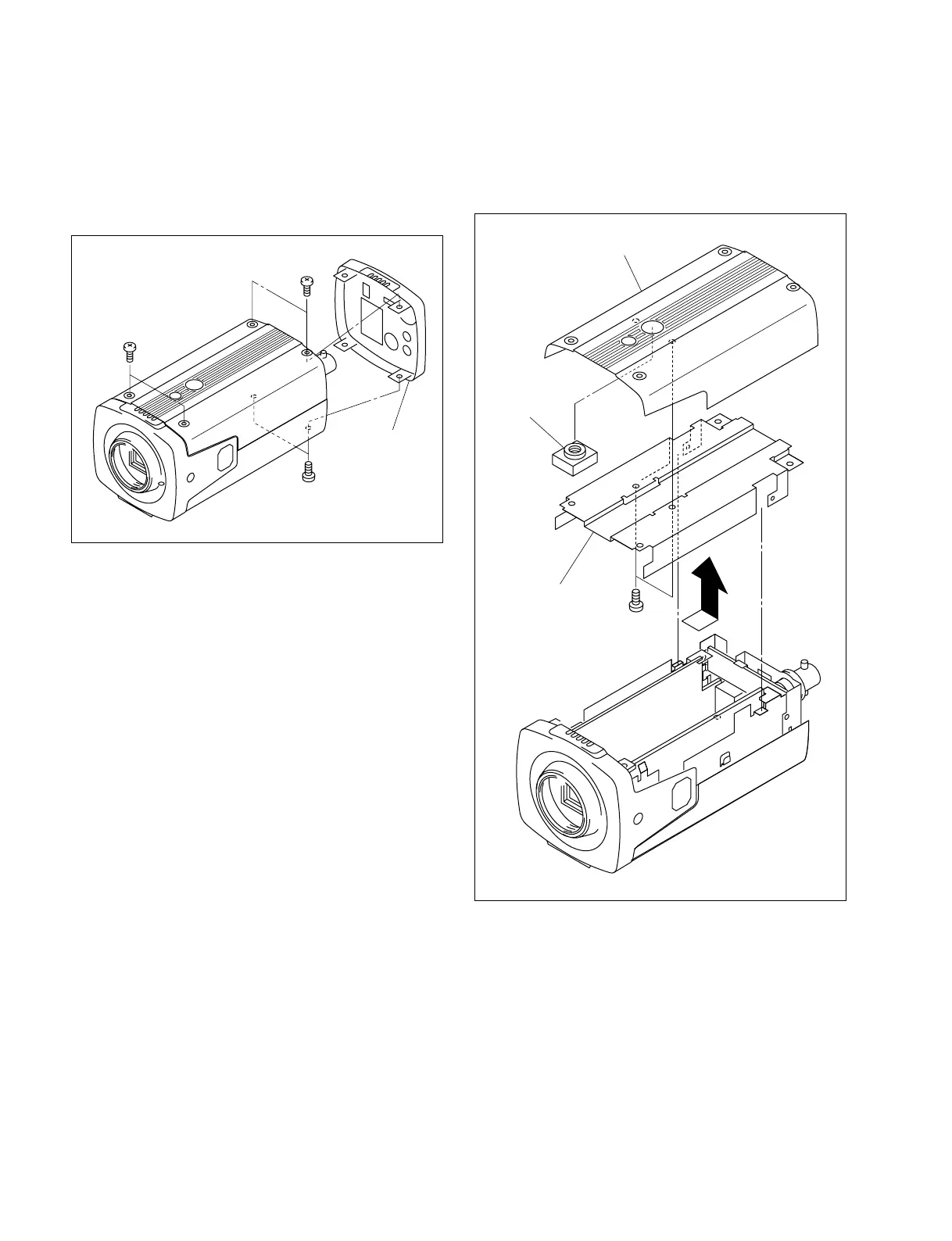
screw
Top cover
Top chassis
1-3. Installation/Removal of Cabinet
1-3-1. Top Cover
1. Remove the six screws, then remove the rear panel.
B 2x5
B 2x5
B 2x5
Rear panel
2. Remove the top cover in the direction indicated by the
arrow.
3. Remove the two screws, then remove the top chassis
and camera screw.
4. Attach the top cover in the reverse order of steps 1 to
3.


 To Next Page