EasyManua.ls Logo

Sony STR-D715 - Page 15

Sony STR-D715
35 pages
Print Icon
To Next Page IconTo Next Page
To Previous Page IconTo Previous Page
Loading...
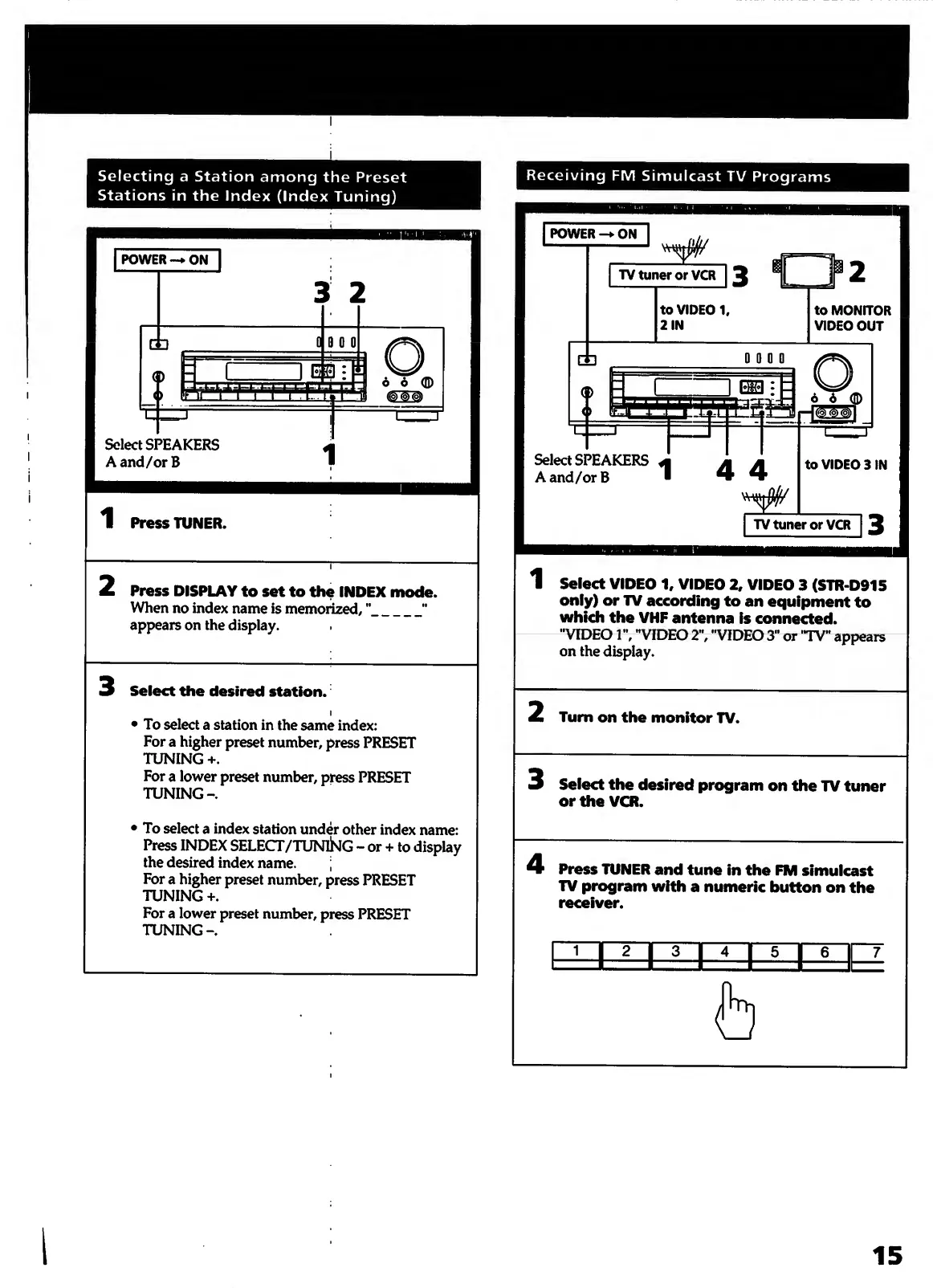
Selecting
a
Station
among
the
Preset
Stations
in
the
Index
(Index
Tuning)
Receiving
FM
Simulcast
TV
Programs
Select
SPEAKERS
A
and/or
B
2
Press
DISPLAY
to
set
to
the
INDEX
mode.
When
no
index
name
is
memorized^
”_"
appears
on
the
display.
Select
the
desired
station.
I
To
select
a
station
in
the
same
index:
For
a
higher
preset
number,
press
PRESET
TUNING
+.
For
a
lower
preset
number,
press
PRESET
TUNING-.
To
select
a
index
station
under
other
index
name:
Press
INDEX
SELECT/TUNlSlG
-
or
+
to
display
the
desired
index
name.
;
For
a
higher
preset
number,
press
PRESET
TUNING
+.
For
a
lower
preset
number,
press
PRESET
TUNING-.
Select
SPEAKERS
A
and/orB
1
Select
VIDEO
1,
VIDEO
2,
VIDEO
3
(STR-D915
only)
or
TV
according
to
an
equipment
to
which
the
VHP
antenna
is
connected.
"VIDEO
1",
"VIDEO
2",
"VIDEO
3"
or
"TV"
appears
on
the
display.
Turn
on
the
monitor
TV.
3
Select
the
desired
program
on
the
TV
tuner
or
the
VCR.

Other manuals for Sony STR-D715

Related product manuals