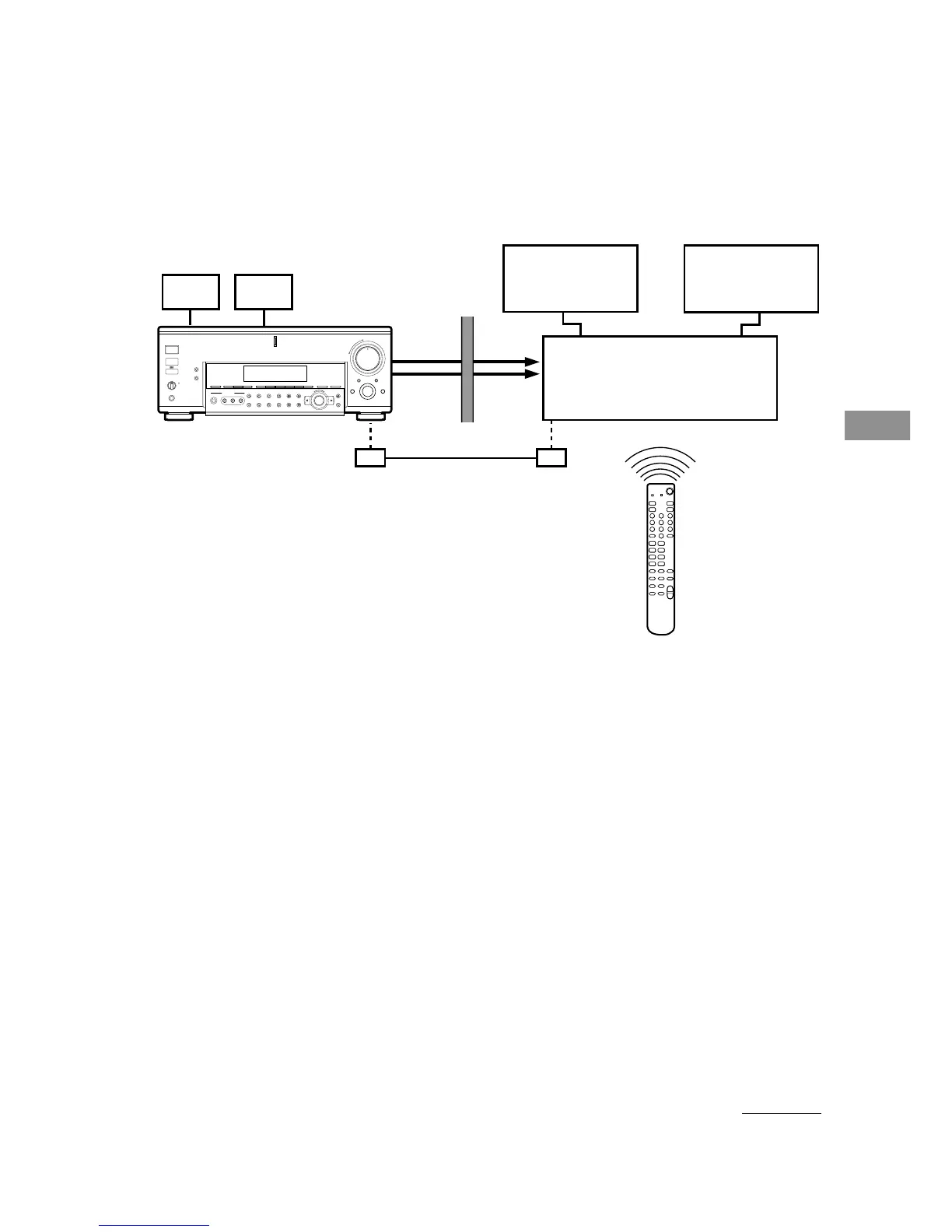
Operations using the remote (STR-DA7ES only)
69
GB
x 3rd room operation
3rd room
Main room
3RD
ROOM
OUT
STR-DA7ES
RM-US105A
+
–
Mm
+–
+
–
>.
xX
Nn
+
–
+–
Amplifier
Speaker
Speaker
Audio/Video components
Using an optional IR repeater as shown above
The following operations are possible with the RM-US105A remote:
• Switching the output source for the 3RD ROOM OUT jacks.
• Adjusting the volume.
• Switching the output to the 3rd room on or off.
Set the command mode of the RM-US105A remote to the 3rd room mode.
1 Press USE MODE.
The current command mode button slowly lights up 5 times.
2 Press AV SYSTEM 1 or AV SYSTEM 2 according to the command mode of the reciever
in the main room.
3 Press USE MODE again.
4 Press 2ND ROOM while the button blinks.
The command mode has been set to the 3rd room mode.
continued
IR repeater
(not supplied)
IR repeater
(not supplied)















 To Next Page