EQUINOX INTEGRATION GUIDE
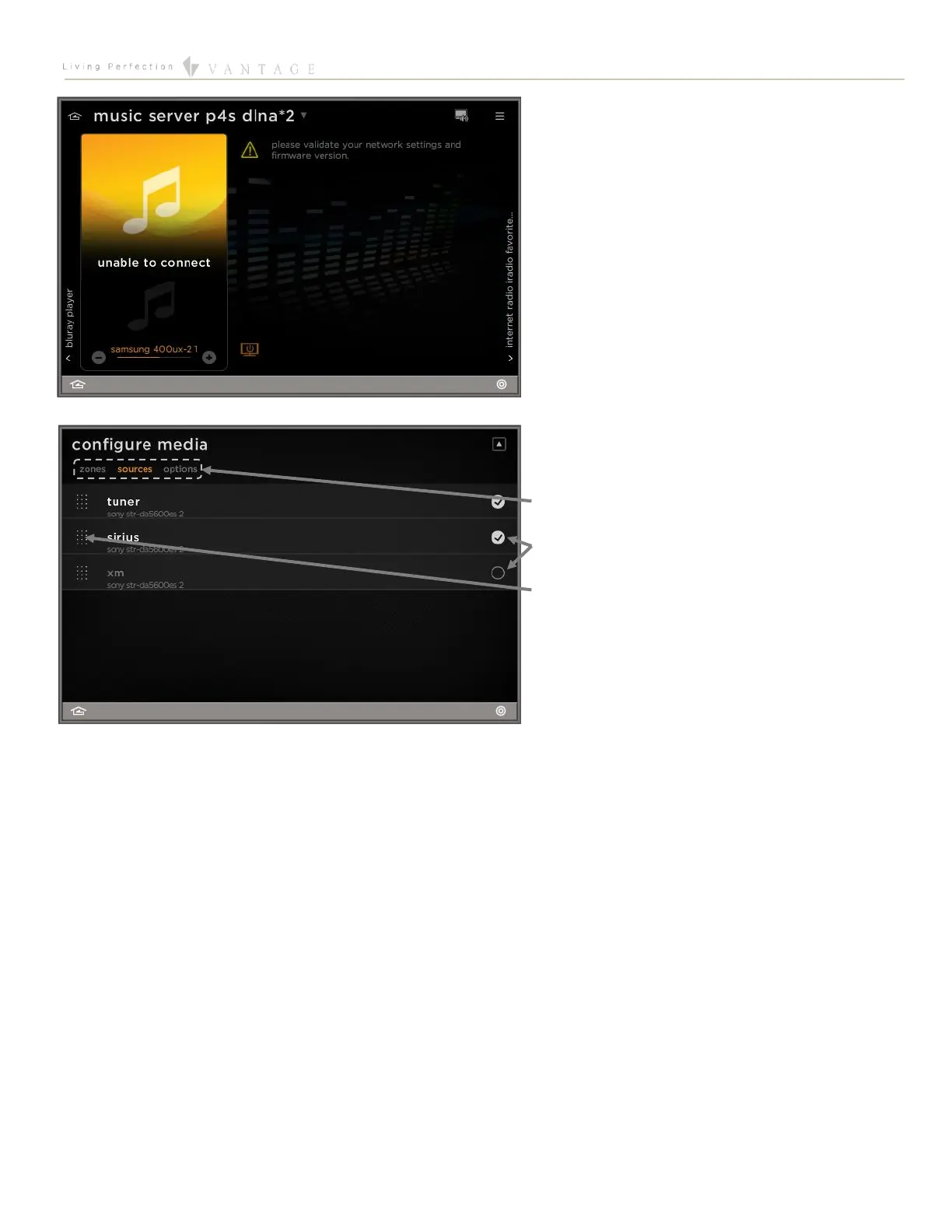
Full Screen View of Sony Onboard Sources
with no control
There are a significant amount of sources onboard the
Sony STR-DA5600ES that are not directly controllable
from a Vantage System. Although there are no controls
for these sources, the source will still be selected when
swiping to their screen. For further control of the source,
the user will need to use the controls provided by Sony.
Edit Mode View for the Audio and Video Widgets
Configure zones/sources/options
Press to activate/deactivate
Hold and swipe up/down to change the order
Equinox App Licensing Note
Install the Equinox App (search for Vantage Equinox) on your iOS or Android devices. A valid license is needed for each Equinox
device connected to a Vantage System. Licenses are available via Controller SD cards for up to 5 (EQ-APP-5), 10 (EQ-APP-10), or
unlimited (EQ-APP-X) quantities of Equinox devices. Also, each EQ73 station adds one more license (EQ73TB-T1). Ensure Step 1 of
the Design Center Setup was completed, as the Equinox App will not run without the Equinox Mobile Passcode. Launch the App, and
follow the on-screen prompts in the Setup Wizard.















 To Next Page