17
US
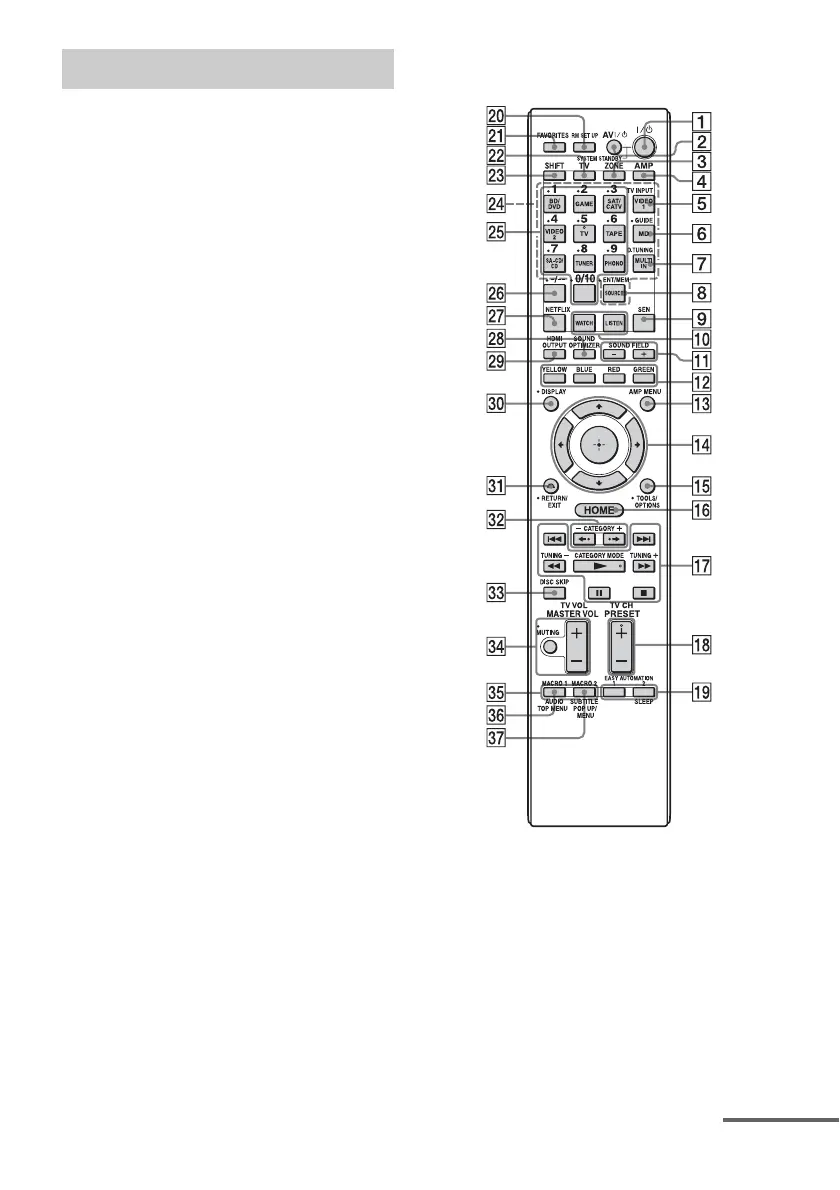
Use the supplied remote control to operate this
receiver and other equipment. The remote
control is pre-programmed to operate Sony
video/audio equipment initially.
Note
Do not expose the remote sensor to direct sunlight or
lighting apparatuses. Doing so may cause a
malfunction.
Tip
When the receiver no longer responds to the remote
control, replace all the batteries with new ones.
Multifunction remote control
(RM-AAL040)
A ?/1 (on/standby)
Press to turn the receiver on or off.
B AV ?/1 (on/standby)
Press to turn on or off the video/audio
equipment that the remote is assigned to
operate.
C ZONE (page 78)
D AMP
Press to enable the receiver operation for
main zone.
Remote control
continued















 To Next Page