21
Getting Started
Dolby Surround Setup
z If you feel the surround effect is inadequate
Do the procedure below to adjust the delay time for the
center and rear speakers.
1 Press SET UP repeatedly to select OTHER SETUP.
2 Use the digital processing control buttons ( V / v ) to
select CENTER DELAY or REAR DELAY and use the
buttons ( B / b ) to select the delay time.
Adjusting the speaker volume Z
Use the remote while seated in your listening position
to adjust the volume of each speaker.
Note
This receiver incorporates a new test tone with a frequency
centered at 800 Hz for easier speaker volume adjustment.
DPC MODE
DIGITAL
PROCESSING
CONTROL
TEST TONE
SOUND FIELD
ON/OFF
GENRE
MODE
SLOPEBAND
EQ/
TONE
DIGTAL
PROCESSING
CONTROL
PROGRAMMABLE
—
LEVEL
—
DIRECT
REAR
BASS
BOOST
MUTING
CENTER
MASTER
VOL
MODEGENRE
—
SOUND FIELD
—
ON/OFF
TEST
TONE
++
––
POSITION– SUB CH +
—
RMS
—
SWAP
ANT
TV/VTR
=)0+
D. SKIP
CLEARDIRECTION P IN P JUMP
p(
DPC
MODE
9Pr
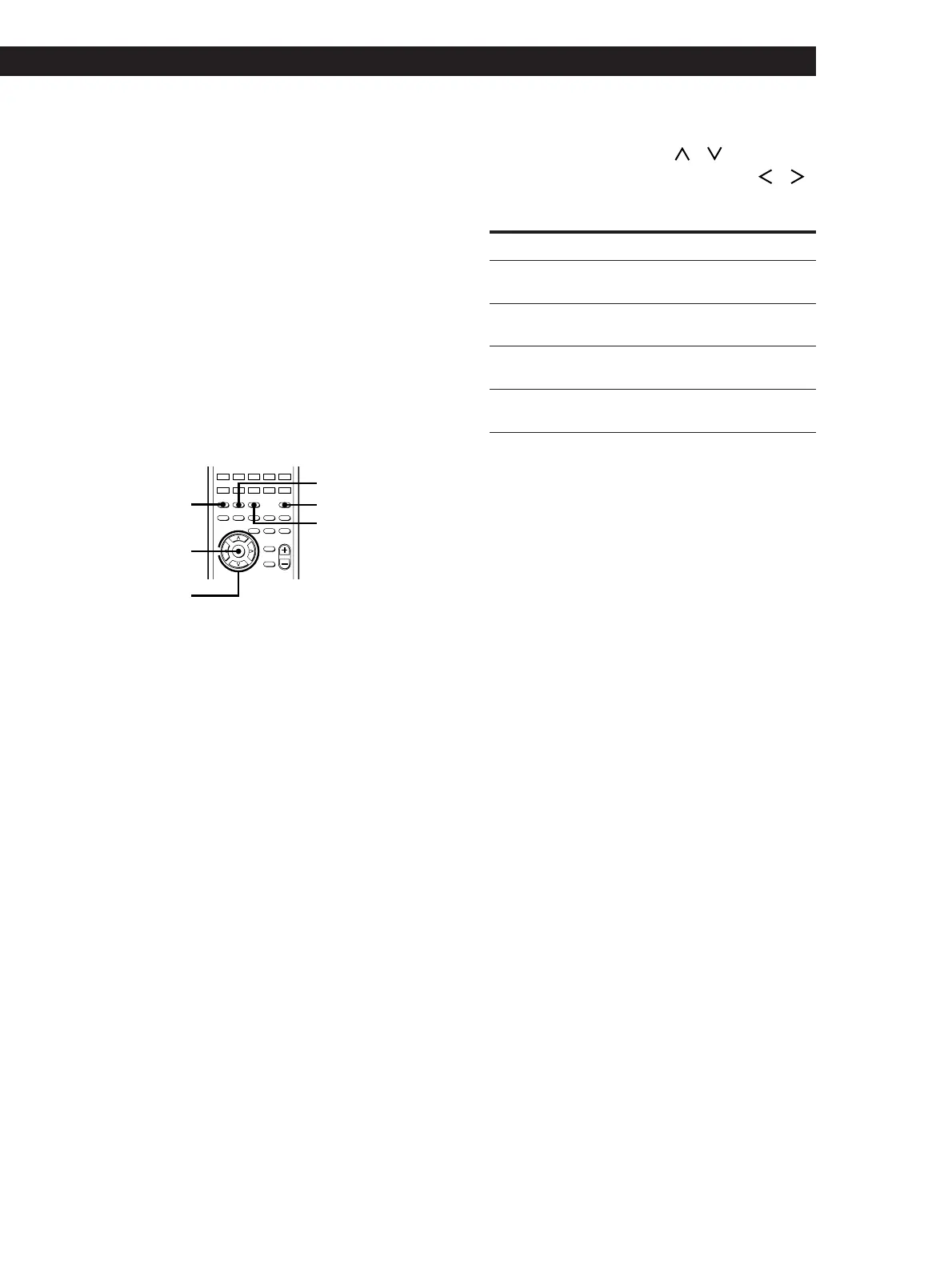
1 Press SOUND FIELD ON/OFF to turn on the
sound field.
2 Press GENRE repeatedly to select “DOLBY.”
3 Press MODE to select “NORMAL SURROUND”
or “ENHANCED SURROUND.”
4 Press DPC MODE repeatedly until the SUR
indicator lights up.
5 Press TEST TONE.
You will hear the test tone from each speaker in
sequence.
Select
During adjustment of the respective speaker level/
balance, the test tone is output from the speaker(s)
only.
After adjusting the subwoofer level, the test tone
turns off automatically.
To turn off the test tone
Press TEST TONE.
Notes
• Be sure to select “NORMAL SURROUND” or
“ENHANCED SURROUND” before outputting the test
tone.
• The test tone is not output when:
— The DIRECT PASS button is on.
— ”MUTING” appears in the display.
To adjust
subwoofer
level
SUB WOOFER
And set between
rear speaker
balance
REAR L R L (left) and R (right)
rear speaker
level
REAR –20.0dB and +10.0dB
(in 0.5 dB steps)
center speaker
level
CENTER –20.0dB and +10.0dB
(in 0.5 dB steps)
–20.0dB and +10.0dB
(in 0.5 dB steps)
6 From your listening position, use the digital
processing control buttons (
/ ) to select the
parameter to be set and use the buttons (
/ )
to select the setting so that the test tone can be
heard at the same level from all speakers.















 To Next Page