Need help?
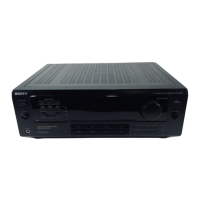
Do you have a question about the Sony STR-DE705 and is the answer not in the manual?
Precautions related to safety, including liquid/object ingress.
Precautions regarding power supply, voltage, and cord handling.
Guidance on placing the receiver for optimal performance and longevity.
Precautions to take before connecting other components.
Instructions on how to clean the receiver safely and effectively.
Explains manual conventions, icons, and remote control usage.
Check the contents received and initial setup steps.
Instructions for inserting and replacing batteries in the remote control.
Overview of connecting components and preparation before starting.
Describes connecting AM and FM antennas for radio reception.
Details required antennas, connections, and grounding for optimal reception.
Directs the user to connect other components or speaker systems.
Describes connecting audio components to use the receiver as an amplifier.
Lists the necessary audio cords for component connections.
Details connecting CD players, tape decks, DAT/MD, and turntables.
Instructions for connecting front, center, and rear speakers for surround sound.
Explains connecting Sony CD players or tape decks using CONTROL A1 cord.
Details rear/center speaker, active woofer, and separate speaker connections.
Guides on setting impedance selector and speaker system selector.
Directs user to AC hookups or video component connections.
Explains how to connect video components like TVs and VCRs.
Lists necessary audio/video and video cables for component connections.
Details connections for TV monitors, VCRs, and LD players using specific jacks.
Explains connecting Sony TV, DBS tuner, VCR, or LD player using CONTROL S cord.
Instructions for connecting the receiver and components to a wall outlet.
Directs user to the next section for final setup checks.
Confirms master volume, speaker selection, and balance settings before operation.
How to select and listen to connected audio/video components.
How to connect and use headphones with the receiver.
Steps for watching TV or video programs using the receiver's audio.
Overview of remote control functions for operating the receiver and components.
How to tune into radio stations by directly entering their frequency.
How to scan and receive broadcast stations automatically.
Notes on stereo indicators, component power, and TV operation.
How to scan and receive broadcast stations automatically.
How to preset and tune into favorite radio stations.
How to tune directly to preset stations using numbers or scanning.
How to index preset stations or label program sources for easier selection.
How to scan stations based on assigned index names.
How to label program sources for easier identification.
How to record audio to tape, DAT, or MiniDisc.
How to monitor audio being recorded, especially with 3-head tape decks.
How to record video tapes from various sources, including audio editing.
How to set the receiver to turn off automatically after a specified time.
How to select and use pre-programmed sound fields for surround effects.
How to disable surround effects, turn off sound fields, and select speakers.
How to customize sound fields by adjusting sound parameters.
How to adjust bass and treble for front, center, and rear speakers.
How to adjust surround sound parameters for different listening situations.
How to reset customized sound fields back to factory settings.
How to get the best Dolby Pro Logic surround sound by adjusting settings.
Guides on choosing the best center mode based on speaker configuration.
How to use the test tone feature to set speaker volume levels.
Refers to adjusting tone parameters on page 16.
How to adjust the delay time for rear speakers to enhance surround effects.
How to operate one component while listening to or watching another.
How to change factory settings of function buttons for component control.
How to make the remote learn signals from other components' remotes.
How to reset programmed remote signals to factory settings.
Guide to diagnose and resolve common problems with sound, reception, and remote function.
Details on power output, amplifier section, and audio specifications.
Specifications for FM tuner, AM tuner, and video sections.
General system specs, power requirements, dimensions, and supplied accessories.
Definitions of Center modes (Normal, Wide, Phantom, 3 CH Logic) and surround sound concepts.
Definitions for Delay time, Direct tuning, Preset station, Sound field, and other technical terms.
Explains the test tone signal used for adjusting speaker volume.
Detailed description and location of all rear panel connectors and terminals.
Detailed explanation of each remote button's operation for various components.
Alphabetical index of controls, indicators, and terms with corresponding page numbers.
Visual guides for tuning broadcasts, selecting components, and using sound fields.
 General
| Power Output | 100 W per channel (8 ohms, 20 Hz - 20 kHz, 0.09% THD) |
|---|---|
| Total Harmonic Distortion (THD) | 0.09% |
| Tuning range | FM |
| Speaker load impedance | 4 - 16 ohms |
| Digital inputs | Coaxial, Optical |
| Video Connections | Composite video |
| Dimensions | 430 x 150 x 365 mm |

 To Next Page