52
GB
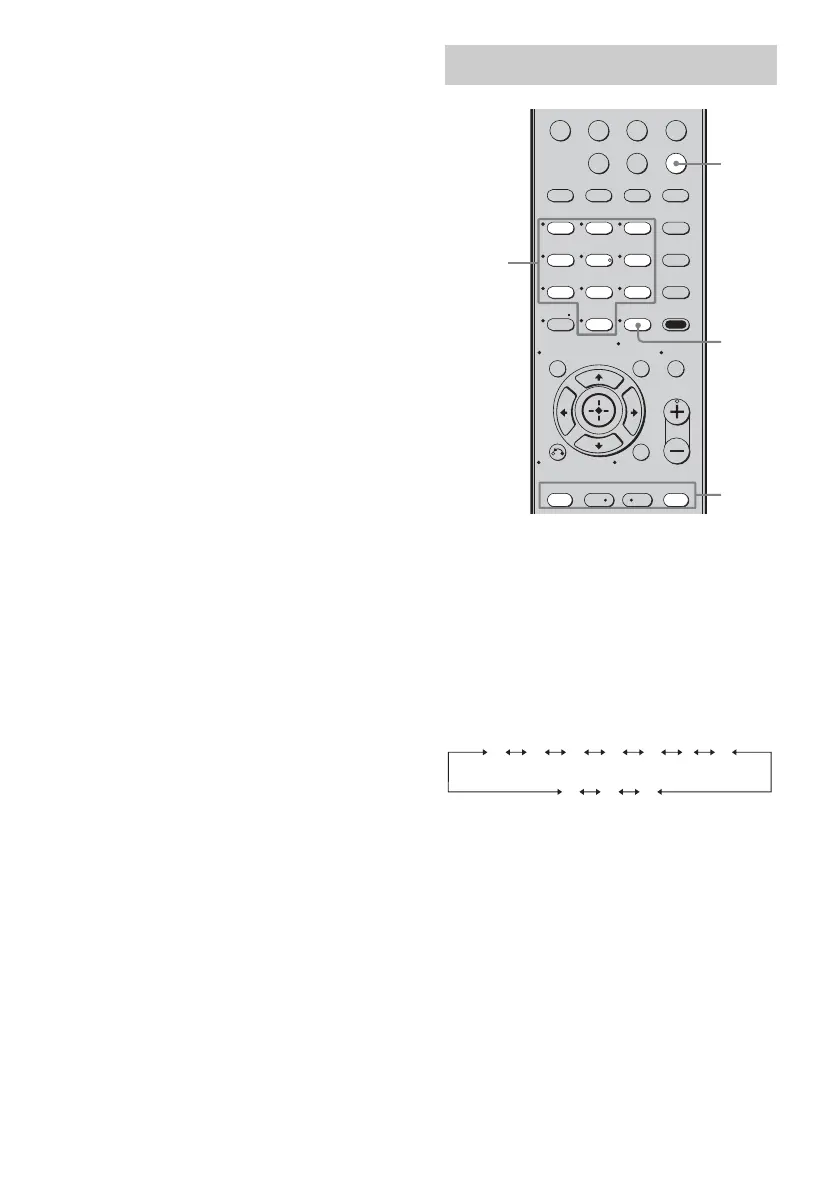
3 Press MEMORY.
You can also use MEMORY/ENTER on
the receiver.
“MEMORY” lights up for a few seconds.
Perform steps 4 and 5 before
“MEMORY” goes out.
4 Press the numeric buttons to
select a preset number.
You can also press PRESET + or
PRESET – repeatedly to select a preset
number.
If “MEMORY” goes out before you
select the preset number, start again from
step 3.
5 Press ENTER.
You can also use MEMORY/ENTER on
the receiver.
The station is stored as the selected preset
number.
If “MEMORY” goes out before you press
ENTER, start again from step 3.
6 Repeat steps 1 to 5 to preset
another station.
1 Press TUNER repeatedly to
select the FM or AM band.
2 Press PRESET + or PRESET –
repeatedly to select the preset
station you want.
Each time you press the button, you can
select a preset station as follows:
You can also press the numeric buttons to
select the preset station you want. Then,
press ENTER to enter the selection.
Using the controls on the
receiver
1 Turn INPUT SELECTOR to select the FM
or AM band.
2 Press TUNING MODE repeatedly to select
“PRESET T.”.
3 Press TUNING + or TUNING – repeatedly
to select the preset station you want.
Tuning to preset stations
123
46
78
0/10
ENTER
9
VIDEO BD DVD SAT
2CH A.F.D.
RETURN/EXIT
TV CH –
PRESET –
TV CH +
PRESET +
REPLAY ADVANCE
MENU/HOME
MOVIE MUSIC
MEMORY AMP MENU
CLEAR
TOOLS/
OPTIONSDISPLAY MUTING
MASTER VOL
TV VOL
D.SKIP
D.TUNING
DVD/BD
MENU
SA-CD/CD
TV TUNER
-
.
<
<
>
5
>10/
2
1
ENTER
Numeric
buttons
01 02 03 04 05 27...
30 29 28














 To Next Page