3:
Connecting
the
TV
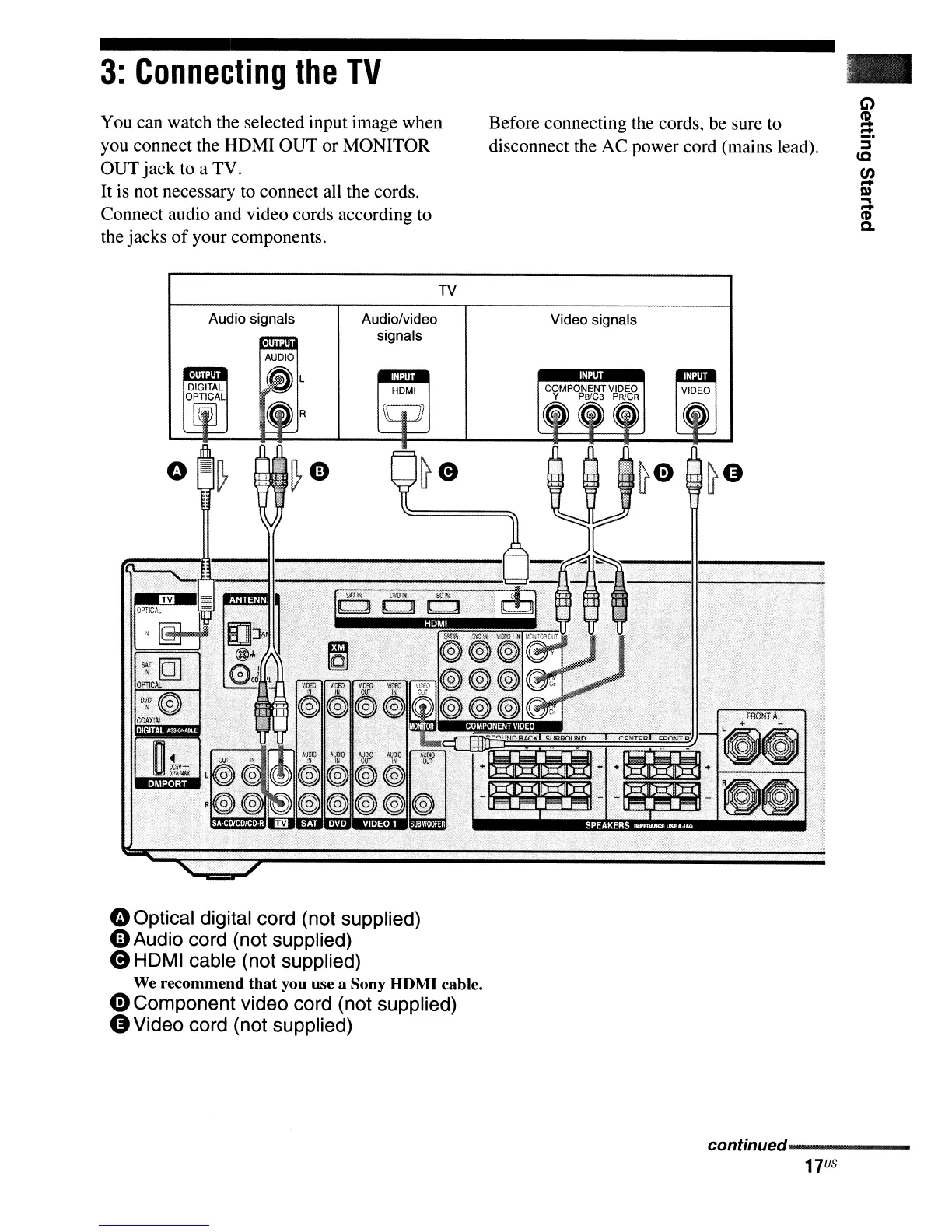
You can watch the selected input image when
you connect the HDMI OUT or MONITOR
OUT jack to a TV.
It
is
not necessary to connect all the cords.
Connect audio and video cords according to
the jacks
of
your components.
TV
Before connecting the cords, be sure to
disconnect the AC power cord (mains lead).
Audio signals
Audiolvideo
signals
HDMI
Video signals
oOptical digital cord (not supplied)
4])
Audio cord (not supplied)
e HDMI cable (not supplied)
We recommend
that
you use a Sony HDMI cable.
G) Component video cord (not supplied)
G Video cord (not supplied)
continued------
17
US



 To Next Page