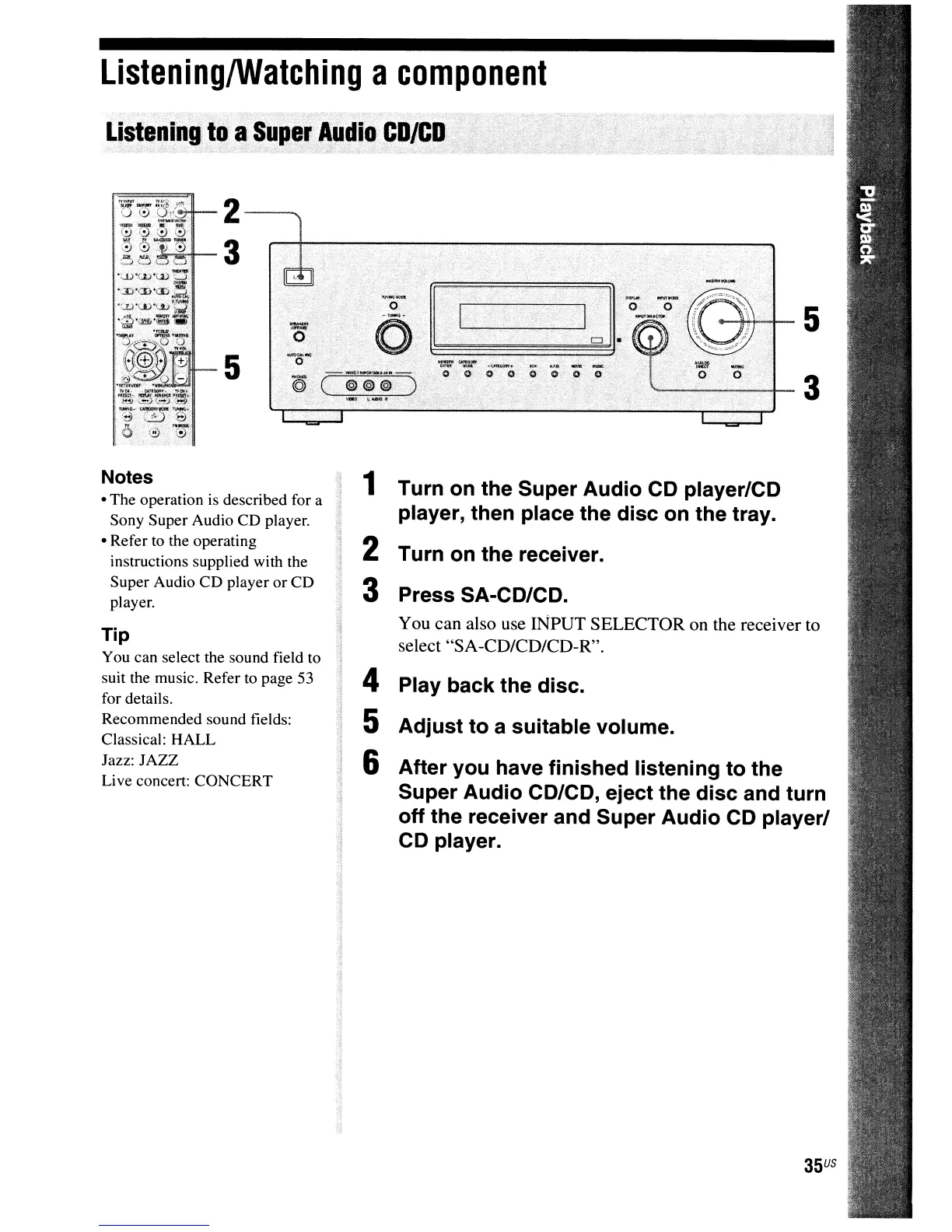
1 Turn on the Super Audio CD player/CD
player, then place the disc on the tray.
2 Turn on the receiver.
3 Press SA-CD/CD.
You can also use INPUT SELECTOR on the receiver to
select
"SA
-CD/CD/CD-R".
4 Play back the disc.
5 Adjust to a suitable volume.
6 After you have finished listening to the
Super Audio CD/CD, eject the disc and turn
off the receiver and Super Audio CD player/
CD player.
Tip
You can select the sound field to
suit the music. Refer to page 53
for details.
Recommended sound fields:
Classical: HALL
Jazz: JAZZ
Live concert: CONCERT
Notes
• The operation
is
described for a
Sony Super Audio CD player.
• Refer to the operating
instructions supplied with the
Super Audio CD player or CD
player.
ListeninglWatching
a
component
Listening
to
a
Sup,e.r
Audio.CD/CD



 To Next Page