Performing
Auto
Calibration
Measurement for Display
Environment noise
NOISE.CHK
level
3 Measurement starts.
The measurement process will take a few
minutes to complete.
The table below shows the display when
measurement starts.
Input
buttons
1/6
switch
VIOJ01
VIDEOZ
BO
ovc
8888
SAT
TV
SA-COICD
TUNER
8-88
TV
INPUT
TV
I/C!;
SLEEP
OMPORT.
AV
II(!)
0:8
~~
2CII
A.F.O:
MOVIE
MUSIC
0000
eCDemem
OR
OVDlBD
MENU
ememecu
--
+-+1--
AUTO
CAL
O.
NING
ecoecueCD
2
1
MUTING
MASTER
VOL
+1-
Speaker connection
MEASURE
and
SP
DET. appears
alternately*
Speaker level
MEASURE
and
GAIN
appears alternately*
Speaker distance
MEASURE
and
DIST
ANCE
appears
alternately*
* The corresponding speaker indicator lights
up in the display during measurement.
4 Measurement ends.
"COMPLETE" appears on the display
and the settings are registered.
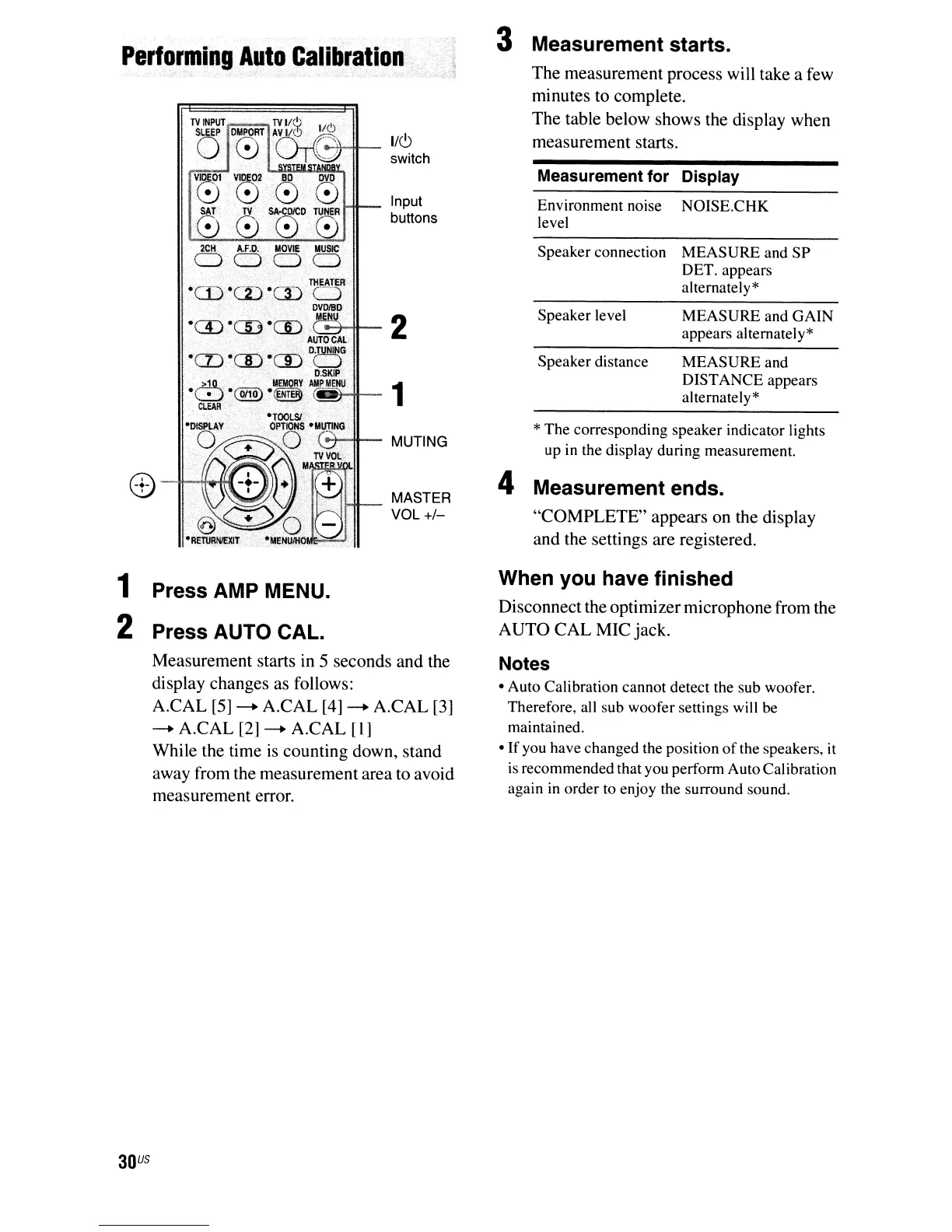
1 Press AMP MENU.
2 Press AUTO CAL.
Measurement starts
in
5 seconds and the
display changes as follows:
A.CAL
[5]
--+
A.CAL [4]
--+
A.CAL [3]
--+
A.CAL [2]
--+
A.CAL
[I]
While the time
is
counting down, stand
away from the measurement area to avoid
measurement error.
When you have finished
Disconnect the optimizer microphone from the
AUTO CAL MIC jack.
Notes
- Auto Calibration cannot detect the sub woofer.
Therefore, all sub woofer settings will be
maintained.
-If
you have changed the position
of
the speakers, it
is recommended that you perform AutoCalibration
again
in
order to enjoy the surround sound.
30
US



 To Next Page