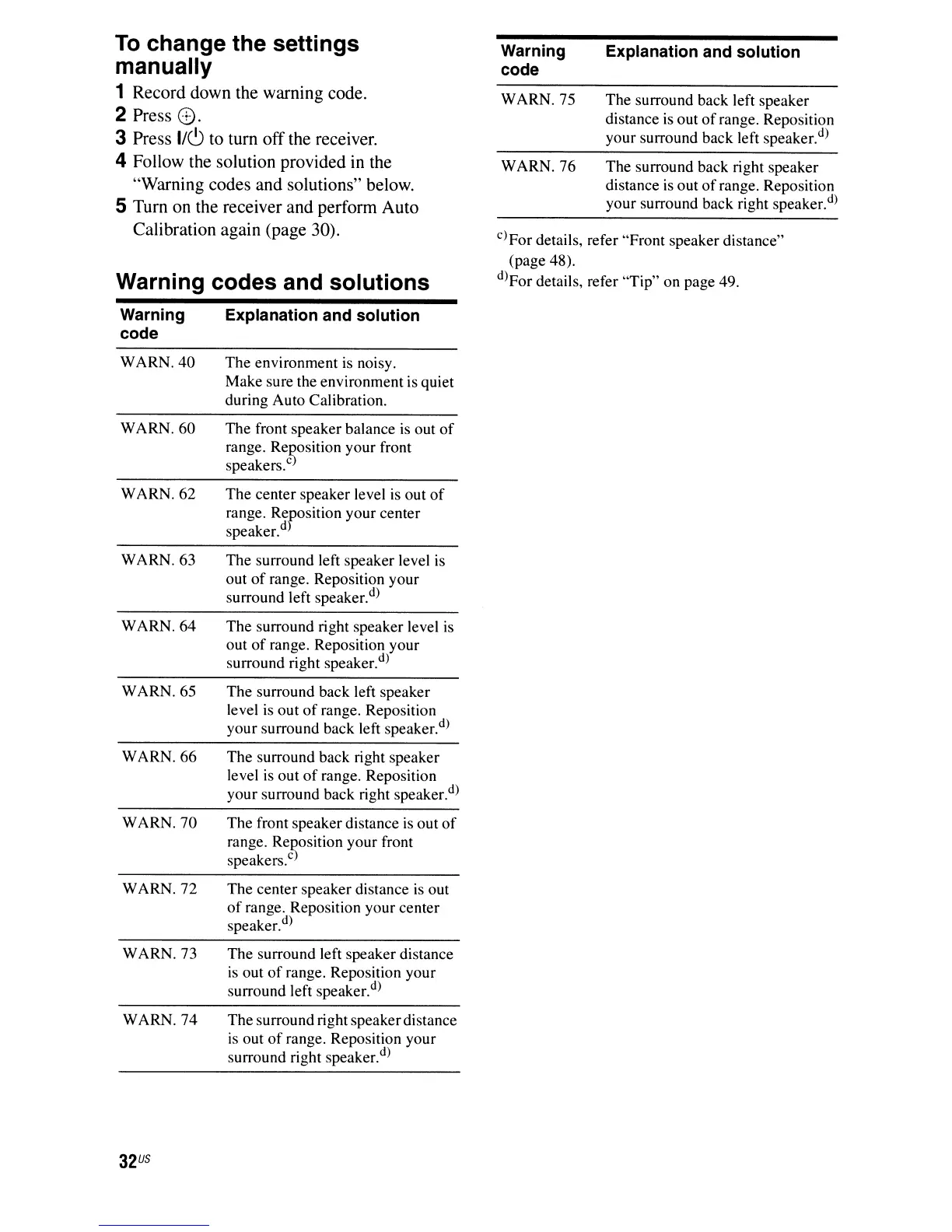
C)For details, refer "Front speaker distance"
(page 48).
d)For details, refer "Tip" on page 49.
To
change the settings
manually
1 Record down the warning code.
2 Press
8.
3 Press
1/<:9
to turn off the receiver.
4 Follow the solution provided
in
the
"Warning codes and solutions" below.
5 Turn on the receiver and perform Auto
Calibration again (page 30).
Warning codes and solutions
Warning Explanation and solution
code
WARN.
40
The
environment
is
noisy.
Make sure the environment is quiet
during Auto Calibration.
WARN.
60
The front speaker balance
is
out
of
range. ReRosition your front
speakers.
c
WARN.
62
The
center speaker level
is
out
of
range. Reposition your center
speaker.
d
)
WARN. 63 The surround left speaker level is
out
of
range. Reposition your
surround left speaker.
d)
WARN.64
The
surround right speaker level
is
out
of
range. Reposition your
surround right speaker.
d
)
WARN. 65 The surround back left speaker
level
is
out
of
range. Reposition
your surround back left speaker.
d
)
WARN.
66
The surround back right speaker
level
is
out
of
range. Reposition
your surround back right speaker.
d
)
WARN.
70
The front speaker distance
is
out
of
range. Reposition your front
speakers.
C
)
WARN.72
The
center speaker distance
is
out
of
range. Reposition your center
speaker.
d
)
WARN. 73
The
surround left speaker distance
is
out
of
range. Reposition your
surround left speaker.
d
)
WARN.
74
The surround right speakerdistance
is
out
of
range. Reposition your
surround right speaker.
d)
32
US
Warning
code
WARN. 75
WARN. 76
Explanation and solution
The surround back left speaker
distance
is
out
of
range. Reposition
your surround back left speaker.
d
)
The surround back right speaker
distance
is
out
of
range. Reposition
your surround back right speaker.
d)



 To Next Page