Checking
the
XM
Radio
10
V~.O·l
V~02
J~
0','0
~0~0
SAT
TV
SA-CDICO
TUNER
1
o 0 0
.;-'
If--
0000
THEATER
"mOmOm
C)
OVOIBO
o
"mOmOm
AUTO
CAL
"ez)
om
ern
D(lml)
O.SKIP
.•.
~
MEMORY
AMP
MENU
"~O@O~(~
CLEAR
o
'tJ
II»
...
D)
~
o
~
en
-
2
TV
CH
- -
CATEGORY.
TV
CH
•
PRESET
-
REPlAY
ADVANCE
PRESET
+
®CB8@
Signal
Signal type
strength
Satellite Terrestrial
Good
S-3 T-3
Marginal
S-2 T-2
Weak
S-l
T-l
None
S-O
T-O
When you have finished
Press AMP MENU.
Signal strength
7 While checking the parameter,
aim your antenna to where the
best reception will be received.
For details on the parameter, see "Signal
strength" below.
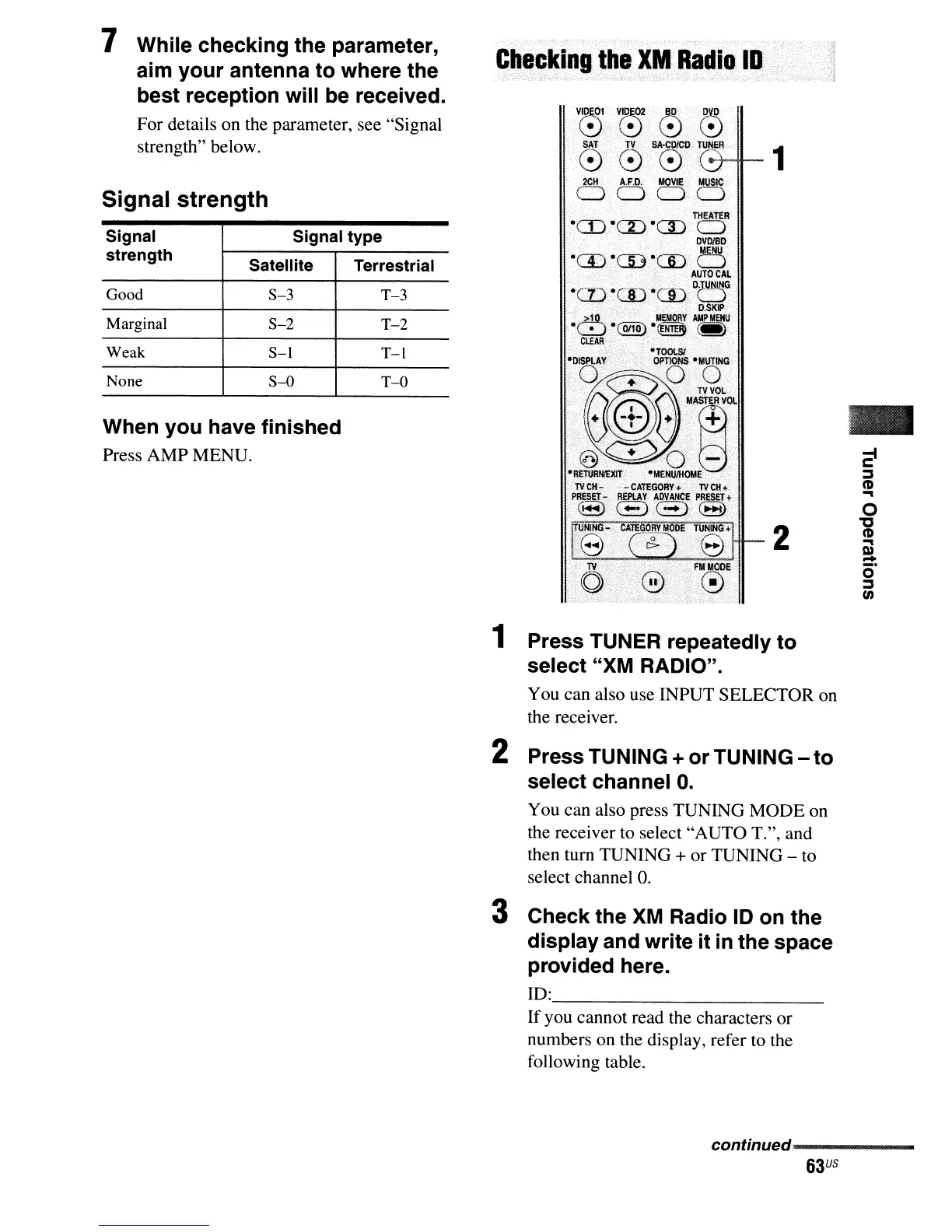
1 Press TUNER repeatedly to
select "XM RADIO".
You can also use INPUT SELECTOR on
the receiver.
2 Press TUNING + or TUNING - to
select channel
O.
You can also press TUNING MODE on
the receiver to select "AUTO T.", and
then tum TUNING
+ or TUNING - to
select channel
O.
3 Check the
XM
Radio
10
on the
display and write it
in
the space
provided here.
10: _
If you cannot read the characters or
numbers on the display, refer to the
following table.
continued------
63
US



 To Next Page