3 Press MEMORY.
You can also use MEMORYIENTER on
the receiver.
:"S;
Selec.ing
the
channel
by
using
)1
th,e
preset
numbers"i
V~.D~
0:1
VIOEOZ
50
,9Y~
~·0
0
~
o0
SAGO
TUNER.-\--I~
1
-
2
~-....
........
tI--
ENTER
-
REPlAY
ADVANCE
PRESET
+
8CB8@
TUNING
-
CATEGORYMOOE
TUNING.
80S
Numeric
buttons
6 Repeat steps 2 to 5 to preset
another channel.
4 Press the numeric buttons to
select a preset number.
You can also select the number by
pressing PRESET
+ or PRESET
-.
You can also turn TUNING + or
TUNING - on the receiver.
Preset numbers from I to 30 are available,
and channel I
is
preset for all the preset
numbers when you purchase the receiver.
5 Press ENTER.
You can also use MEMORYIENTER on
the receiver.
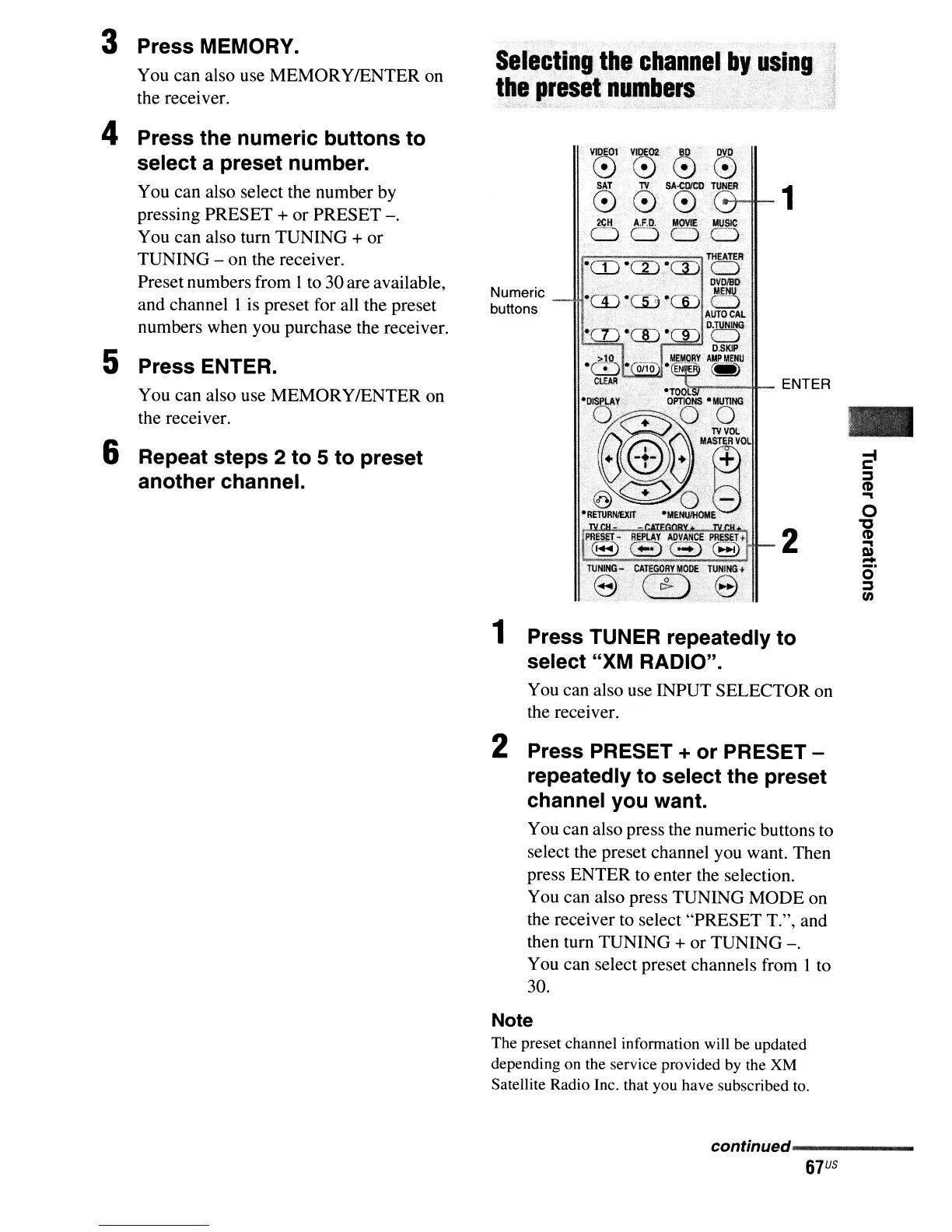
1 Press TUNER repeatedly to
select "XM RADIO".
You can also use INPUT SELECTOR on
the receiver.
2 Press PRESET + or PRESET -
repeatedly to select the preset
channel you want.
You can also press the numeric buttons to
select the preset channel you want. Then
press ENTER to enter the selection.
You can also press TUNING MODE on
the receiver to select "PRESET
T.", and
then turn TUNING
+ or TUNING
-.
You can select preset channels from I to
30.
Note
The preset channel infonnation will be updated
depending on the service provided by the XM
Satellite Radio Inc. that you have subscribed
to.
continued------
_
67
US



 To Next Page