10
US
F:\Sony SEM
HA\Revision2_DG800\JC060412_2667346121DG800_US\2667346121\US03CON_STR-DG800-
CEL.fm
masterpage: Left
STR-DG800
2-662-258-12 (1)
* You can watch the selected input image when you
connect the MONITOR OUT jack to a TV monitor
(page 25).
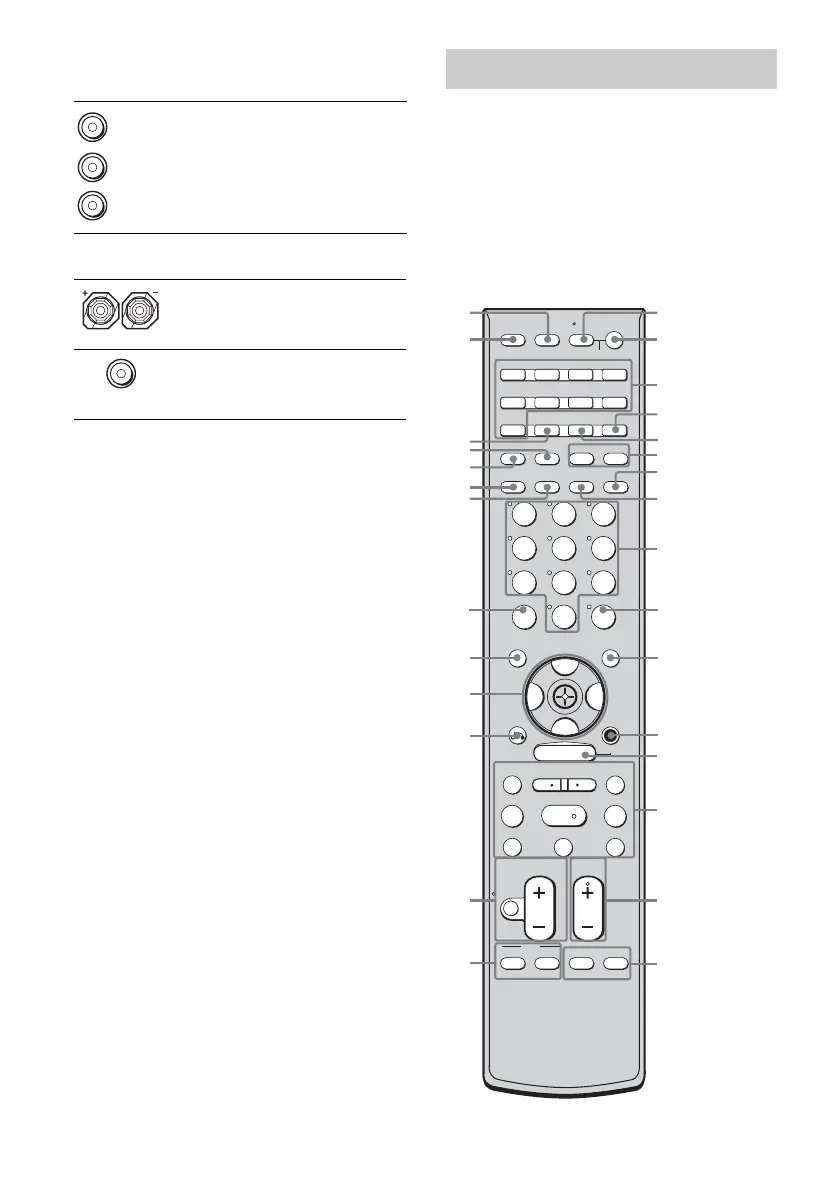
You can use the supplied remote to operate the
receiver and to control the Sony audio/video
components that the remote is assigned to
operate. You can also program the remote to
control non-Sony audio/video components.
For details, see “Programming the remote”
(page 86).
RM-AAP008
E COMPONENT VIDEO INPUT/
OUTPUT section
COMPONENT
VIDEO
INPUT/
OUTPUT
jack*
Connects to a DVD
player, TV, or a
satellite tuner. You
can enjoy high
quality image
(page 25, 27, 28).
F SPEAKER section
Connects to
speakers (page 16).
Connects to sub
woofer (page 16).
Green
Blue
Red
Remote commander
SYSTEM STANDBY
TUNING –
DISC SKIP
MUTING
TOP MENU
MENU F1
TV/VIDEO WIDE
F2
TV VOL
MASTER VOL
TV CH
PRESET
TUNING +
DISPLAY TOOLS
RETURN/
EXIT
AMP
REPLAY ADVANCE
– CATEGORY +
TV
VIDEO 1 VIDEO 2 DVDVIDEO 3
TV/SAT
MD/TAPE
TUNER
PHONO
2CH A.F.D. MOVIE MUSIC
SLEEP
CATEGORY
MODE
D. TUNING
SA-CD/CD
RM SET UP
?/1
MEMORY
.
>
m M
xX
MULTI CH SOURCE
B
B
V
v
MENU
H
CLEAR
>10
–
/
– –
<
<
DVD
23
456
789
ENTER
0/10
1
AV ?/1
1
3
2
wl
7
8
qd
qf
4
qa
qs
6
5
wk
AV ?/1
(on/standby) switch
?/1
(on/standby)
switch
qj
qk
ql
wa
w;
wf
wd
wg
wj
wh
q;
9
qg
qh
ws
2ND ZONE
AUTO CAL
US01COV_STR-DG800-CEL.book Page 10 Tuesday, March 14, 2006 3:53 PM



 To Next Page