36
US
F:\Sony SEM
HA\Revision2_DG800\JC060412_2667346121DG800_US\2667346121\US03CON_STR-DG800-
CEL.fm
masterpage: Left
STR-DG800
2-662-258-12 (1)
Tips
• You can also fix the optimizer microphone to a
tripod (not supplied) and place the tripod at your
listening position.
• Be sure to remove any obstacles in the path
between the optimizer microphone and the
speakers.
• When you face the speaker towards the optimizer
microphone, you will get a more accurate
measurement.
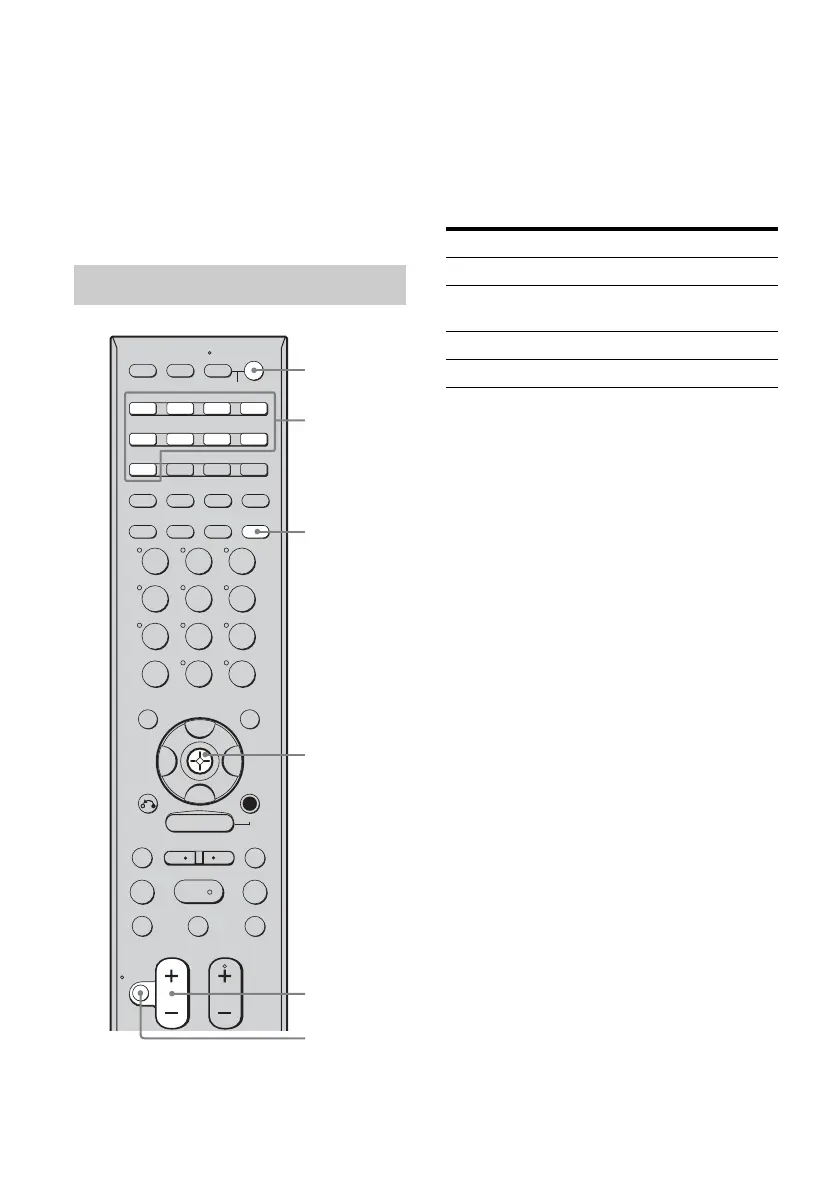
Press AUTO CAL.
The following appears on the display.
AUTO CAL [5] t AUTO CAL [4] t
AUTO CAL [3] t AUTO CAL [2] t
AUTO CAL [1]
The table below shows the display when
measurement starts.
When measurement ends, “COMPLETE”
appears on the display and the settings are
registered.
Notes
• Auto Calibration cannot detect the sub woofer.
Therefore, all sub woofer settings will be
maintained.
• You cannot select Auto Calibration when
headphone is connected.
• The measurement process will take a few minutes
to complete.
Tips
• When Auto Calibration starts:
– Stand some distance from the speakers and the
listening position to avoid measurement failure.
This is because test signals are output from the
speakers during measurement.
– Avoid making noise to get a more accurate
measurement.
• The Auto Calibration function will be canceled
when you do the following during the
measurement process:
–Press ?/1, input buttons or MUTING (or turn
INPUT SELECTOR on the receiver).
– Change the volume level.
–Press AUTO CAL again.
Performing Auto Calibration
>10/
SYSTEM STANDBY
TUNING –
DISC SKIP
MUTING
TV VOL
MASTER VOL
TV CH
PRESET
TUNING +
DISPLAY TOOLS
RETURN/
EXIT
AMP
REPLAY ADVANCE
– CATEGORY +
TV
VIDEO 1 VIDEO 2 DVDVIDEO 3
TV/SAT
MD/TAPE
TUNER
PHONO
2ND ZONE
2CH A.F.D. MOVIE MUSIC
SLEEP
CATEGORY
MODE
D. TUNING AUTO CAL
SA-CD/CD
RM SET UP
?/1
MEMORY
.
>
m M
xX
MULTI CH SOURCE
B
B
V
v
MENU
H
CLEAR
>10
–
/
– –
<
<
23
456
789
ENTER
0/10
1
AV ?/1
AUTO CAL
?/1 switch
Input button
Control
button
MASTER
VOL +/–
MUTING
Measurement for Display
Environment noise level NOISE CHECK
Speaker connection MEASURE SP
DET.
Speaker level MEASURE GAIN
Speaker distance MEASURE DIST.
US01COV_STR-DG800-CEL.book Page 36 Tuesday, March 14, 2006 3:53 PM



 To Next Page