68
US
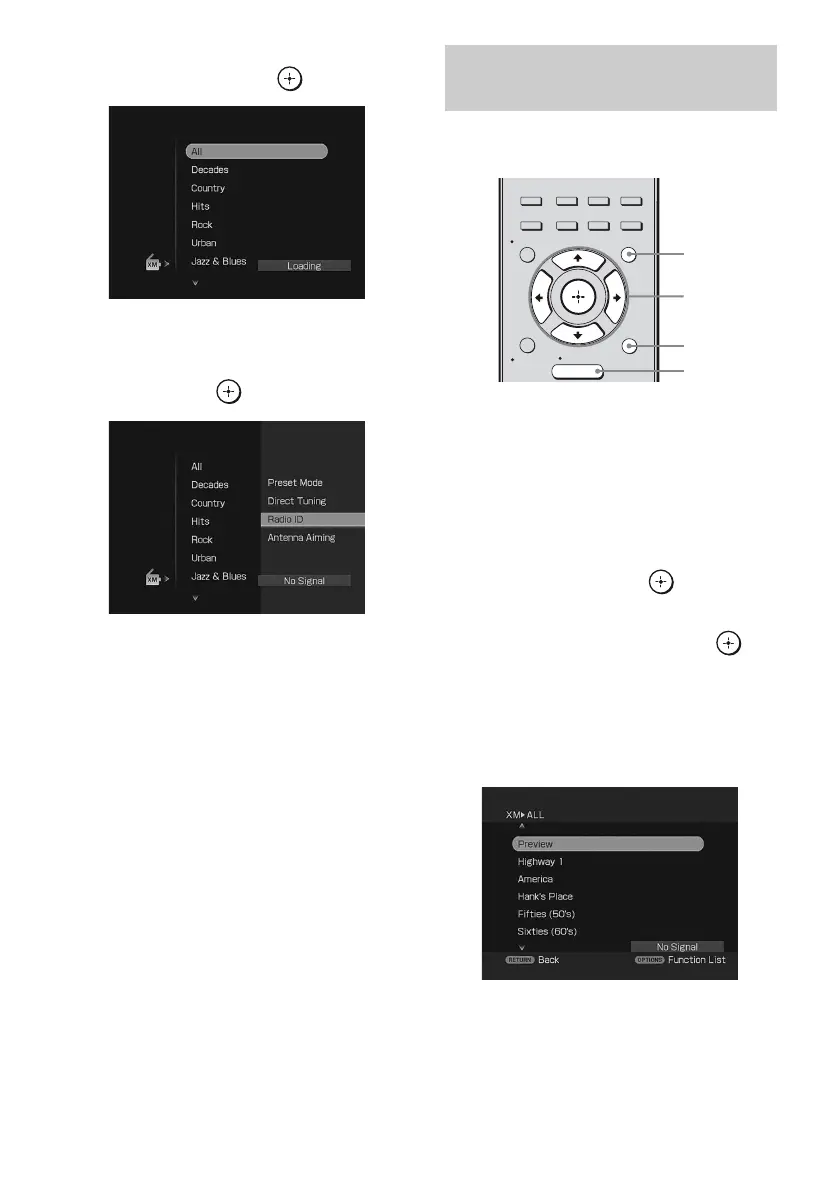
2 Press V/v repeatedly to select
“XM”, then press or b.
3 Press OPTIONS, then press V/v
repeatedly to select “Radio ID”,
then press or b.
4 Check the XM Radio ID on the
TV screen and write it in the
space provided here.
ID:_____________________________
You can also check the XM Radio ID
using the display on the receiver.
You can select a channel from one category or
all the categories.
1 Press GUI MODE.
“GUI MODE” appears on the display and
the GUI menu appears on the TV screen.
Press MENU if the GUI menu does not
appear on the TV screen.
2 Press V/v repeatedly to select
“XM”, then press or b .
3 Press V/v repeatedly to select
the category, then press or
b.
• ALL: You can select a channel from all
the categories.
• (category name): You can select a
channel from one category.
Note
When the “Preset Mode” screen is displayed,
press OPTIONS, then press V/v repeatedly to
select “Category Mode”.
Selecting a channel by Category
Mode
2CH/
A.DIRECT
A.F.D. MOVIE MUSIC
RESOLUTION
MENU
RETURN/
EXIT
OPTIONS
TOOLS
HOME
DISPLAY
GUI
MODE
O
INPUT
MODE
SLEEP
NIGHT
MODE
2-4
1
MENU
OPTIONS












 To Next Page