67
US
Tuner Operations
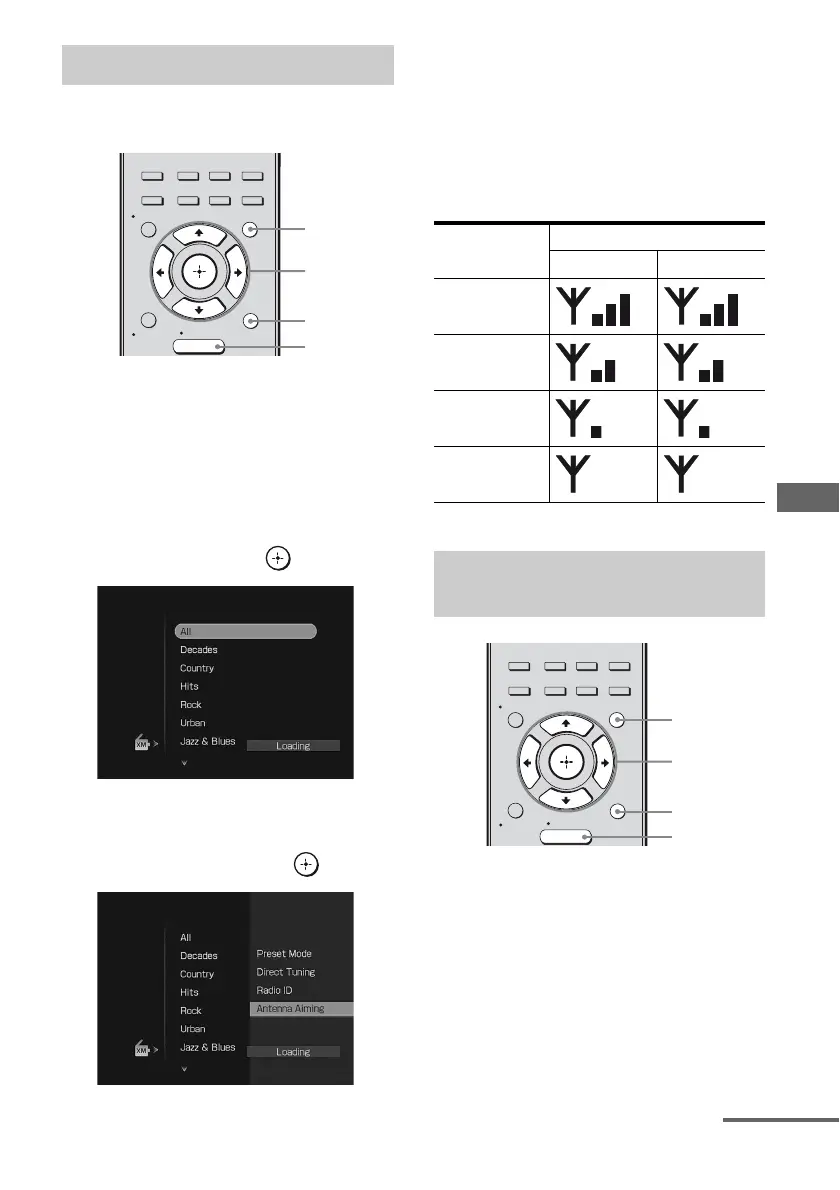
You can aim your antenna for optimal signal
reception.
1 Press GUI MODE.
“GUI MODE” appears on the display and
the GUI menu appears on the TV screen.
Press MENU if the GUI menu does not
appear on the TV screen.
2 Press V/v repeatedly to select
“XM”, then press or b.
3 Press OPTIONS, then press V/v
repeatedly to select “Antenna
Aiming”, then press or b.
4 While checking the parameter,
aim your antenna to where the
best reception will be received.
For details on the parameter, see “Signal
strength” below.
Signal strength
1 Press GUI MODE.
“GUI MODE” appears on the display and
the GUI menu appears on the TV screen.
Press MENU if the GUI menu does not
appear on the TV screen.
Aiming the XM Antenna
2CH/
A.DIRECT
A.F.D. MOVIE MUSIC
RESOLUTION
MENU
RETURN/
EXIT
OPTIONS
TOOLS
HOME
DISPLAY
GUI
MODE
O
INPUT
MODE
SLEEP
NIGHT
MODE
2,3
1
3
MENU
Signal
strength
Signal type
Satellite Terrestrial
Good
Marginal
Weak
None
Checking the XM Radio ID
number
2CH/
A.DIRECT
A.F.D. MOVIE MUSIC
RESOLUTION
MENU
RETURN/
EXIT
OPTIONS
TOOLS
HOME
DISPLAY
GUI
MODE
O
INPUT
MODE
SLEEP
NIGHT
MODE
2,3
1
3
MENU
continued












 To Next Page