29
GB
Connection and Preparation
4: Connecting Audio-Visual Devices
For notes when connecting audio-visual devices to the HDMI jacks on the receiver, see
“About HDMI features” (page 24).
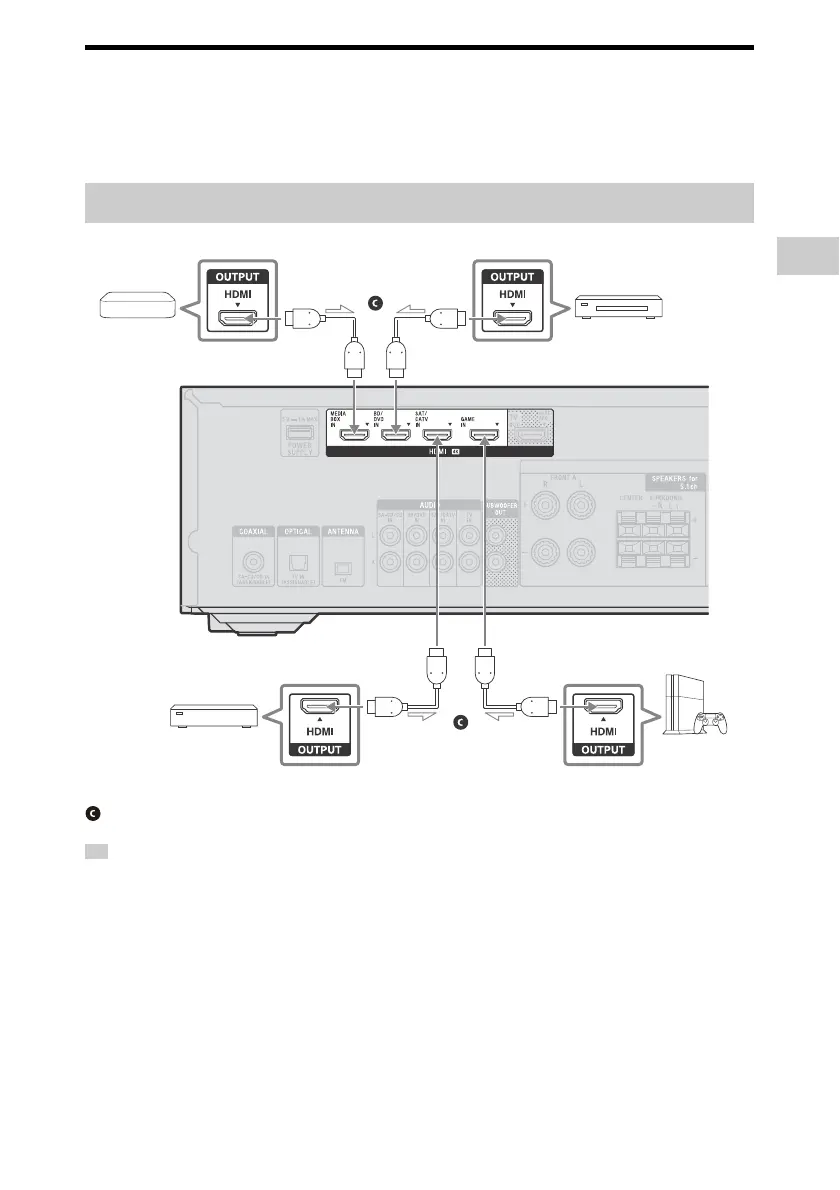
• This connection is an example. You can connect each HDMI device to any HDMI IN jacks.
• The image quality depends on the type of connecting jack. We recommend you connect your devices
via an HDMI connection if they have HDMI jacks.
Connecting devices with HDMI jacks
Tip
Game console
such as
PlayStation 4
Ultra HD Blu-ray Disc™
player, Blu-ray Disc™
player, DVD player
Cable box or
satellite box
Audio/Video
signals
HDMI cable (not supplied)
Media box
Audio/Video
signals
Audio/Video
signals
Audio/Video
signals



 To Next Page