101
US
Other Operations
To set up speakers
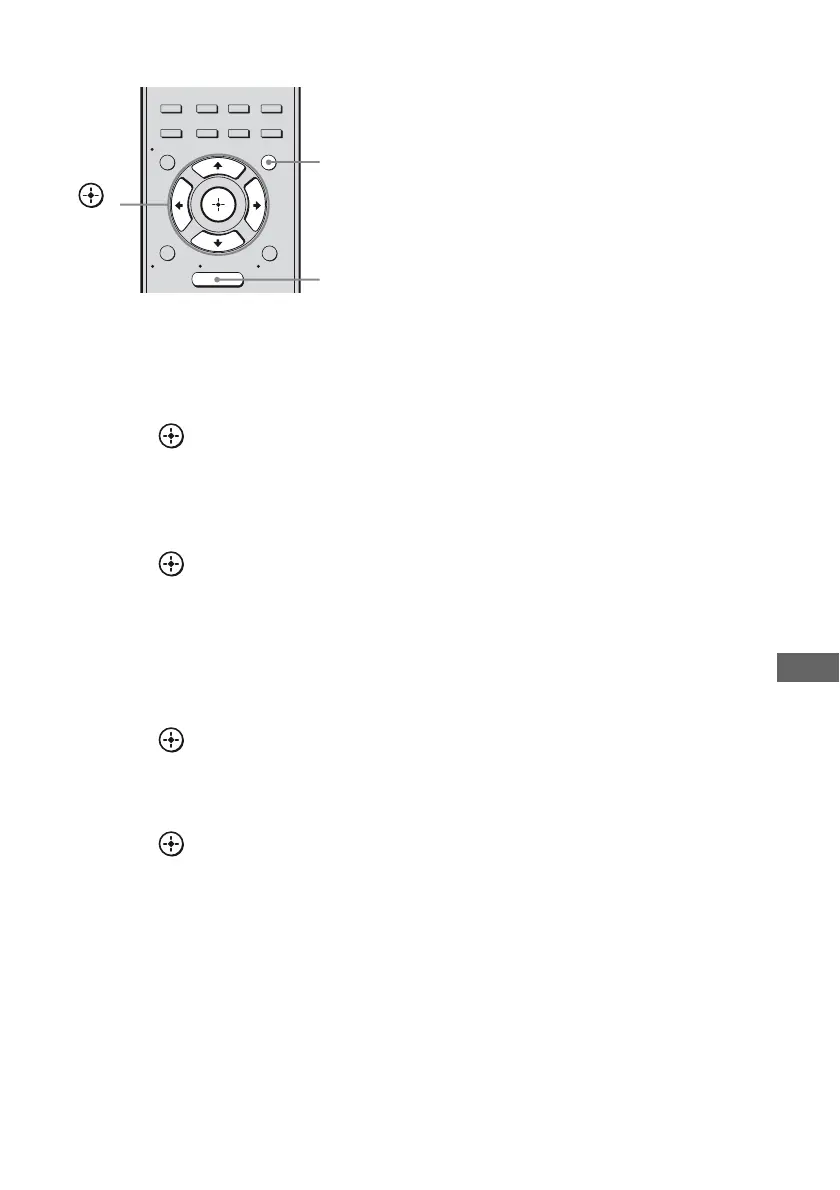
1 Press AMP MENU.
2 Press V/v repeatedly to select
“SPEAKER”.
3 Press or b to enter the
menu.
4 Press V/v repeatedly to select
“SP PATTERN”.
5 Press or b to enter the
parameter.
6 Press V/v select the
appropriate speaker pattern so
that there are no surround back
speakers.
7 Press or B.
8 Press V/v repeatedly to select
“SB ASSIGN”.
9 Press or b to enter the
parameter.
10Press V/v repeatedly to select
“BI-AMP”.
The same signals output from the
SPEAKERS FRONT A terminals can be
output from the SPEAKERS
SURROUND BACK/BI-AMP/
FRONT B terminals.
To exit the menu
Press MENU/HOME or AMP MENU.
Notes
• Set “SB ASSIGN” to “BI-AMP” before you
perform auto calibration.
• If you set “SB ASSIGN” to “BI-AMP”, the speaker
level and distance settings of the surround back
speakers become invalid, and those of the front
speakers are used.
• If you set “SP PATTERN” to a setting with
surround back speakers, you cannot set “SB
ASSIGN” to “BI-AMP”.
2CH/
A.DIRECT
A.F.D. MOVIE MUSIC
AUTO CAL
MENU
RETURN/
EXIT
TOOLS/
OPTIONS
HOME
DISPLAY
AMP
MENU
O
INPUT
MODE
SLEEP
NIGHT
MODE
AMP
MENU
,
V/v/B/b
MENU/
HOME







 To Next Page