35
US
Getting Started
Note
Depending on the characteristics of the subwoofer
you are using, the setup distance value may be
further away from the actual position.
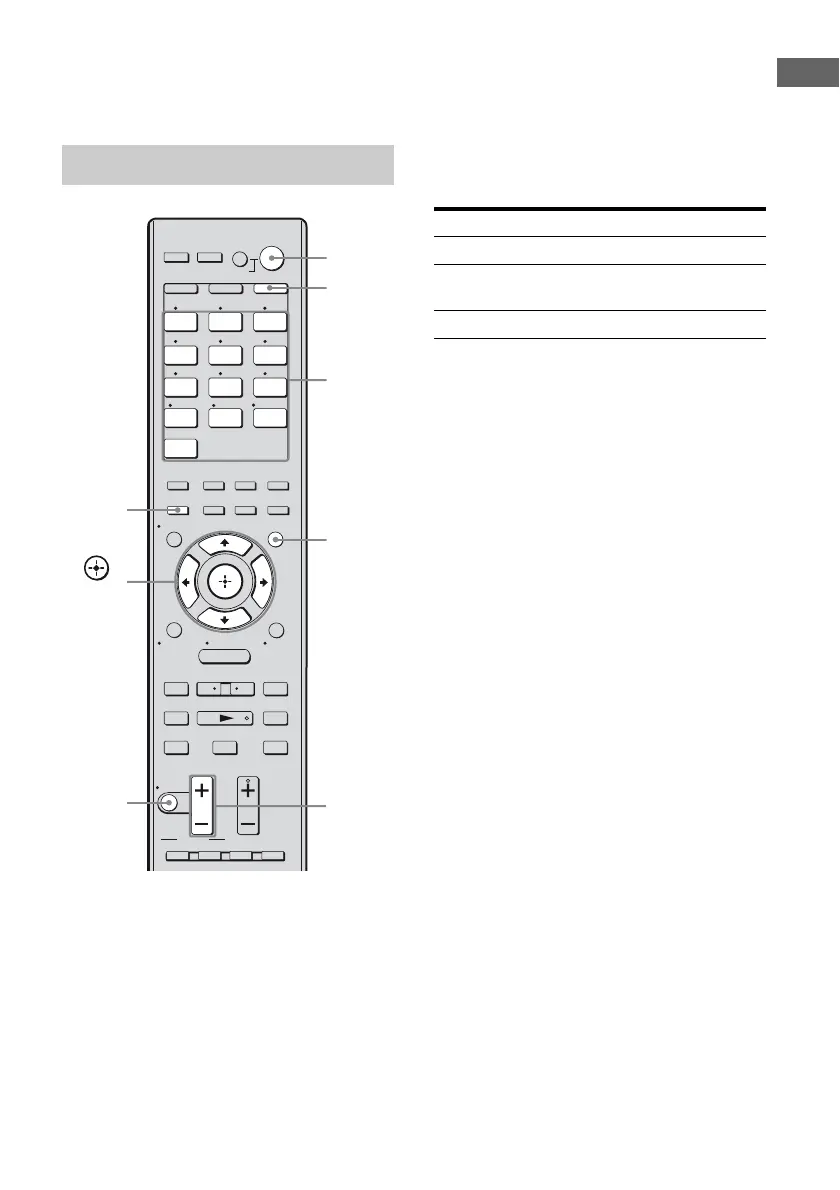
Press AUTO CAL.
Measurement starts in 5 seconds. A count
down is displayed.
The measurement process will take
approximately 30 seconds to complete.
The table below shows the display when
measurement starts.
Tips
• Operations other than turning the receiver on or off
are deactivated during the measurement.
• The measurements may not be performed correctly
or Auto Calibration cannot be performed when
special speakers, such as dipole speakers are used.
To cancel Auto Calibration
The Auto Calibration function will be
canceled when you do the following during the
measurement process:
–Press ?/1.
– Press the input buttons or turn the INPUT
SELECTOR on the receiver.
– Change the volume level.
– Press MUTING.
– Change the setting of the SPEAKERS.
– Connect headphones.
– Press AUTO CAL again.
Performing Auto Calibration
1 2 3
4 5 6
7 8 9
-/-- 0/10
ENT/MEM
2CH/
A.DIRECT
A.F.D. MOVIE MUSIC
THEATER
SYSTEM STANDBY
RM SET UP
?/1
CLEAR
/
>10
SHIFT
TUNING – TUNING +
DISC SKIP D.TUNING
AUTO CAL
.
mM
>
Xx
MUTING
VIDEO 1 VIDEO 2 BD
SAT TV
HDMI3HDMI2HDMI1
HDMI4
SA-CD/
CD
DMPORTTUNER
TV VOL
MASTER VOL
TV CH
PRESET
<
<
MENU
AV
?/1
F1 F2
TV INPUT
TOP MENU MENU
BD/DVD
WIDE
RETURN/
EXIT
TOOLS/
OPTIONS
HOME
DISPLAY
AMP
MENU
O
DVD
INPUT
MODE
SLEEP
NIGHT
MODE
TV AMP
– CATEGORY +
CATEGORY MODE
Input
buttons
?/1
switch
MUTING
MASTER
VOL +/–
AUTO
CAL
,
V/v/B/b
AMP
MENU
AMP
Measurement for Display
Speaker existence TONE
Speaker gain, distance, frequency
response
T.S.P.
Subwoofer gain and distance WOOFER















 To Next Page