87
US
S-AIR Operations
Notes
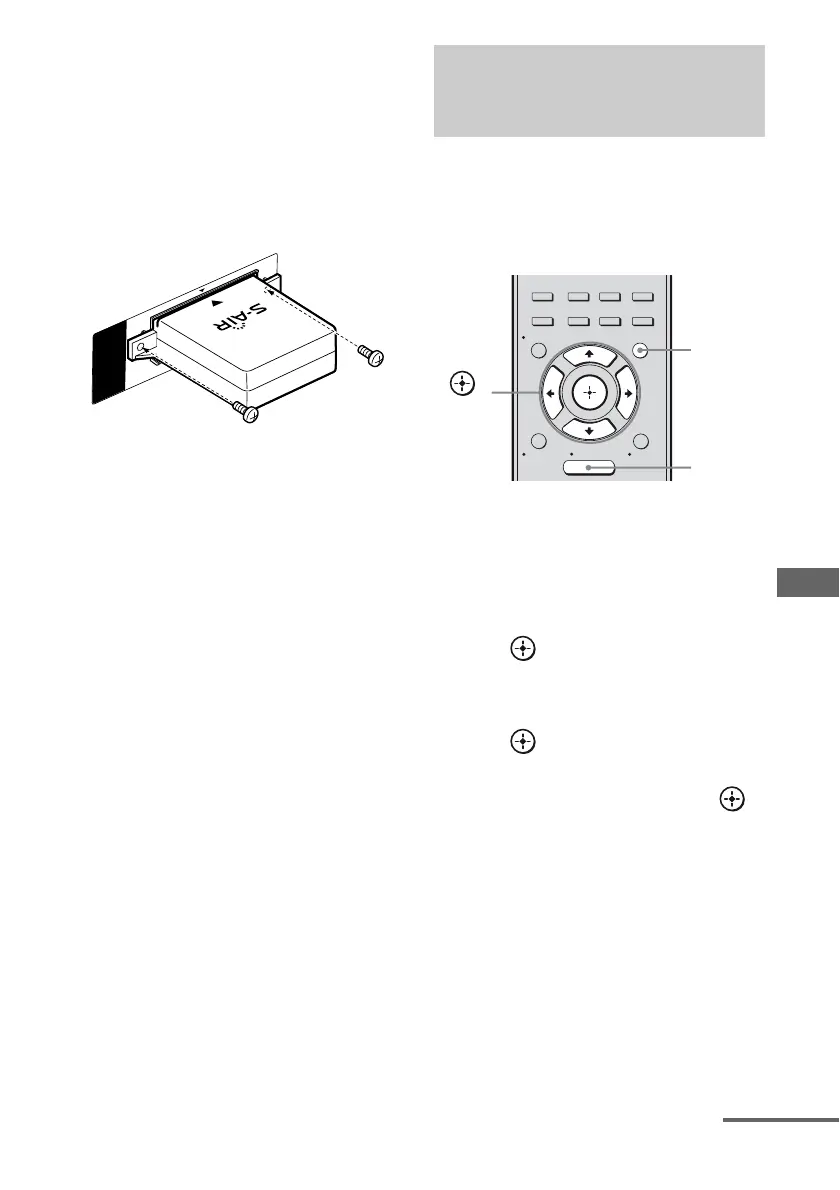
• Insert the wireless transmitter with the S-AIR logo
facing up.
• Insert the wireless transmitter so that the V marks
are aligned.
• Do not insert other than the wireless transmitter
into the EZW-T100 slot.
3 Use the screws that you removed from
step 1 to fasten the wireless transmitter.
Note
Do not use other screws to fasten the wireless
transmitter.
To insert the wireless
transceiver into the S-AIR sub
unit
For details on installing the wireless
transceiver into surround amplifier and S-AIR
receiver, refer to the operating instructions
supplied with the surround amplifier and
S-AIR receiver.
When you match the ID of the S-AIR main
unit and the S-AIR sub unit, you can establish
sound transmission. You can use multiple
S-AIR main unit by setting a different ID for
each unit.
To set the ID of the S-AIR main
unit
1
Press AMP MENU.
2 Press V/v repeatedly to select “S-AIR”.
3 Press or b to enter the menu.
4 Press V/v repeatedly to select “S-AIR
ID”.
5 Press or b to enter the parameter.
6 Press V/v repeatedly to select the ID
(A, B or C) you want, then press .
To exit the menu
Press MENU/HOME or AMP MENU.
To set the ID of the S-AIR sub
unit
Be sure to match the ID on S-AIR sub unit you
want to the S-AIR main unit.
For details on setting the ID of the surround
amplifier and S-AIR receiver, refer to the
operating instructions supplied with the
surround amplifier and S-AIR receiver.
E
Z
W
-
T
1
0
0
Establishing sound transmission
between the S-AIR main unit and
S-AIR sub unit (ID setting)
2CH/
A.DIRECT
A.F.D. MOVIE MUSIC
AUTO CAL
MENU
RETURN/
EXIT
TOOLS/
OPTIONS
HOME
DISPLAY
AMP
MENU
O
INPUT
MODE
SLEEP
NIGHT
MODE
AMP
MENU
,
V/v/B/b
MENU/
HOME
continued















 To Next Page