You can control your receiver wirelessly using SongPal app installed on your smartphone or
tablet device.
This app is recommended if you will use the receiver’s content playback, multi-zone, or SongPal
Link feature.
Controlling the receiver using a smartphone or tablet device (SongPal)
Listening to the same music on multiple devices/Listening to different music in a different
location (SongPal Link)
Listening to the same music in different rooms (Wireless Multi-Room)
Video & TV SideView
You can control your receiver wirelessly by installing the Video & TV SideView app on your
smartphone or tablet device. This app is recommended for customers who use a TV
manufactured by Sony with the receiver.
Registering Video & TV SideView device to the receiver
Internet music services
With the receiver connected to the Internet, you can listen to music from a variety of music
services.
Enjoying music services offered on the Internet
Chromecast built-in
You can select audio/music content from the Chromecast-enabled app and play back via this
receiver.
Using Chromecast built-in™ to enjoy audio content from a smartphone or tablet device
Spotify
You can select audio/music content from the Spotify app and play back via this receiver.
Using Spotify Connect to enjoy music
[84] Using Network Features Setting up a wired LAN connection (for wired LAN connections
only)
Connecting the receiver to the network using a LAN
cable (for wired LAN connections only)
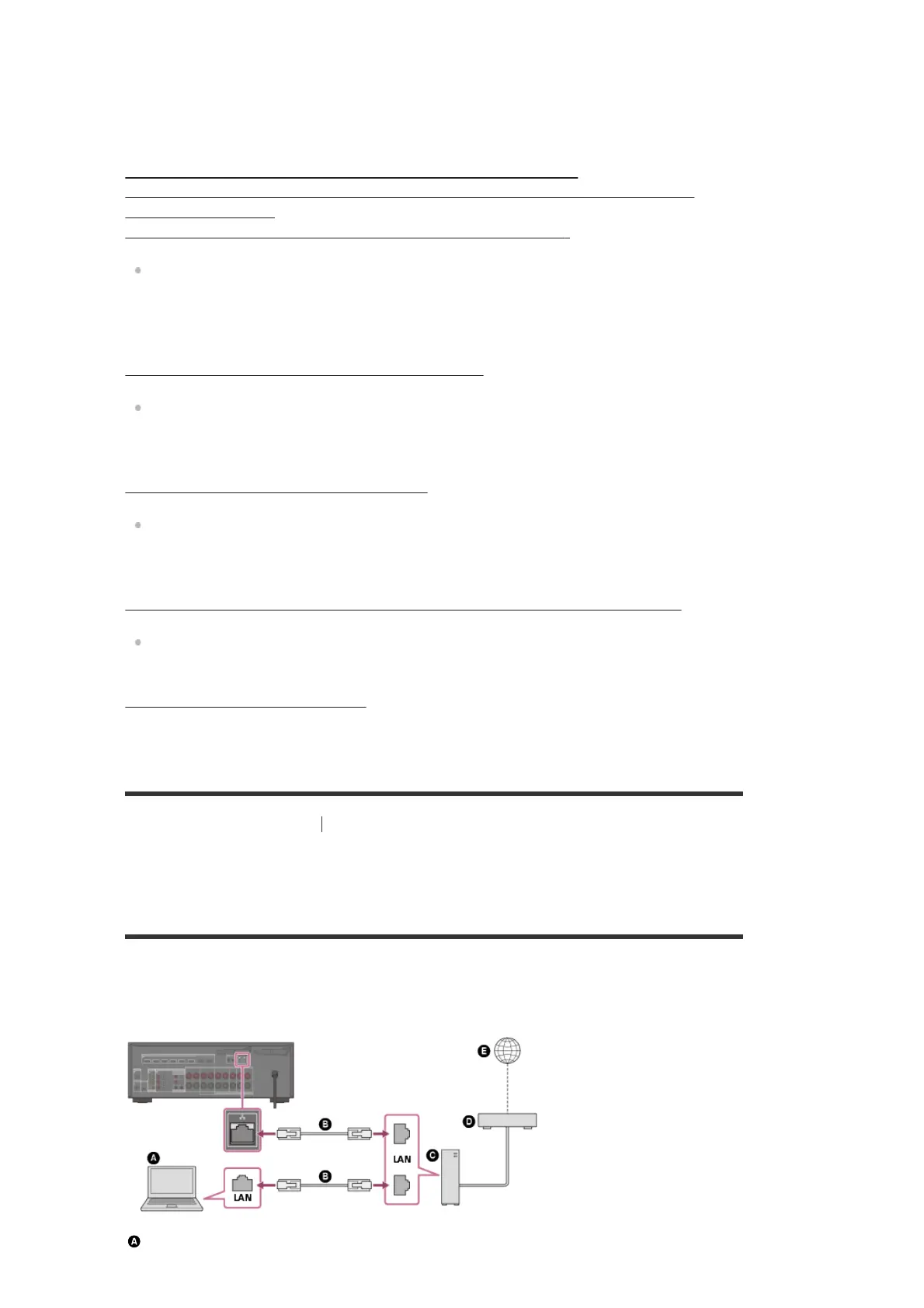
The following illustration is an example configuration of a home network with the receiver and a
server.
We recommend that you connect the server to the router with a wired connection.
Server (computer, etc.)


 To Next Page