9
US
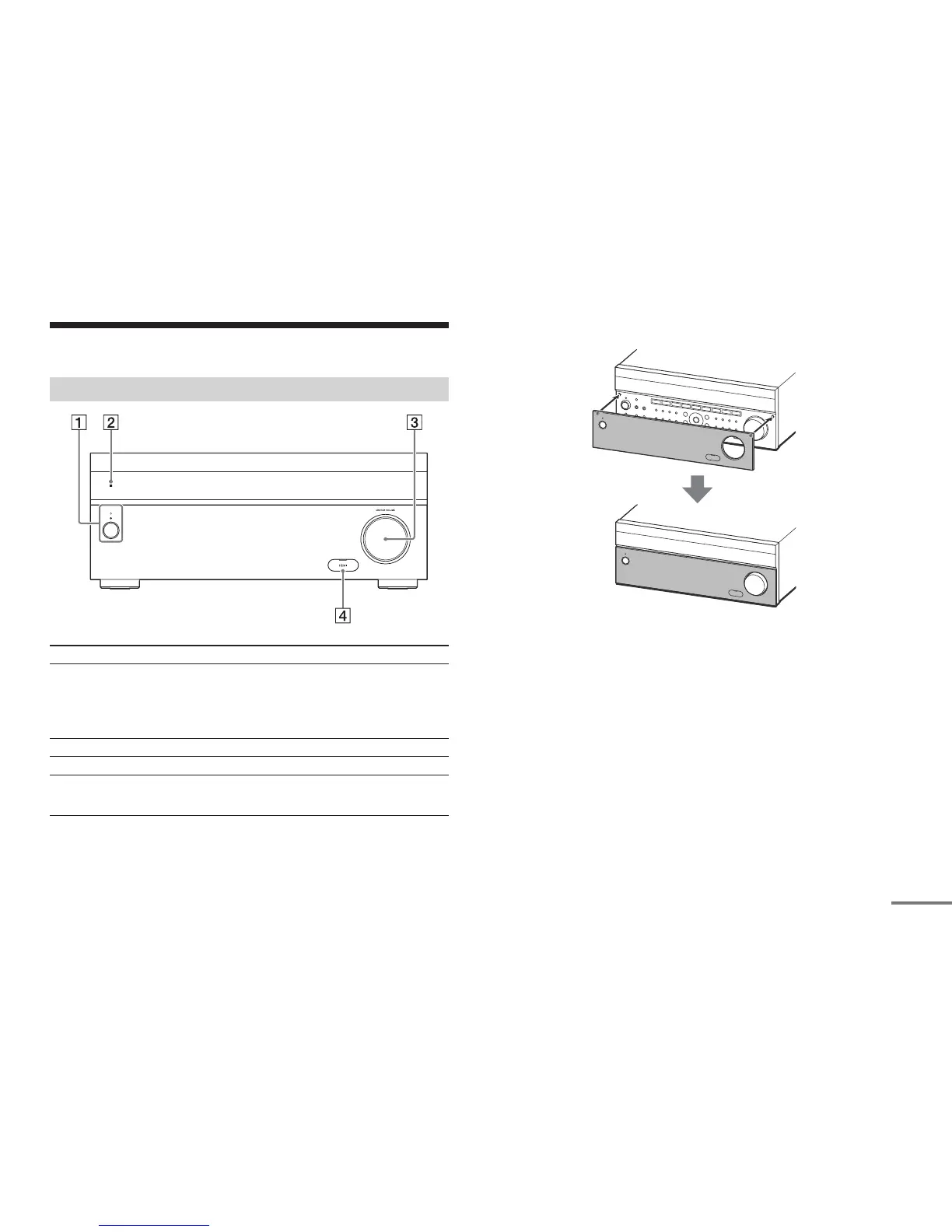
Main parts and controls
Attaching the front cover
Front panel cover
Parts Functions
Æ (power) Turns the receiver on or sets it to standby
mode.
The indicator lights up according to the status
of the receiver. Also, the color of the indicator
changes depending on the status of the
receiver.
Remote sensor Receives signals from the remote control.
MASTER VOLUME Turns to adjust the volume level.
HDMI jack cover
(for STR-ZA3100ES/
STR-ZA2100ES only)
Open the cover when you use the HDMI IN 6
(GAME) jack.



 To Next Page