You can adjust the level of each speaker (front left/right, height left/right, center, surround
left/right, surround back left/right and subwoofer).
Note
This function is not available when [Bluetooth Mode] is set to [Transmitter].
If headphones are connected, you can only adjust the level of front left and front right.
[157] Adjusting Settings Speaker Settings
Adjusting the equalizer (Equalizer)
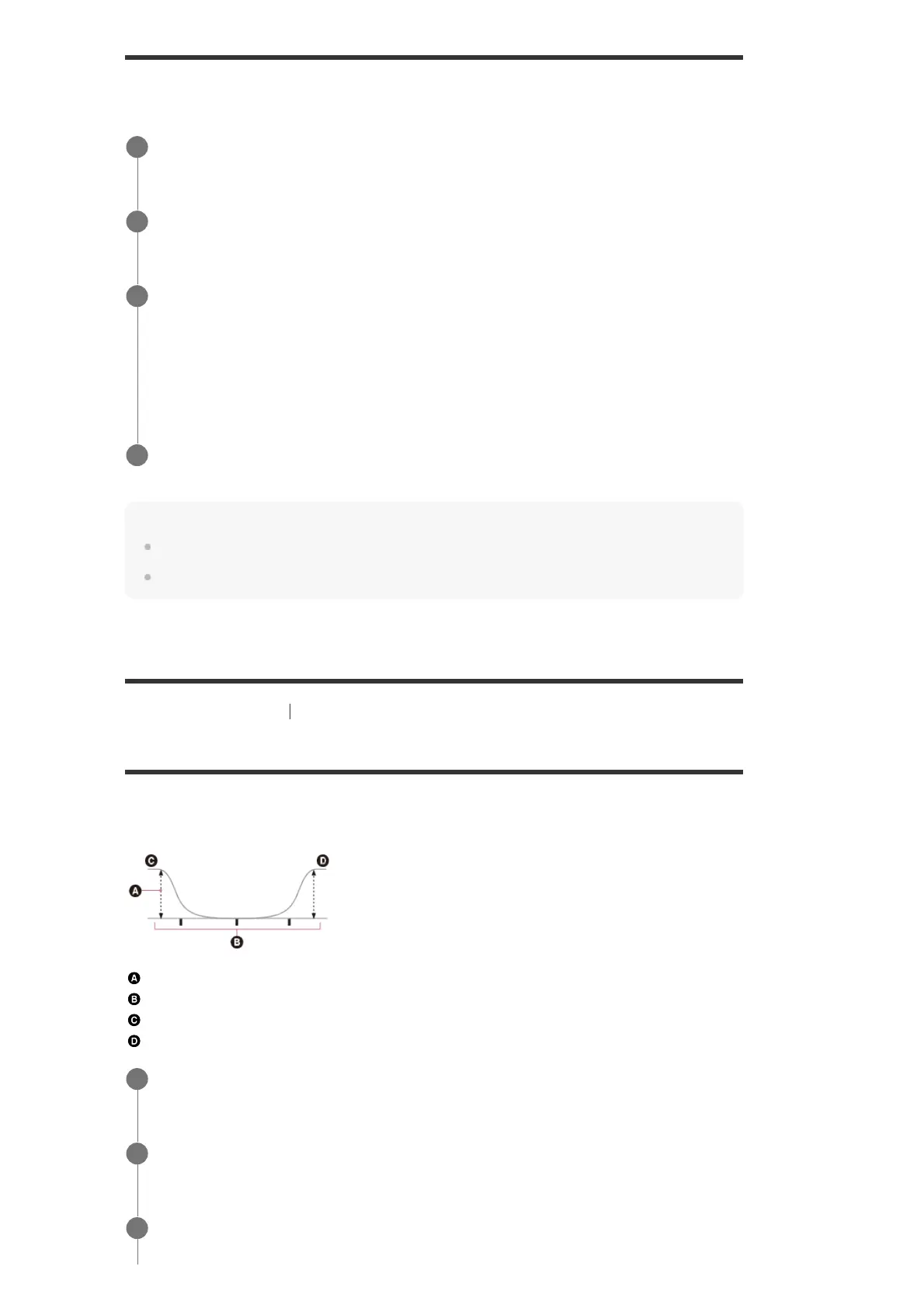
You can use the following parameters to adjust the tonal quality (bass/treble level) of the front,
center, surround/surround back and height speakers.
Level (dB)
Frequency (Hz)
Bass
Treble
Select [Setup] - [Speaker Settings] from the home menu.
1
Select [Level].
2
Select the speaker whose level you want to adjust from the following.
Front L, Center, Front R, Surround R, Surround L, Sur Back L, Sur Back (*), Sur Back R,
Height L, Height R, Subwoofer
3
[Sur Back] appears when only one surround back speaker is connected.
*
Adjust the level.
4
Select [Setup] - [Speaker Settings] from the home menu.
1
Select [Equalizer].
2
Select [Front], [Center], [Surround] or [Height].
3



 To Next Page