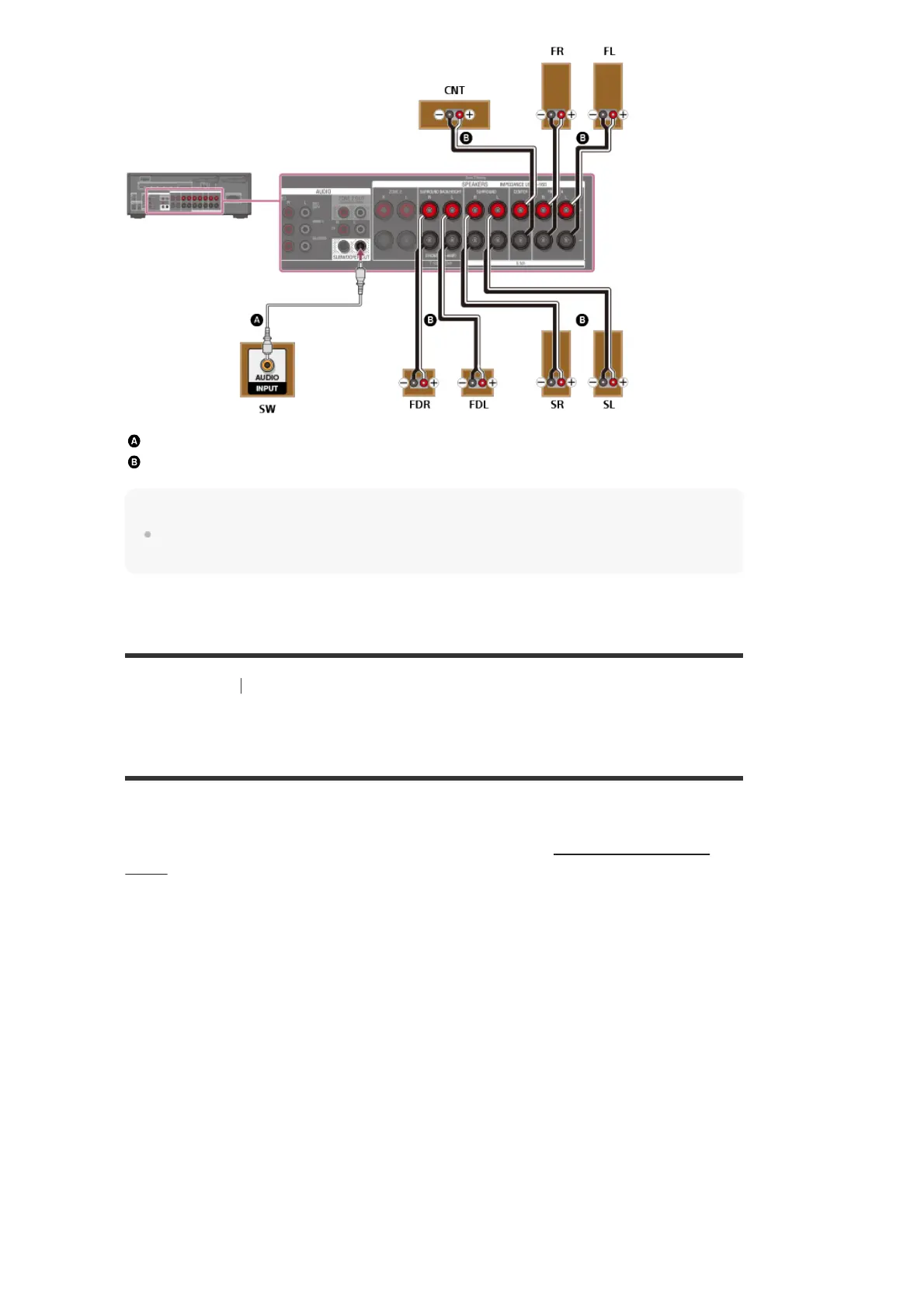
Monaural audio cable (not supplied)
Speaker cable (not supplied)
Note
After you have installed and connected your speakers, be sure to select the speaker pattern you
want using [Speaker Pattern] in the [Speaker Settings] menu.
[23] Preparation 2. Connecting speakers
Connecting 5.1-channel speaker system with Zone 2
connection
Connect each speaker as illustrated below.
Before connecting cables, be sure to disconnect the AC power cord (mains lead).
For details on how to connect speaker cables to the receiver, see “How to connect speaker
cables.”



 To Next Page