[4] Parts and Controls Receiver
Power indicator
Green: The receiver is turned on.
Amber: The receiver is in standby mode, and you have set one of the following:
[Control for HDMI], [Bluetooth Standby], [Network Standby] or [Remote Start] is set to
[On].
[Standby Through] is set to [On] or [Auto].
[Zone2 Power] or [HDMI Zone Power] is set to [On].
The indicator turns off when the receiver is in standby mode, and the following settings are
set to [Off]:
[Control for HDMI]
[Standby Through]
[Bluetooth Standby]
[Network Standby]
[Remote Start]
[Zone2 Power] and [HDMI Zone Power]
[5] Parts and Controls
Receiver
Indicators on the display panel
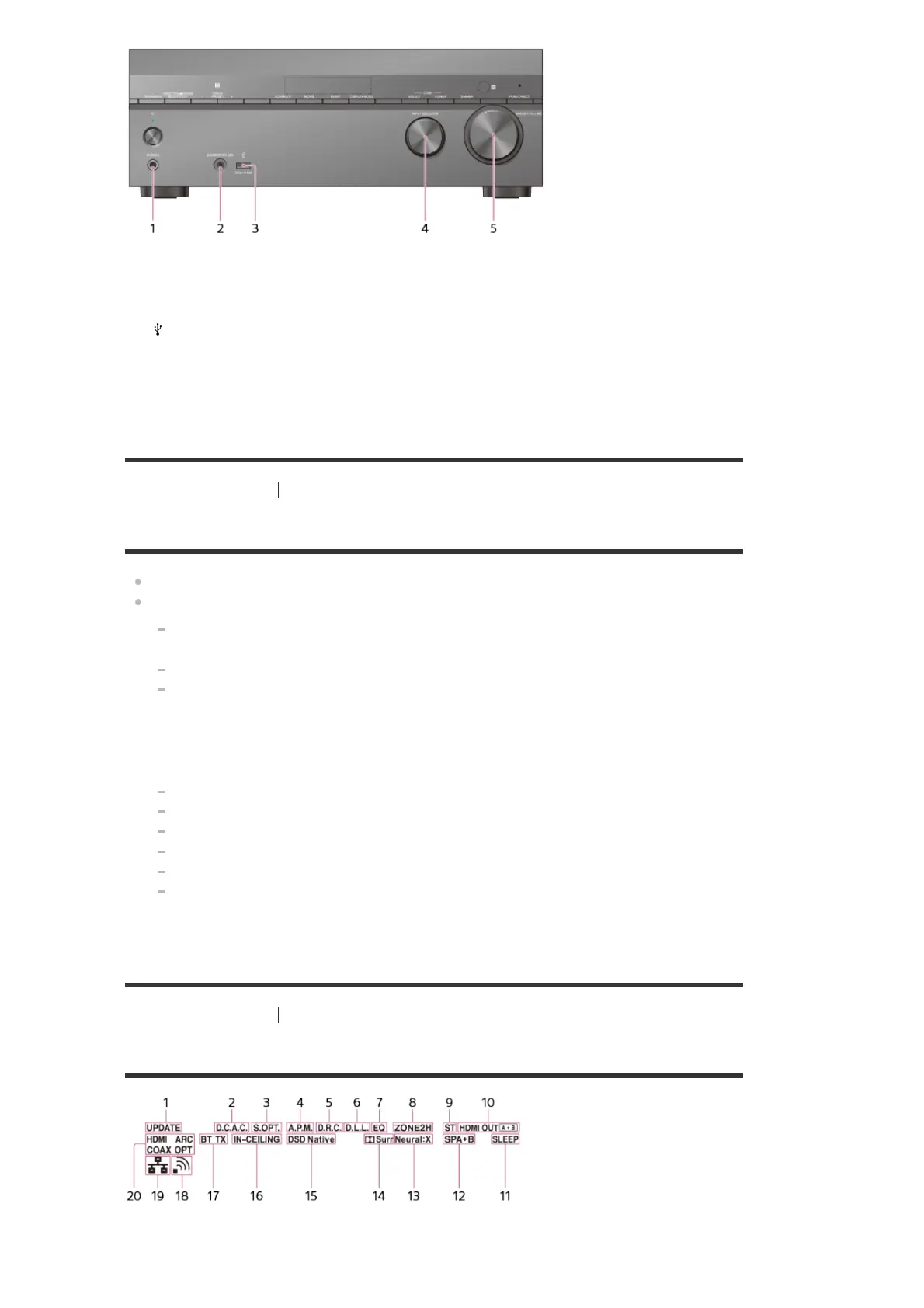
PHONES jack
Connect headphones here.
1.
CALIBRATION MIC jack
2.
(USB) port
3.
INPUT SELECTOR
4.
MASTER VOLUME
5.
UPDATE
Lights up when new software is available.
1.



 To Next Page