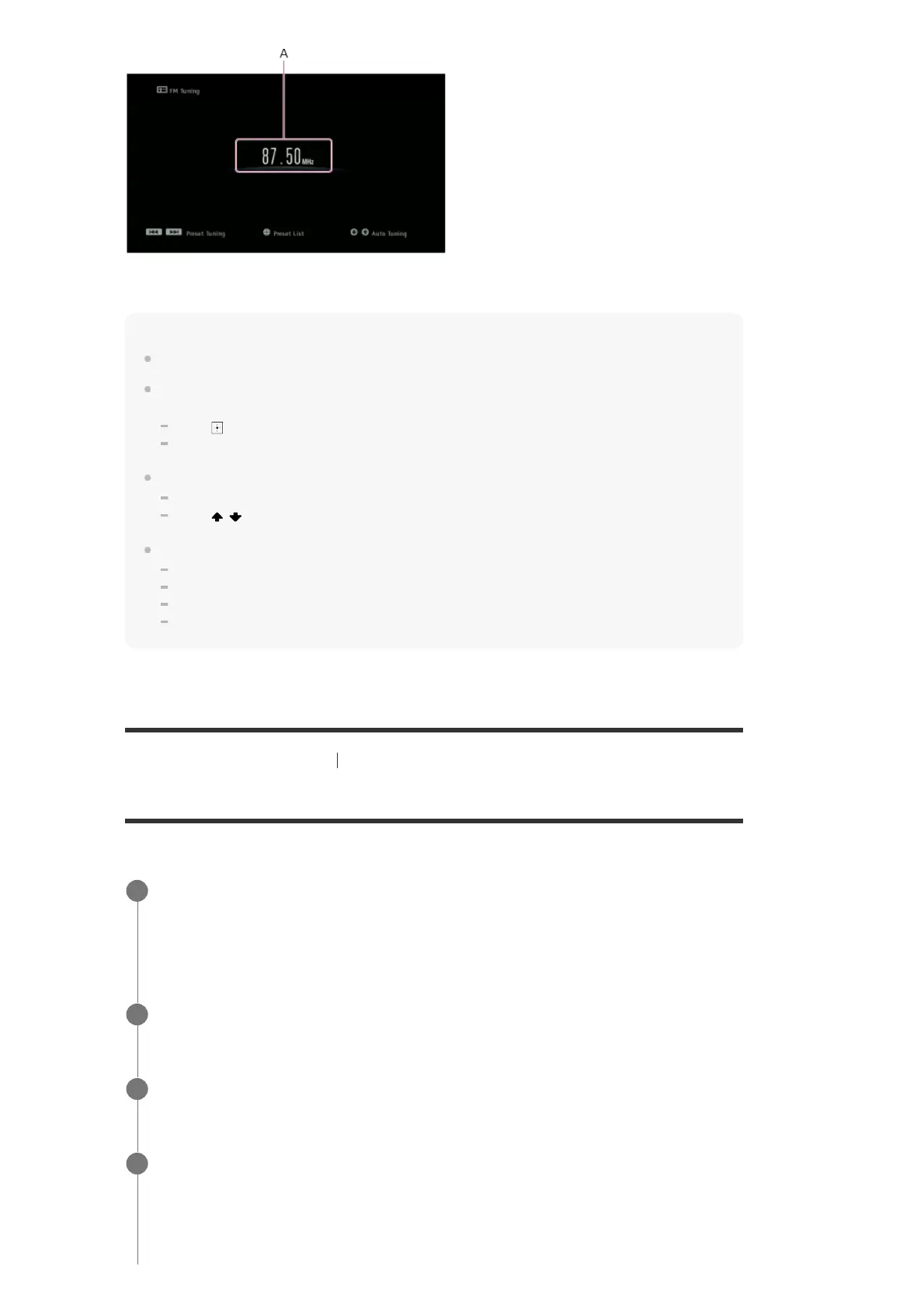
A: Frequency indication
Shows the frequency of the station which the tuner is receiving.
Hint
You can also press FM on the remote control to display the FM screen.
If you have already preset stations, you can select the station you want through either of the
following operations:
Press
in step 1 to display the Preset List screen, and then select a station from the list.
Press PRESET +/– repeatedly to select the station.
You can also perform auto-tuning through either of the following operations:
Press and hold PRESET +/–.
Press
/ repeatedly.
You can perform the following operations from the menu that is displayed when you press OPTIONS:
Direct Tuning
Preset Memory
Preset Name Input
Switching FM Mode
[65] Enjoying Video and Sound Listening to the radio
Presetting FM radio stations (Preset Memory)
You can store up to 30 FM stations as your favorite stations.
Select [Listen] - [FM TUNER] from the home menu.
The FM screen appears.
1
Tune to the station that you want to preset.
2
Press OPTIONS.
3
Select [Preset Memory] from the options menu.
The Preset Memory screen appears.
4



 To Next Page