EasyManua.ls Logo

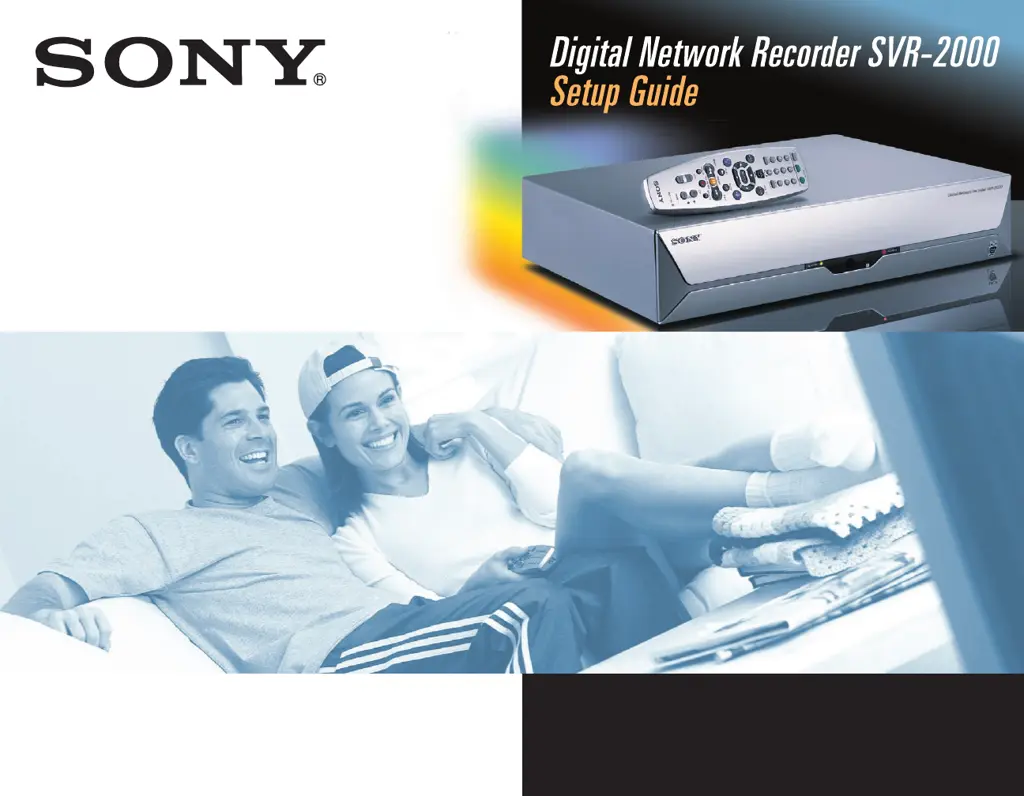
Sony SVR-2000 - User Manual

Sony SVR-2000
68 pages
Print Icon
To Next Page IconTo Next Page
Loading...
©2000 by Sony Corporation. Reproduction in whole or in part
without written permission is prohibited. All rights reserved.
3-060-082-01 (1)
Please use this manual first.
01_COV.book Page 1 Sunday, May 26, 2002 11:31 AM

Other manuals for Sony SVR-2000

Questions and Answers

  • L
    lloganAug 4, 2025
    What to do if audio and video is out of sync on Sony SVR-2000 DVR?
    • J
      Jessica CummingsAug 5, 2025
      If the audio and video are out of sync on your Sony DVR, try changing channels. You can also press the PAUSE button on the remote, move back a frame or two, and then press PAUSE again to resume play. Alternatively, press the TiVo button to go to TiVo Central, and then press the LIVE TV button to return to live television. Power cycling your DVR (unplugging it, waiting 15 seconds, and then reinserting the power cord) may also resolve the issue. If you are using your stereo, it must be connected between the DVR and your TV to avoid delays.
  • T
    tyronestewartAug 15, 2025
    How to correct incorrect channel lineup on Sony SVR-2000 DVR?
    • P
      pwoodwardAug 15, 2025
      To correct incorrect lineup information on the 'Channels You Watch' screen of your Sony DVR, navigate to the Cable Providers and Cable Lineups screens within Guided Setup. Verify that you've selected the correct cable or satellite provider and lineup. It may be necessary to review all selections to locate the correct one, as cable providers frequently change their names and lineups.
  • M
    Matthew WilliamsAug 20, 2025
    What to do if I don’t see my cable provider on Sony DVR?
    • J
      Jason HarveyAug 20, 2025
      If your cable provider is missing from the list in the Guided Setup on your Sony DVR, first verify that you entered the correct zip code on the Zip Code screen. Then, try going through the first setup call again. Check all listed cable providers for your zip code to ensure your cable company hasn’t merged or changed its name.
  • S
    Sarah OsborneOct 25, 2025
    How to fix Sony DVR if it is not making setup phone calls?
    • A
      amyhopkinsOct 25, 2025
      If your Sony DVR recorder isn't making setup phone calls, ensure you aren't using a wireless phone connection. Verify your phone line is working by connecting a phone and checking for a dial tone, ensuring the phone cord is connected to both the DVR and the wall jack. Try a different local dial-in number from the Dial In Numbers screen. Adjust phone dialing options and test the connection. If you have voice mail or a non-standard dial tone, turn off dial tone detection. Disable call waiting by entering the correct prefix in 'Call Waiting Prefix'. Set a dial prefix for outside lines if needed. Low phone line voltage can be solved by turning off 'phone availability detection'. Remove any caller ID boxes. Ensure no other devices are using the line and try a shorter phone cord or a line noise ...
  • L
    Leslie SmithOct 30, 2025
    Why are my channels not changing on my Sony DVR?
    • A
      Andres OliverOct 30, 2025
      If your Sony DVR channels aren't changing, and you use cable without a set-top box, ensure you're using the DVR's remote, pointing it towards the DVR. Check if the Remote Active LED flashes when pressing a button; if not, check/replace the batteries. If the LED flashes, check if the green receiving light on the DVR flashes yellow when you press a button on the remote. If not, power cycle the DVR (unplug, wait 15 seconds, replug), possibly multiple times. If you use cable with a set-top box, ensure the set-top box is on, and the remote is pointed towards the DVR, not the cable box. Verify the IR Control cable is plugged into the lower IR jack on the DVR's back, and the IR Emitter covers the IR receiver on the cable box. Also, confirm you selected a working code for your cable box during Gui...
  • W
    Whitney HurstNov 9, 2025
    Why does my Sony SVR-2000 show a blue screen with a frowning TiVo?
    • E
      Eric PhillipsNov 9, 2025
      If you see a blue screen with a frowning TiVo on your Sony DVR, it means the recorder is having trouble tuning to the channel. If you have a cable/satellite set-top box, make sure it is turned on. Try changing channels. If the issue persists, check all cable connections on the back of your DVR to ensure they are secure. Verify that you are receiving a video signal by temporarily connecting the video source directly to the TV. Power cycle your DVR (unplug the AC power cord, wait 15 seconds, then reinsert the AC power cord). Try swapping out your video cables to determine if one of your cables is bad. Go to Messages and Setup and choose “Cable/Satellite Box,” then choose “Connection to Recorder.” Verify that the cable selected on this screen matches the cable used to connect your set-top box...

Summary

Getting Started

Overview and Package Contents

Introduces the SVR Recorder and lists all items included in the package.

Front Panel, Back Panel, and Remote Control

Details the controls, connections, and remote functions of the SVR Recorder.

Installing Remote Batteries

Instructions for correctly inserting batteries into the remote control.

Connecting Your Equipment

Connection Examples Overview

Provides various examples for connecting the SVR Recorder to different TV systems.

Example 1: Antenna;Cable with VCR and Splitter

Connects antenna/cable to VCR and splits signal for TV/SVR Recorder.

Example 4: Satellite with Serial & VCR (S-Video)

Connects satellite box (serial) to SVR Recorder and VCR using S-Video cables.

Example 5: Satellite with IR & VCR (S-Video)

Connects satellite box (IR) to SVR Recorder and VCR using S-Video cables.

Continuing Connection Steps

Provides subsequent steps for connecting the SVR Recorder to TV and VCR.

Back Panel Connections Reference

Detailed explanation of all back panel jacks and their functions.

Setting Up Your System

Guided Setup Process

Walks through the initial setup and activation of the TiVo Service.

Program Source and Provider Selection

Choosing TV source and selecting your cable or satellite provider.

Location, Phone, and Dialing Setup

Entering location details and configuring phone dialing options for service.

Channel Lineups and Customization

Selecting channel lineups and customizing the list of watched channels.

Activating TiVo Service and Remote Programming

Activating the TiVo Service and programming the remote control for TV operation.

Additional Information

Troubleshooting Support and Phone Issues

Lists support contacts and solutions for phone connection problems.

Troubleshooting Channel and Video Issues

Resolving incorrect channel lineups, channel change failures, and video display issues.

Product Specifications

Technical details on inputs, outputs, power, dimensions, and supplied accessories.

FCC Regulations and Service

Information on FCC compliance, telephone connection rules, and service requirements.

Sony SVR-2000 Specifications

General IconGeneral
CategoryDVR
BrandSony
ModelSVR-2000
Remote ControlYes
Recording FormatDVCAM, DV
Video InputComposite, S-Video
Video OutputComposite, S-Video
Audio InputXLR, RCA
Audio OutputXLR, RCA
Resolution720 x 480 (NTSC), 720 x 576 (PAL)

Related product manuals