EasyManua.ls Logo

Sony TA-FA3ES - Electrical Adjustment; Bias Adjustment

Sony TA-FA3ES
22 pages
Print Icon
To Next Page IconTo Next Page
To Previous Page IconTo Previous Page
Loading...
SECTION
2
ELECTRICAL
ADJUSTMENT
Bias
Adjustment
1.
Rotate
fully
the
bias
adjusting
semi-fixed
resistors
(RV501,
RV601)
to
the
MIN
position
(counterclockwise).
2.
Connect
a
digital
voltmeter
to
the
TP500
and
TP600.
3.
Set
the
slidack
to
0
V,
and
press
the
POWER
button
(ON)
on
the
set.
4.
Raise
gradually
the
slidack
voltage
up
to
the
rated
voltage
(230
V).
5.
At
this
time,
confirm
that
the
SP
relay
is
turned
on
(it
will
click),
and
at
the
same
time,
the
LED
on
the
POWER
button
changes
from
red
to
green.
6.
Adjust
the
RV501
and
RV601
so
that
a
reading
of
digital
voltmeter
is
33
mV
t2mV.
7.
Return
the
slidack
to
0
V,
and
press
the
POWER
button
(OFF)
on
the
set.
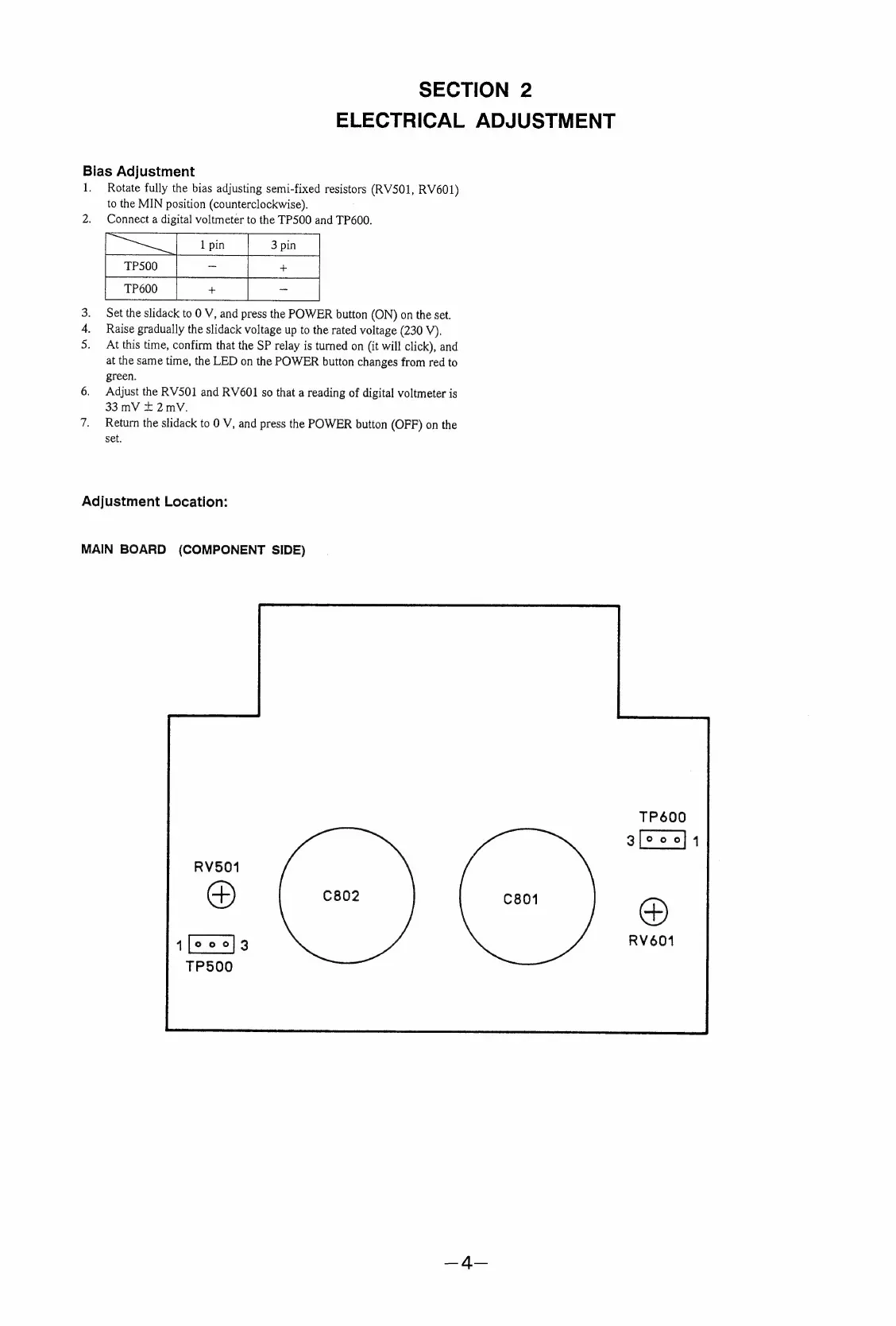
Adjustment
Location:
MAIN
BOARD
(COMPONENT
SIDE)

Related product manuals